

Now that today's smartphones are capable of doing a bunch of things, from replying to emails to checking out your daily feed on social media, you can also turn it into a fully functional computer. Here's a guide on how to turn your smartphone into a desktop PC. Author's Note: Turning your smartphone into a desktop PC needs the following main components: an external monitor, keyboard, mouse, and some dongles. Connecting a Keyboard and Mouse Photo by: PCWorld Most people are used to typing on a touchscreen on their smartphone, but nothing can take away the feeling of typing on a regular keyboard– particularly when you need to be efficient. This process for Android smartphones is pretty straightforward, but there's no way to use an iPhone with a wired keyboard or mouse. So if you're an iPhone user, you only have the option of using a Bluetooth-enabled accessory. External Display: Cast to a Larger Display Now, the issue lies in the fact that not all smartphones offer the mirror display function using a Bluetooth or wired connection. But for some newer phones, they have their own custom desktop experience when they're connected to an external display that doesn't require any sort of cable or dock to access. Read more in our articles including "Turn your Smartphone into a Desktop PC" and "Top iPhone 3G Alternatives".
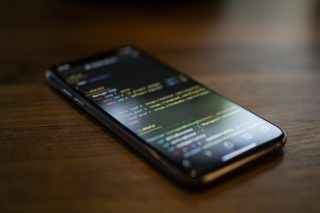
Now that today’s smartphones are capable of doing a bunch of things, from replying to…
Jul 21, 2020While every iPhone fans are waiting for the supposed August/September release of the iPhone 3G…
Jul 27, 2008After over two weeks of using the iPhone 3G, I can fairly say I have…
Sep 13, 2008Update: Check out our iPhone 3G Review. Globe drops iPhone 3G Price Exclusive: iPhone 3G…
Aug 15, 2008Apparently, there’s still money to be made from old iPhones since demand for it from…
Jul 20, 2008Those looking for an earlier release of the iPhone 3G, there are tons of them…
Jul 18, 2008Now that today's smartphones are capable of doing a bunch of things, from replying to emails to checking out your daily feed on social media, you can also turn it into a fully functional computer. Here's a guide on how to turn your smartphone into a desktop PC.
Author's Note: Turning your smartphone into a desktop PC needs the following main components: an external monitor, keyboard, mouse, and some dongles. Connecting a Keyboard and Mouse Photo by: PCWorld Most people are used to typing on a touchscreen on their smartphone, but nothing can take away the feeling of typing on a regular keyboard– particularly when you need to be efficient. This process for Android smartphones is pretty straightforward, but there's no way to use an iPhone with a wired keyboard or mouse.
Our coverage of Phone Chromecast includes: "Turn your Smartphone into a Desktop PC"; "Top iPhone 3G Alternatives"; "iPhone 3G: The Good, the Bad and the Ugly". Each article provides unique insights and information.