


Well, now you can with Google Meet being able to go into picture-in-picture mode. It was announced on Google's Official Blog that a new picture-in-picture feature will be coming to Google Meet on Chrome browsers and will allow you to see up to 4 video tiles of meeting attendees in a floating window on top of other applications. You can access the picture-in-picture by tapping the three-dot menu icon next to the end call button and by selecting "Open picture-in-picture". Both picture-in-picture and multi-pinning are available today for all Google Meet users. YouTube has announced via Twitter that the picture-in-picture (PiP) mode for YouTube TV is now rolling out to YouTube TV on iOS running iOS 15 or newer. Read more in our articles including "Google Meet now supports Picture-in-Picture and Multi-pinning" and "YouTube TV gets picture-in-picture (PiP) mode for iOS 15+ devices".

Ever wanted to keep your Google Meet off to the side while looking at your…
Jun 18, 2022
YouTube has announced via Twitter that the picture-in-picture (PiP) mode for YouTube TV is now…
Mar 31, 2022
Zoom has introduced ZoomMate, a new AI-powered work platform designed to help teams turn conversations…
Jun 20, 2026
The Philippine Atmospheric, Geophysical and Astronomical Services Administration (PAGASA) has launched the PANaHON mobile app,…
Jun 16, 2026
EStrava has announced a set of new and updated hiking features aimed at helping users…
Jun 13, 2026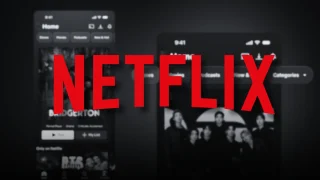
Netflix has unveiled a refreshed mobile experience and expanded gaming initiatives during its APAC Product…
Jun 11, 2026Well, now you can with Google Meet being able to go into picture-in-picture mode. It was announced on Google's Official Blog that a new picture-in-picture feature will be coming to Google Meet on Chrome browsers and will allow you to see up to 4 video tiles of meeting attendees in a floating window on top of other applications.
You can access the picture-in-picture by tapping the three-dot menu icon next to the end call button and by selecting "Open picture-in-picture". Both picture-in-picture and multi-pinning are available today for all Google Meet users. YouTube has announced via Twitter that the picture-in-picture (PiP) mode for YouTube TV is now rolling out to YouTube TV on iOS running iOS 15 or newer.
Our coverage of picture in picture includes: "Google Meet now supports Picture-in-Picture and Multi-pinning"; "YouTube TV gets picture-in-picture (PiP) mode for iOS 15+ devices"; "Zoom launches ZoomMate AI Teammate". Each article provides unique insights and information.