

If you love Starbucks but hate falling in long lines—especially during a pandemic and within the holiday season, then you should check out the Order feature via the Starbucks Philippines app. There’s no direct delivery option yet, but the app offers a few pickup options depending on the store availability. If you’re ready to start your quick coffee run with the Starbucks app, then keep on reading as we show you how. Download the Starbucks app and register to Starbucks Rewards To get started, you first need to be registered to the Starbucks Rewards program so you’ll need to enroll in your Starbucks card to the app. Payment, stars, and e-stickers Your Starbucks Rewards card will be your main payment method for in-app orders and don’t worry if you don’t have enough load/money in it as you can now reload through the app with debit or credit cards. With this system, the app will automatically credit your earned stars or e-stickers. How to order ahead Upon opening the app, make sure that your location toggle is turned on and that you have enough money in your Starbucks Rewards card. Choose your Starbucks store nearby to pick up from then start placing your order. Read more in our articles including "How to Order and Pay via Starbucks App" and "Apple App Store now permits game emulators globally".

If you love Starbucks but hate falling in long lines—especially during a pandemic and within…
Dec 17, 2021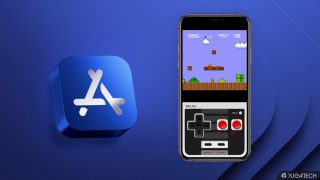
Apple has loosened its grip on retro console emulators within the App Store. This move…
Apr 6, 2024
Apple has revealed that the iPhone 12 and 12 mini now come in the color…
Apr 21, 2021
Apple has a reputation for making premium and expensive products– from accessories down to smart…
Aug 9, 2020
Apple released the iPhone SE 2020 last week. It’s Apple’s most affordable iPhone in its…
Apr 24, 2020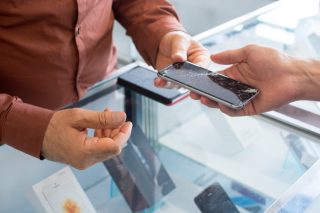
Apple has just announced its Independent Repair Provider Program, allowing companies interested in offering out-of-warranty…
Aug 30, 2019If you love Starbucks but hate falling in long lines—especially during a pandemic and within the holiday season, then you should check out the Order feature via the Starbucks Philippines app. There’s no direct delivery option yet, but the app offers a few pickup options depending on the store availability.
If you’re ready to start your quick coffee run with the Starbucks app, then keep on reading as we show you how. Download the Starbucks app and register to Starbucks Rewards To get started, you first need to be registered to the Starbucks Rewards program so you’ll need to enroll in your Starbucks card to the app. Payment, stars, and e-stickers Your Starbucks Rewards card will be your main payment method for in-app orders and don’t worry if you don’t have enough load/money in it as you can now reload through the app with debit or credit cards.
Our coverage of Starbucks app includes: "How to Order and Pay via Starbucks App"; "Apple App Store now permits game emulators globally"; "Apple iPhone 12, 12 mini in Purple now official". Each article provides unique insights and information.