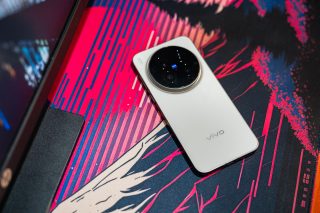
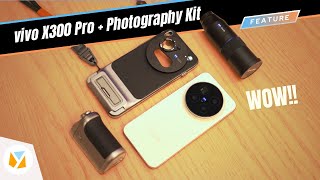
vivo x80 Pro performance

yugatech x ASUS

Latest Review

Sleek HUAWEI MatePad 12 X tablet on a dark surface
HUAWEI MatePad 12 X (2026) Review
A person holding the new iPhone 17 Pro Max
iPhone 17 Pro Max Review
Gray Philips tablet with rear camera and flash on metallic finish
PHILIPS 10-inch Tablet (T7305L) Review
nubia Neo 3 GT vs. Infinix GT 30 Comparison Review
Nothing Phone (3a) Lite smartphone on a white background
Nothing Phone (3a) Lite Review

Latest Guide

What’s new with Samsung One UI 8
Smartphones Under PHP 10,000 | Q3 2025
Smartphones Under ₱6K (Php 6,000) | Q3 2025
Xiaomi 15T Pro vs. Xiaomi 14T Pro: What’s different?
List of Xiaomi devices for HyperOS 3 Update Timeline
vivo x80 Pro performance Archives » YugaTech | Philippines Tech News & Reviews
Yugatech Logo 2023
YugaTech is the largest and longest-running technology website in the Philippines. Orignally established in October 2002, the site was transformed in 2005 into a full-fledged technology news and reviews destination for Filipinos across the globe.

Tech Guides

YugaTech | Philippines Tech News & Reviews
© 2025. All Rights Reserved.

vivo released the vivo X80 Pro a few months ago with the aim to help content creators as well as aspiring filmmakers and photographers on producing quality content and images in the comfort of their palm. The vivo X80 Pro packs the new Snapdragon Gen 1 chip, up to 12GB of RAM, a Quad camera setup with Zeiss Optics, and a sizable  6.78-inch AMOLED panel. We have been using the vivo X80 Pro for over a month now and here’s what we liked and didn’t like about this device. [caption id="attachment_316005" align="alignnone" width="720"] Vivo X80 Pro[/caption] Design and Construction [caption id="attachment_315999" align="alignnone" width="720"] Vivo X80 Pro Back Panel[/caption] Let’s start with the basics, the design. The frame of the vivo X80 Pro is made out of high-grade aluminum which does feel cool to the touch and definitely screams premium. [caption id="attachment_316003" align="alignnone" width="720"] Vivo X80 Pro Right Side[/caption] Now for buttons and ports, situated on the right side are the volume and sleep/wake buttons. [caption id="attachment_316002" align="alignnone" width="720"] Vivo X80 Pro Ports[/caption] USB C port for data transfers and charging, and main call microphone below. Read more in our articles including "vivo X80 Pro Review: The Best Flagship Device You Can Buy???" and "WATCH: vivo X80 Pro Unboxing and Hands-on".

More About vivo x80 Pro performance

Frequently Asked Questions

What is vivo x80 Pro performance?

vivo released the vivo X80 Pro a few months ago with the aim to help content creators as well as aspiring filmmakers and photographers on producing quality content and images in the comfort of their palm. The vivo X80 Pro packs the new Snapdragon Gen 1 chip, up to 12GB of RAM, a Quad camera setup with Zeiss Optics, and a sizable  6.78-inch AMOLED panel.

What have you covered about vivo x80 Pro performance?

We have been using the vivo X80 Pro for over a month now and here’s what we liked and didn’t like about this device. [caption id="attachment_316005" align="alignnone" width="720"] Vivo X80 Pro[/caption] Design and Construction [caption id="attachment_315999" align="alignnone" width="720"] Vivo X80 Pro Back Panel[/caption] Let’s start with the basics, the design. The frame of the vivo X80 Pro is made out of high-grade aluminum which does feel cool to the touch and definitely screams premium.

Where can I find articles about vivo x80 Pro performance?

Our coverage of vivo x80 Pro performance includes: "vivo X80 Pro Review: The Best Flagship Device You Can Buy???"; "WATCH: vivo X80 Pro Unboxing and Hands-on"; "vivo X300 Pro Review". Each article provides unique insights and information.