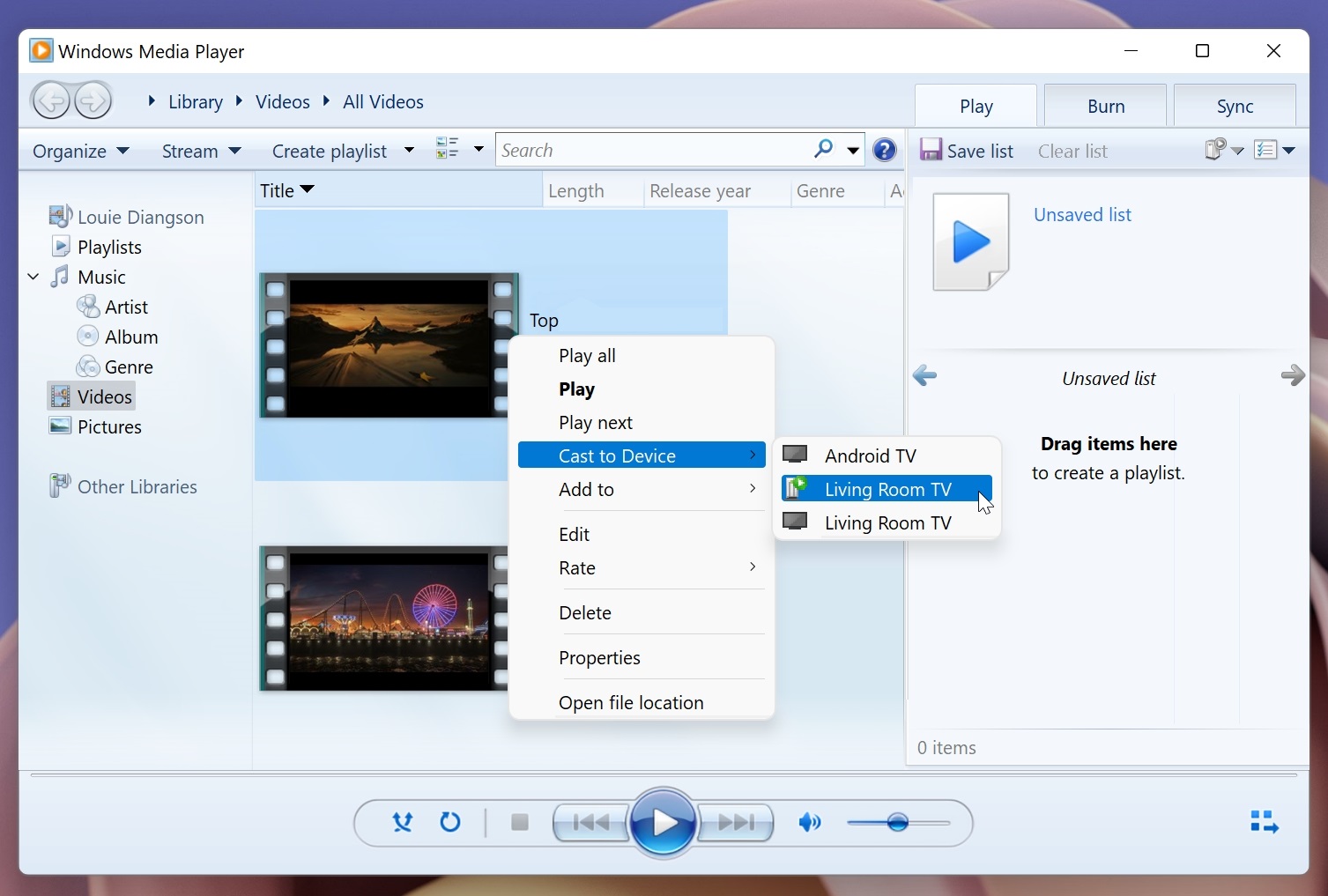

Alternatively, you can also cast videos from your smartphone or tablet to your Android TV via its built-in Chromecast. The first part is to enable content casting: Step 1: Open Windows Media Player. How to cast content: Step 1: Return to the Windows Media Player and right-click the content you wish to cast. Read more in our articles including "How to cast video files from your Windows PC to an Android TV" and "Windows 7 Preview: Less of the Same".
An Android TV is a nice thing to have as you can install streaming apps…
Aug 24, 2022I’ve had the beta version of Windows 7 installed on my Intel Core 2 Quad,…
Jan 15, 2009Microsoft has finally announced the SKUs of their upcoming OS, Windows 7. The line-up didn’t…
Feb 4, 2009

It’s that time again when we round up the latest smartphone launches here in the…
Jun 26, 2026
A new school year means new projects, research papers, presentations, and online learning tasks. Whether…
Jun 14, 2026Alternatively, you can also cast videos from your smartphone or tablet to your Android TV via its built-in Chromecast. The first part is to enable content casting: Step 1: Open Windows Media Player.
How to cast content: Step 1: Return to the Windows Media Player and right-click the content you wish to cast.
Our coverage of windows cast to chromecast includes: "How to cast video files from your Windows PC to an Android TV"; "Windows 7 Preview: Less of the Same"; "The 6 flavors of Windows 7". Each article provides unique insights and information.