

Today, we'll be checking out the Yi-Cloud Dome Camera 1080p's quality and features. The Yi-Cloud Dome Camera is a 360-degree home camera that is capable of monitoring one whole room with ease. Setting the Dome Camera is pretty straightforward you'll just have to rely on the instructions told in the manual. At this point, you can turn on the Dome camera by plugging it into a power socket. After selecting the Yi-Cloud Dome Camera, an automated voice will prompt and tell you to pair the device to the QR code that will appear in the app. After a few minutes, the Dome Camera will now be successfully paired with your phone. After following the steps above, you are now ready to use the Dome Camera but first, let's talk about the UI and features. The sound quality is good in the app as it can detect normal speaking voices at approximately 10 meters away from the dome camera. Read more in our articles including "Yi-Cloud Dome Camera 1080p Review" and "Top dSLR Camera Picks under Php40k".

A reader emailed in asking for advise on which dSLR camera to get with a…
Apr 29, 2009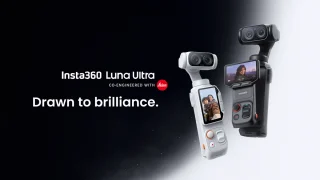
Insta360 has officially launched the Luna Ultra in the Philippines. The camera is co-engineered with…
Jun 24, 2026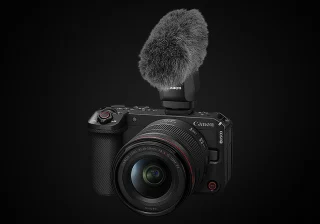
Canon Philippines has officially revealed the local pricing and availability of the new EOS R6…
Jun 18, 2026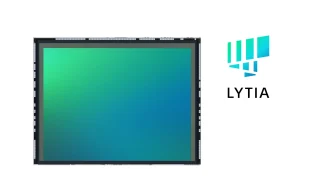
Sony has announced the Lytia 910, its first image sensor to use LOFIC technology, offering…
Jun 18, 2026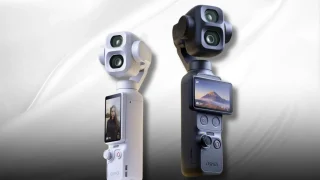
DJI officially unveils the Osmo Pocket 4P in China, introducing the first dual-camera system in…
Jun 16, 2026Today, we'll be checking out the Yi-Cloud Dome Camera 1080p's quality and features. The Yi-Cloud Dome Camera is a 360-degree home camera that is capable of monitoring one whole room with ease.
Setting the Dome Camera is pretty straightforward you'll just have to rely on the instructions told in the manual. At this point, you can turn on the Dome camera by plugging it into a power socket. After selecting the Yi-Cloud Dome Camera, an automated voice will prompt and tell you to pair the device to the QR code that will appear in the app.
Our coverage of Yi-Cloud Dome Camera includes: "Yi-Cloud Dome Camera 1080p Review"; "Top dSLR Camera Picks under Php40k"; "Insta360 Luna Ultra launched, priced in the Philippines". Each article provides unique insights and information.