
The ASUS G11 gaming desktop has been known to offer capable performance without having to overspend thanks to the internal configurations the company has put together. What we have here is the G11CD made up of a Core i7 processor, NVIDIA's GTX 1070 graphics, 8GB RAM, and 1TB of HDD storage encased in a well-designed shell.
Samahan kami sa pagsusuring ito at alamin kung kaya nitong harapin ang mga gawain na ibabato namin rito at kung ano talaga ang maiaalok nito sa mga gumagamit.
Design and Construction
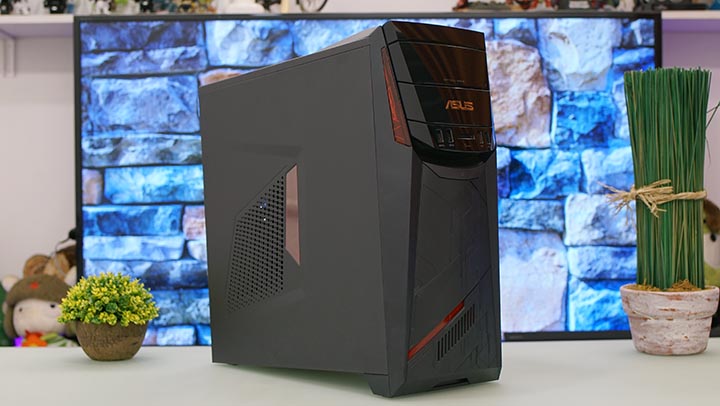
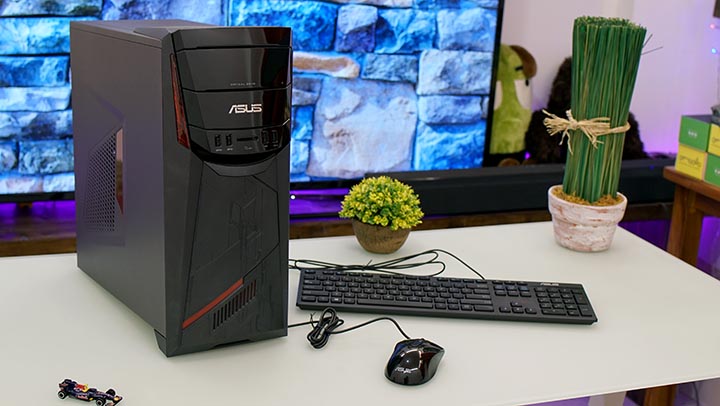
This mid-tower ASUS G11CD stands at only 16.6 inches tall and is 6.9 inches wide making it fall under the compact category as compared to other rigs.
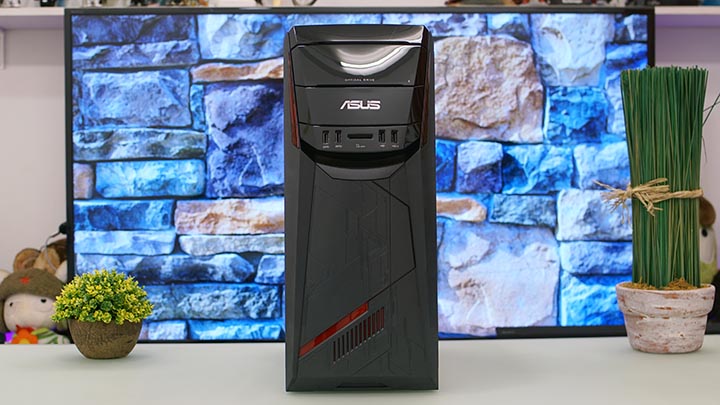
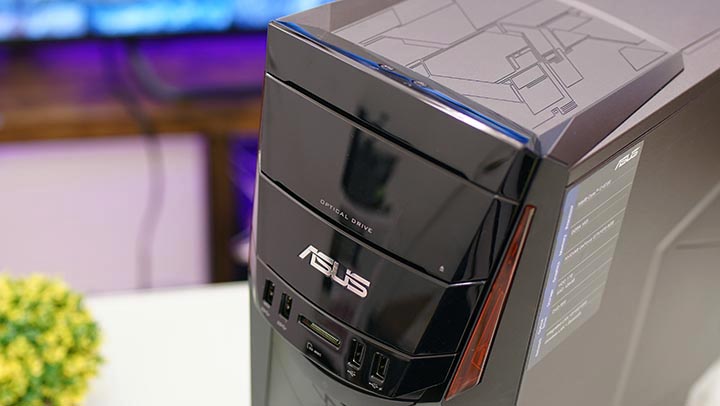
The CPU tower comprises mostly of a black casing with matte finish commonly seen on gaming PCs. The only part here with a glossy area is the main 'face' which houses the optical drive, front ports, and the card reader.

The optical DVD drive is hidden behind a cover that you have to push to flip out.
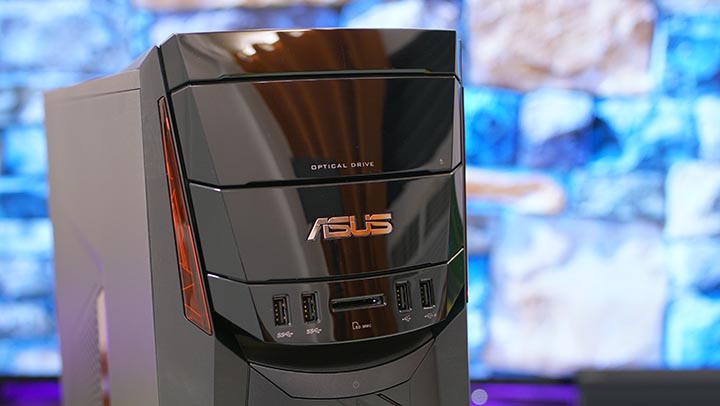
Ang makinang na mukha ay may mga hiwalay na bahagi na halos kahawig ng mga pattern na matatagpuan sa likod ng isang partikular na insekto (o alien?).

The main power button is just below the ports and is molded to fit and blend seamlessly with the general design of the G11.

The science fiction-ish design continues to the lower area of its body and features lighting accents. Also noticeable here is that the tower is tilted upwards due to the front stand. Checking under reveals that it's mainly for show as there are no fans or exhausts found here.
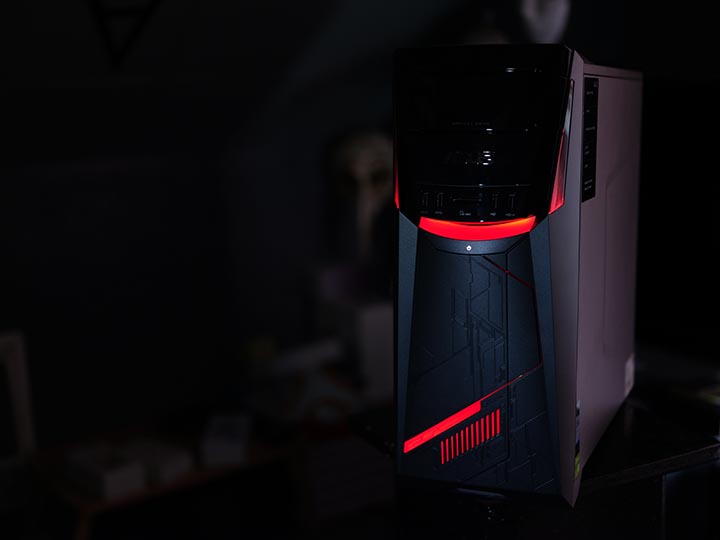
Being a gaming machine, ASUS incorporated ambient lighting that has an extent of personalization. When powered up, a couple of red LED accentuate the rig surrounding the glossy area up top and all the way to the bottom. Do take note, though, that only the light above the power button can be changed to other colors and can be controlled using the ASUS Aegis II software.

The lights have brightness adjustment modes. It can be set from 0%, 25%, 50%, 75%, and 100%. The light can also be set to 'Pulse' to have it sort of glow which is the default setting when you start up the G11.

Meanwhile, two extra ports are found up top for the microphone and headphones.

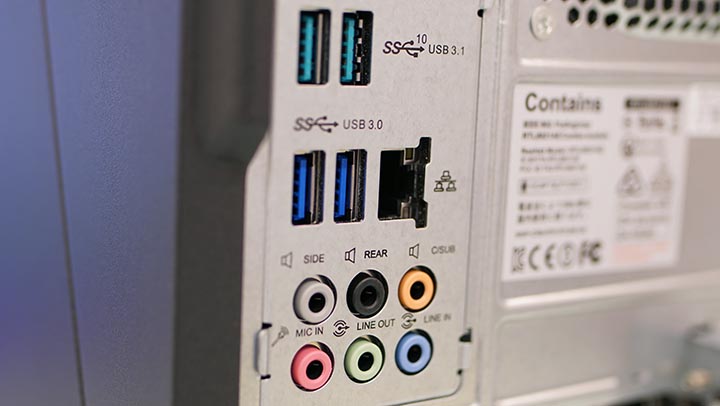
Turning it around reveals all the other connectivity options for the G11. Here we have two USB 2.0 ports, HDMI, VGA, two USB 3.1, two USB 3.0, and Ethernet. Sadly, there's no dedicated slot for a USB Type C. The graphics card just below them hosts a couple of additional ports as well.

The G11 bundle comes complete with its own keyboard and mouse from ASUS. All you need is a display and you're ready to game out of the box.
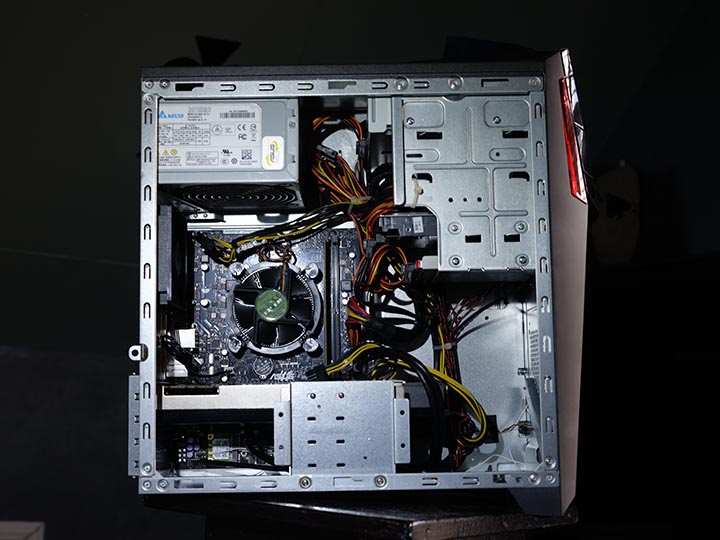
We opened the G11 as we were curious to see how it is set up inside and we were a bit surprised to see wires dangling and scattered. We're not sure if this is really how the company arranged it to be but it sure is a different story when you compare it with the CPU's neat exterior.

Nalaman din namin na ang 3.5-inch drive bay ay may limitasyong dalawang slot na kasalukuyang okupado ng 1TB HDD at 128GB SSD. Sa madaling salita, hindi na maaaring magdagdag ng storage maliban kung aalisin ang isa sa mga kasalukuyang naka‑install. Wala ring sliding trays dito kaya kailangan mo pa ring alisin ang parehong side cover upang ma‑access ang mga drive.
Performance
The G11CD's processor is made of a 14nm manufacturing process and has a total of 4 cores. It is then partnered to 16GB of DDR4 RAM which contributes to its overall performance and takes care of the multitasking processes. Storage space is ample at 1TB HDD. To add to that, there's also a 128GB SSD to make sure boot times are fast.
Although it couldn't be overclocked, the Core i7-6700 CPU performed really well during our time with it. We used it to edit a number of videos using Adobe Premiere and Adobe After Effects, browsed the internet, and of course, played games on it with numerous titles.
There are noticeable frame drops during the busy parts of some games but we didn't encounter anything that would halt or disturb our time of playing thanks to its GTX 1070 GPU.
We also noticed that the G11CD has little to no sound when it's running. It's really quiet that even my laptop produces a whirring sound louder than this desktop. Sound output is rated at 48dB and is practically unheard inside a quiet room.
Benchmarks
Katulad ng ibang mga device na ginawa para sa pagganap, sinubukan namin ang G11 gamit ang aming hanay ng mga benchmarking app upang mabigyan ka ng ideya kung gaano ito kayang ilabas o bilang punto ng paghahambing laban sa ibang mga PC. Narito ang mga resulta.
3DMark
- Fire Strike 1.0 - 14,079
- Cloud Gate 1.0 - 29,274
- Ice Storm 1.0 - 157,522

FRAPS
Far Cry 3 (Full HD - Ultra Settings)
- MIN: 28fps
- MAX: 31fps
- AVERAGE: 29.63fps
BioShock Infinite (Full HD - Ultra Settings)
- MIN: 57fps
- MAX: 62fps
- AVERAGE: 59.87fps
Metal Gear Rising: Revengeance (Full HD - Highest Settings)
- MIN: 58fps
- MAX: 61fps
- AVERAGE: 59.6fps
Mortal Kombat X (Full HD – Highest Settings)
- MIN: 58fps
- MAX: 61fps
- AVERAGE: 59.6fps
Overwatch (Full HD – Highest Settings)
- MIN: 59fps
- MAX: 61fps
- AVERAGE: 60fps
Crystal Disk Mark

Left: SSD | Right: HDD
Conclusion
With the G11CD, ASUS is definitely targeting gamers who are looking for a machine with a bit of muscle for crunching demanding games but aren't willing to overspend for top-of-the-line specs.
The ASUS G11CD is priced at Php59,995 and combines the output of Intel's Core i7 processor, the graphics power of GTX 1070, the ample 16GB RAM, spacious 1TB HDD, and the fast performance of its SSD.
It does have its own shortcomings, if we may use such a word since it has a limited slot for adding more space and comes with a not-so-presentable interior -- opposite of what it looks like outside.
ASUS G11 specs:
Intel Core i7-6700 quad-core processor
NVIDIA GeForce GTX 1070
16GB DDR4 RAM
1TB HDD
128GB SSD
DVD-RW
Integrated LAN
Wireless LAN + Bluetooth
Windows 10 OS
What we liked about it:
- Compact build
- Sleek, attractive design
- Capable performance for gaming
- Quiet
- Runs on NVIDIA's GTX 1070
What we didn't like:
- Limited upgradability
- Untidy interior





So if it’s not Windows 10, what is it?!