

Cherry Mobile 上周推出了其首款运动相机 Explorer。它配备 12 兆像素摄像头、170° 超广角镜头、2 英寸 LCD 显示屏,以及 Wi-Fi 连接功能,支持 Php4K。面对目前市场上其他价格亲民的运动相机,Explorer 是否仍值得入手?查看我们的评测了解详情。

设计与建造
The Cherry Action Cam, aka Explorer, was first spotted last month. Like what we mentioned earlier, it's the company's first foray into the action cam market with a competitive Php3,999 price tag. Check out the unboxing photos below.


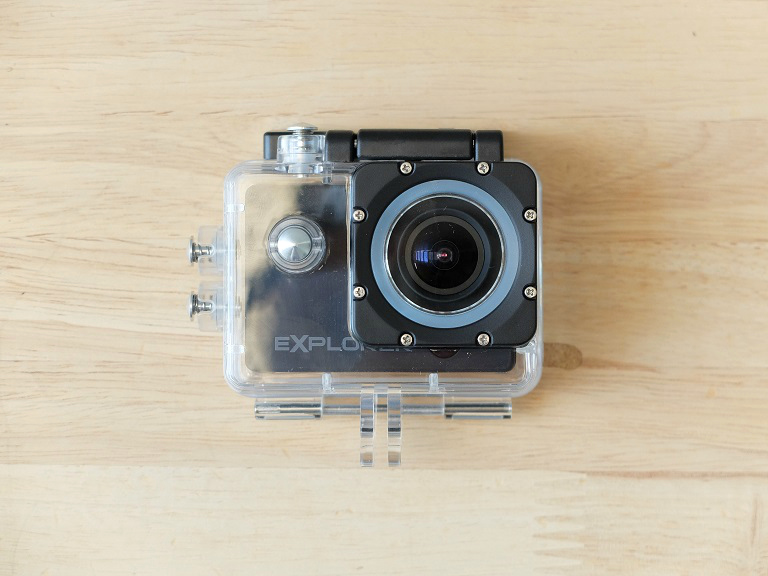
Explorer 看起来像普通的运动相机,外观类似于 SJCAM 和 Playground。前方是配备 170° 超广角镜头的 1200 万像素摄像头。旁边是电源按钮,下面是 Explorer 品牌标识和一个光亮的小圆圈,可能用于自拍时提供一点反光。

Up top we have the shutter button and activity LED indicator, while down at the bottom is the compartment for the 1000mAh removable battery.
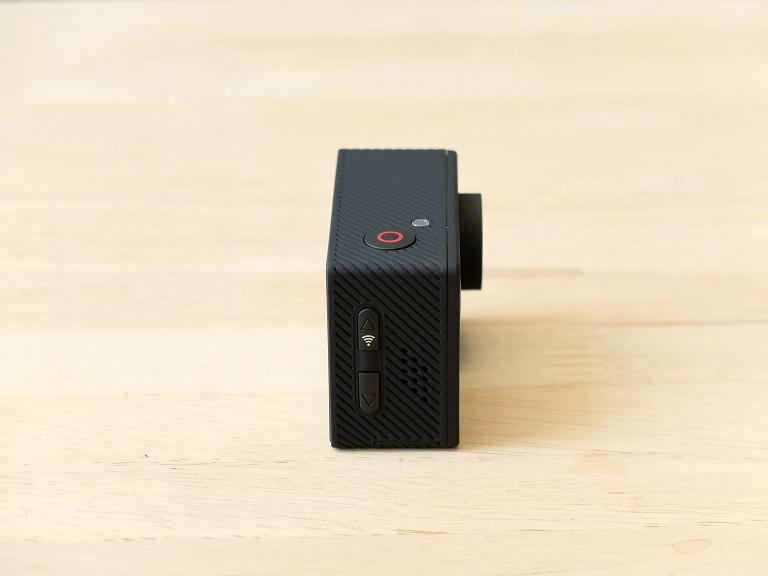
在左侧有放大和缩小按钮。放大按钮也兼作 Wi-Fi 按钮,用于通过应用程序连接您的 iOS 或 Android 设备。
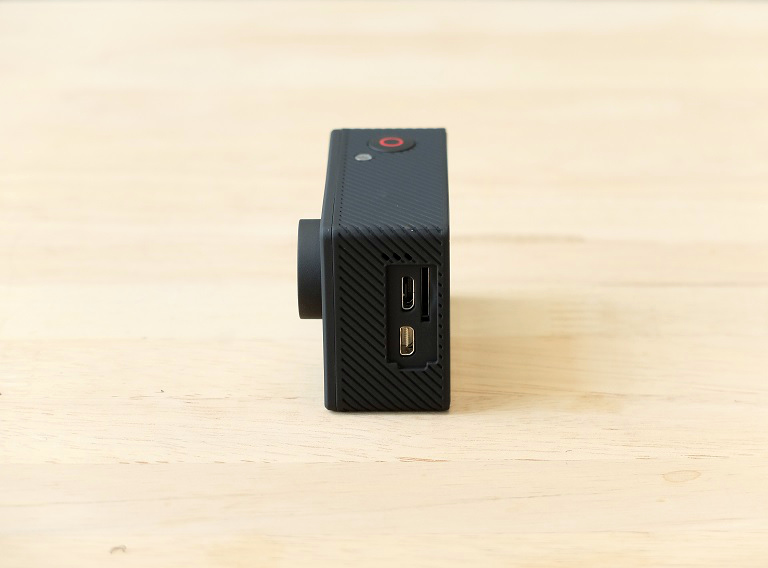

在它的右侧是 micro‑USB 接口、microSD 卡槽和 micro‑HDMI。把它翻到背面,你会看到 2 英寸的 LCD 显示屏,虽然分辨率不高,但在日常使用甚至户外也足够。还有电源和充电指示灯。

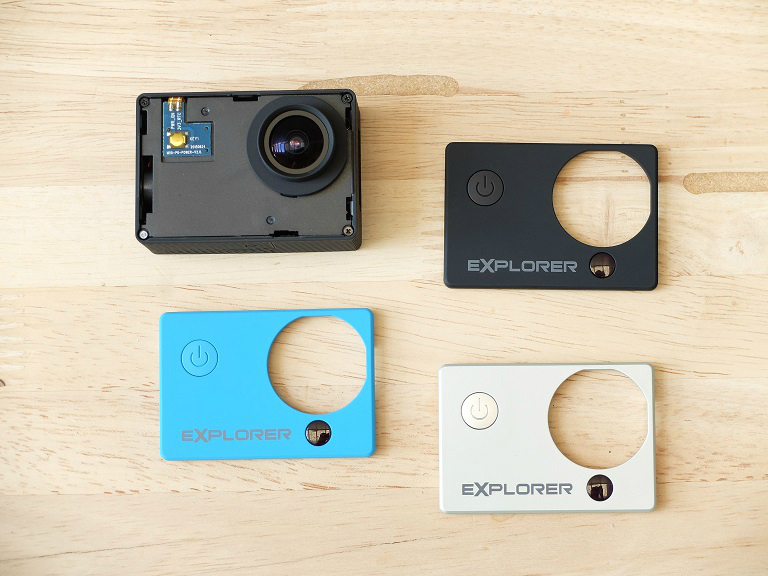
正如预期的那样,作为一款运动相机,Explorer体积小巧,外壳采用橡胶质感的塑料,呈现出坚固的外观。此外,面板可更换,包装内还附赠一块亮蓝色和一块银色的面板。
Setup and Function
设置 Explorer 相对简单。电池放在单独的包装中,请确保先放入电池以及 microSD 卡。完成这些后,您可以按住电源键约 5 到 6 秒来打开 Explorer。之后即可开始拍摄静态照片。
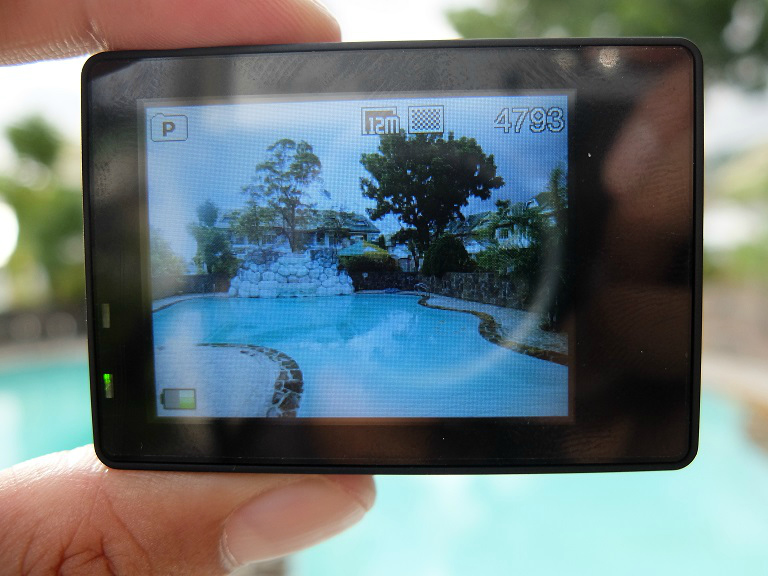
按下电源键(同时也是菜单键)将进入视频模式。再次按下它会进入图库,然后进入菜单。您可以使用右侧的上下键滚动,同时按下快门键将作为“选择”键。

Explorer 最好用的功能之一是 WiFi 连接,让您可以使用 iOS 或 Android 设备进行控制。要使用此功能,首先需要进入视频模式,然后点击右侧的向上按钮以激活 WiFi。随后,您可以将移动设备连接到 Explorer 的 WiFi SSID,输入默认密码并启动应用程序。

该应用名为 CACWF,可在 Apple App Store 和 Google Play Store 免费下载。它拥有简洁的布局,允许您设置计时器,并更改分辨率和白平衡。默认情况下,捕获的图像仍会存储在 Explorer 的 microSD 卡上,因此如果您想复制它,需要手动浏览相册并将文件保存到手机。
我们注意到该应用在10MP时达到上限,而不是12MP。在不使用该应用的 Explorer 中,这个分辨率是可用的。另外,连接到该应用后,您将失去直接在 Explorer 中拍摄的功能。希望 Cherry Mobile 能频繁更新并改进此应用。
下一页:相机性能、电池寿命、结论
相机与性能
Explorer 可以从 6MP、8MP 和 12MP 捕获静止图像。它可以以 720p 分辨率在 30fps 和 60fps 下录制视频,1080p 则在 30fps 下以 H.264 格式录制。它支持容量最高达 32GB 的 microSD 卡,并具备延时摄影、连拍和循环录制功能。
说到图像质量,它算是相当不错的。细节略显不足,颜色也缺少一点冲击力。白平衡方面时好时坏。动态范围表现良好,而广角镜头让 Explorer 能轻松捕捉宽阔的主体。


在低光拍摄方面,Explorer 能够捕捉到可接受细节的图像,但图像中噪点较多。它实际上让人想起几年前入门级智能手机的相机质量。对于 Instagram 大小的上传来说还算可以,但如果放大查看就会显得很脏。

As for videos, quality is almost similar to stills but we noticed that the dynamic range is better and uses in-camera sharpening with some HDR. There's no optical image stabilization so expect shaky videos if you're in motion. We also noticed that the Explorer has a maximum recording time of 31 minutes and 48 seconds and then stops. It doesn't automatically start recording which is annoying if you want to go longer than that. As for the audio, it's very audible but sounds distorted when it comes to loud sounds.
观看下面以 .MOV 格式录制的示例。
电池寿命
Explorer 的动力来源是一块小巧的 1,000mAh 电池。它并不大,我们也不想让你抱太大期望。就电池续航而言,它在充满电的情况下只能支持 1 小时 37 分钟的视频播放。如果你只是拍照,它可以持续几小时,但如果你想整天使用,则需要多次充电。另一方面,你也可以在连接移动电源时使用它。
结论
The Cherry Mobile Explorer is a good entry-level action cam designed for casual users. It has a good build, decent camera, WiFi connectivity, built-in display, and comes with a lot of accessories including a waterproof case.
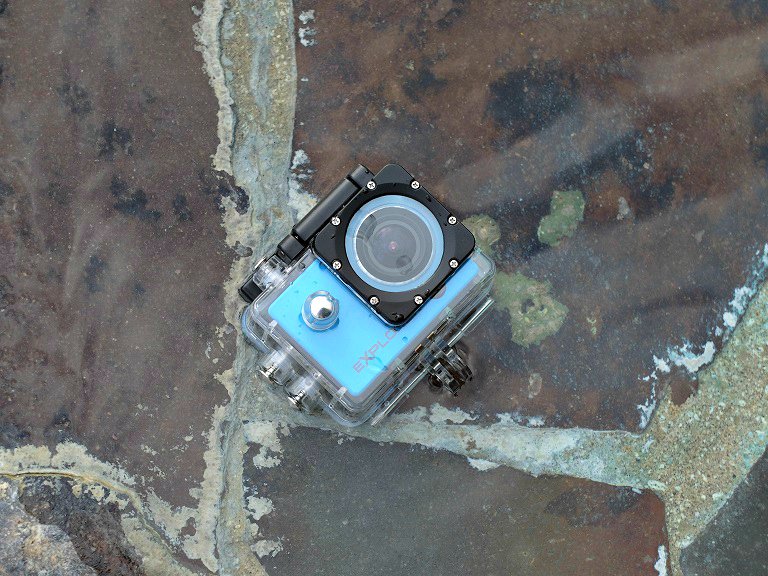
There are downsides, of course, like the very limited battery life and the inability to continuously record videos. Image and video quality is also sub-par if you compare it to more expensive action cams like the GoPro, but for its asking price of Php3,999, that's not bad at all.
Cherry Mobile Explorer Action Cam specs:
12 megapixel camera
170-degrees HD Wide Angle Lens
1080p. 30fps & 720p, 60fps, 30fps video recording
Loudspeaker
Microphone
WiFi
Built-in Monitor
1,000mAh battery
Supports iOS & Android
What we liked:
* Good build and design
* Comes with a lot of accessories
* WiFi connectivity
* Affordable
What we didn't like:
* Limited battery life
* Can't continuously record videos (maxes out every 31m and 41s)






Pangit nung iOS app ninyu. Hindi gumgana