infinix x yugatech

How to run the new Facebook UI (for Android only)

Listen to article

Facebook is getting ready on releasing a new UI for its Android app for quite a while now and apparently, anyone can experience it before it even comes out by simply following these steps.
facebook-update

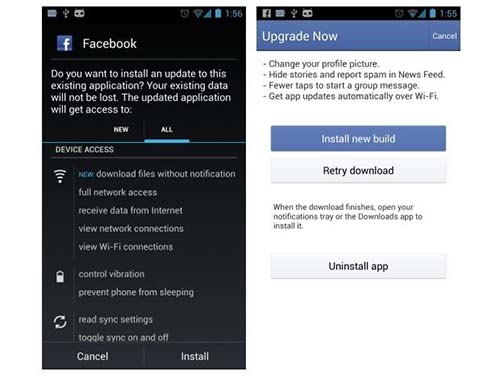
Basically the new UI is available to anyone that runs a version 9.0 of the app, and in order to use that version one must become an Alpha tester for Facebook. Don’t worry, though, since becoming an Alpha tester is pretty simple.

Here are the steps to get Facebook’s new user interface running on your Android devices:

  1. Make sure you are not a Beta Facebook tester. If you are, simply leave the Google Group under Settings.
  2. Become an alpha tester by joining this Google Group.
  3. Follow the link in the Google Group to download the alpha version of the app from Google Play. (If you are asked to “Become a tester” before you hit the Facebook landing page on Google Play, click “Become a Tester.”)
  4. Push the application to whichever Android device you would like from Google Play.
  5. Log into the Facebook application on your phone after it is installed.
  6. You should now have the new flat Facebook UI.

The source notes that if your trial is unsuccessful and you don’t see the new interface but are sure that you’re running version 9.0 and up, click the “Clear Data” found under the app’s settings. That should do the trick.

There’s also an alternative method to doing this and it involves sideloading the APK unto the device. Head on to the source for the download link.

Let us know if you guys were able to successfully try it out!

{Source}

Frequently Asked Questions

What version of the Facebook app is needed for the new UI?
Version 9.0 of the Facebook app is required to experience the new UI.
How do I become an alpha tester for Facebook?
Join the designated Google Group and follow the link to download the alpha version from Google Play.
What should I do if the new UI doesn't appear after installing the alpha version?
Clear the app's data under settings to resolve the issue.
React to this article:
Written by
Kevin Bruce Francisco

Kevin Bruce Francisco is the Senior Editor and Video Producer for YugaTech. He's a Digital Filmmaking graduate who's always either daydreaming of traveling or actually going places on his bike. Follow him on Twitter for more tech updates @kevincofrancis.

View all posts by Kevin Bruce Francisco →

24 Comments

JA
James yup · 12 years ago

Free load toh guys 100% working dami q nakuhang load click lng toh http://free-load.wapego.net

Reply
ER
Ericaaaaa · 12 years ago

nailed it. and it looks like twitter. ????

Reply
AL
Alauddin · 12 years ago

Follow the instruction:

1. Download this link below( but dont install it yet)

http://www.mediafire.com/download/fveff365w8ep3i4/com.facebook.katana_9.0.0.0.18.apk

2. uninstall your facebook apps, then install the APK file you donwload.
3. after install,Run the apps then Log In

Reply
KO
kokey si lolo · 12 years ago

That version is buggy. 9.0.0.21 is better or 8.0.17.24
Dont let them install it dude

SI
sirdave07 · 12 years ago

It works! Para na ngang Twitter yung layout nya. I find it easier to navigate compared sa previous version kasi swipe swipe na lang.

Reply
WI
will · 12 years ago

How to download version 9.0?

Reply
NE
nego · 12 years ago

Te top bar isn’t disappearing when swiping the newsfeed occupying lesser space compared to previous version.

Reply
VI
Vin Garcia · 12 years ago

It works! they just re-arranged the pre existing tabs and menus, feels the same or the blue got darker?

Reply
KO
kokey si lolo · 12 years ago

Sir yuga, alpha and beta version already have the new ui
the latest update 9.0.20 for alpha 8.0.17.24 for beta

Reply
BR
Britt · 12 years ago

Followed the link and it works!

Reply
RO
Robby · 12 years ago

Here goes Facebook being Twitter.. again.

Reply
AA
aaaaaaaaaaaaa · 12 years ago

Would be better if you provide more information such as screenshots of the new UI on 9.0

Reply

Leave a Reply

Loading next article...