Skip to content
July 28, 2010

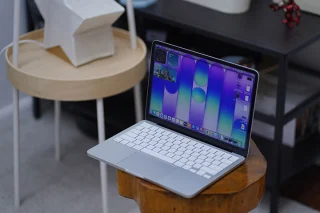
Apple’s new Magic Trackpad for Macs

If the Apple Magic Mouse is no longer comfortable to those who are used to trackpads on their MacBook, the Magic TrackPad might just do the trick for Mac Desktop users.

At $69 a pop, the Magic Trackpad will pair with your Mac via built-in Bluetooth (2 AA batteries needed) and eventually replace your Magic Mouse. Not sure what’s so magical about it though.


Written by

Abe is the founder and publisher of YugaTech.

Follow me on Twitter

29 Responses to “Apple’s new Magic Trackpad for Macs”

  1. Teknisyan
    Twitter:
    says:

    They call it magic because most (if not many) people will buy anything that has the apple logo in it. :)

  2. Ryan Ang
    Twitter:
    says:

    will this make the mouse obsolete?

  3. android_fanboi says:

    why they keep calling it “Magic”

    here’s some video of this pointless and soon to be magical accessories or it can be a remote control for media playback..

    http://www.youtube.com/watch?v=Txx3CnIiDvQ&feature=player_embedded

  4. the annoying thing about track pads is the click and drag…. you can only drag so far.

    the future will be a UI that reads your brainwaves so you just have to think what you want to do

  5. Calvin says:

    sana talaga pen tablet na lang ginawa nila. pero siguro nga pwede ito sa mga 32″ iMac from the comfort of your couch.

  6. Kim Roa Endaya
    Twitter:
    says:

    maybe the word “magical” is just a sort of tag line for their advertising…every company or business does it, so that they can be remembered by the consumers…or perhaps, they can’t think of anything more catchy (or rhyming?!)…:)) lol

    as I have learned in my media class, advertising really distorts the truth…so, it’s just not Apple who does this…:)…every form of advertisement does…:)

  7. kumagpoko says:

    Odd apple took the AA battery route. Seems so 1980s. Would have preferred an internal battery with usb charger.

    -Sent via YugaTech Mobile App

  8. Leonard2o says:

    @abeolandres Hi! Fan of yugatech! Need advice globe is giving me a samsung I 9000 galaxy s for free due to (cont) http://www.twitlonger.com/show/2pn4eu

  9. Jiro Yan says:

    My MacBook Pro trackpad works perfectly and effortless. I just have to tap anywhere to click. Unlike other laptop trackpad that you have to press it hardly or use the left and right clicker.

    Basic gesture in MacBook’s Trackpad:

    1 Finger Tap = Click
    2 Finger Tap = Right Click
    2 Finger Scroll = Scrolling
    1 Finger Double Tap + Hold = Dragging

  10. Jhay says:

    That’s one expensive paper weight or stand for a note pad. :P

  11. Kinny says:

    I hate touch pads and don’t even like the cordless bluetooth mouse. Why would anyone want to strain their wrists and hands this way?

    I love the fact that ‘mice’ with cords are getting cheaper because of all the craze though. Just hope it won’t be obsolete.

  12. is there any video demo?

  13. rene
    Twitter:
    says:

    one thing with the mighty mouse, you can down size it as a mice for netbooks carry all around. however i dont think you can do that in magic, it seems its not magical after all.

  14. [...] more on YugaTech Post a comment | Trackback [...]

  15. fr0stbyte says:

    magical? lol. thousands of bright minds coming up with this “magical device” really drives me nuts.

  16. Joshua says:

    Slap in a stylus compatible and make pen pressure feature and opacity then consider me sold

  17. lolipown says:

    @Joshua
    You’ll probably better off with a Bamboo Pen and Touch then.

  18. blitzkrieg says:

    Only a die-hard Mac fanboy (or a moron) would buy this.

  19. imo this will not replace mouse.. but it will evolve later on something valuable or add-on for any mac or iphone users

  20. jill says:

    Manufacturers can hype all they want,but they have never succeeded in making the mighty mouse obsolete. Magic? Phoeey!

  21. Rico Zuniga
    Twitter:
    says:

    @jill at first I thought you were referring to Apple’s “mighty mouse” but of course you were referring to mice in general :)

    This definitely won’t replace the good ol’ mouse but could be a great partner. This can be useful in quickly activating expose & spaces, switching apps, zooming and “inertial” scrolling. But of course we already have dedicated keyboard buttons for that (at least for expose & spaces).

  22. KarL says:

    “Not sure what’s so magical about it, though.”

    LOL I couldn’t agree more. Mice are still more ergonomic. :D

    “the annoying thing about track pads is the click and drag…. you can only drag so far.”

    of course you can install the appropriate drivers to have more trackpad support, e.g. release the drag only after a time delay.

  23. anjerodesu says:

    Haha, you people. Don’t you know Apple’s “Gesture Recognizer”?

Leave a Reply

*
*

Load Times Plugin made by Ares Free Download