

في هذه المراجعة، نتعمق في Huawei MatePad Pro بحجم 13.2 بوصة!
ولكن إذا كان الأمر يتعلق بتدوين الملاحظات أو المحاضر بخط اليد أو بالكتابة، والرد على رسائل البريد الإلكتروني، والمشاركة في مكالمات الفيديو، وحتى إنشاء الرسوم التوضيحية الرقمية أو البحث؛
شيء مثل Huawei MatePad Pro بحجم 13.2 بوصة قد يكون البديل الأفضل لكل هذا.
التصميم والإنشاء
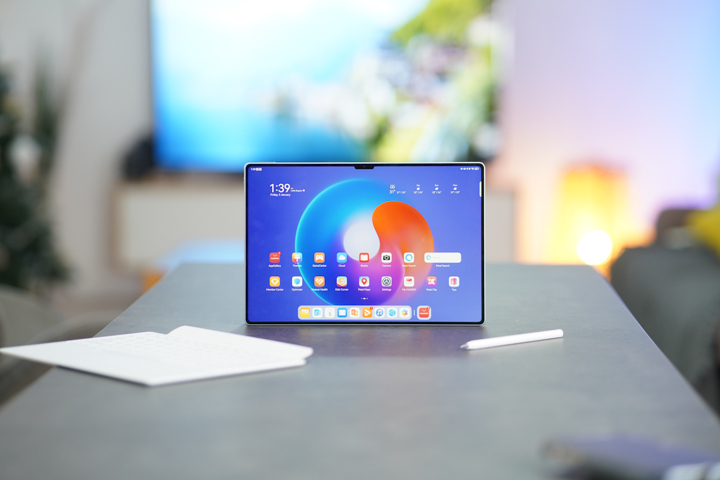
قبل أن نغوص في ما يجعل هذا الجهاز اللوحي، وهو جهاز مصمم ليكون آلة عمل شاملة، يجب علينا بالتأكيد تسليط الضوء على بناء وتصميم MatePad Pro بعرض 13.2 بوصة.
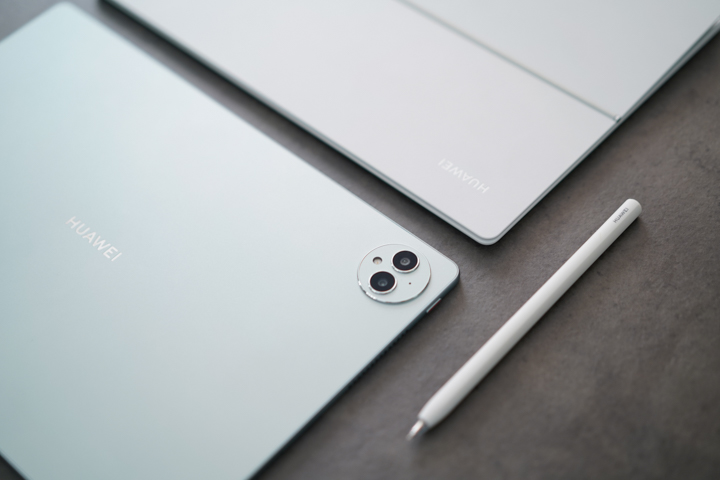
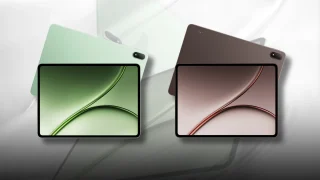
وحدة لدينا بهذا اللون الأخضر، وهو أخضر باهت قليلاً ويشبه إلى حد ما الأزرق حسب مزاجك، لكن تجدر الإشارة أيضًا إلى أنه متوفر رسميًا باللون الأسود الذهبي.
بدون جميع الملحقات والإكسسوارات الممتعة، فإن الجهاز اللوحي 5.5mm رقيق ويزن 580 جرامًا، وهو أخف من العديد من الأجهزة اللوحية ذات الشاشات مقاس 12 بوصة، ورغم ذلك، لا يزال بناء الجهاز اللوحي يُلهم الثقة بفضل متانته، وجاذبيته عبر زواياه وأطرافه المستديرة.
عند عرض الجهاز اللوحي في الوضع الأفقي الصحيح (يمكنك التمييز من خلال الشق المركزي للشاشة الذي يحتوي على الكاميرا الأمامية ومستشعرات العمق ثلاثية الأبعاد TOF،) ستجد زر الطاقة ذو اللمسات البرتقالية على الجانب الأيسر إلى جانب مجموعة من فتحات السماعات التي تستوعب ثلاثة من أصل ستة محركات سمعية للستريو.
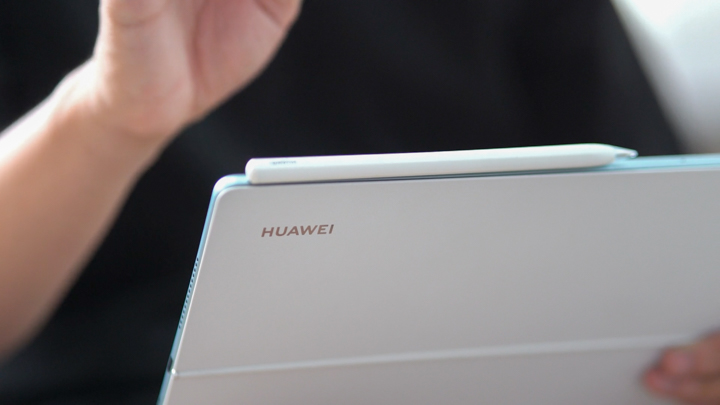
في الأعلى يوجد زر التحكم في مستوى الصوت، مع ثلاثة ثقوب صغيرة لميكروفونات إلغاء الضوضاء بجانبه، وبجانب تلك الثقوب توجد مساحة عارية جميلة حيث يمكنك مغنطة قلم M-Pencil من الجيل الثالث الجديد، وسنتحدث عن ذلك لاحقًا.
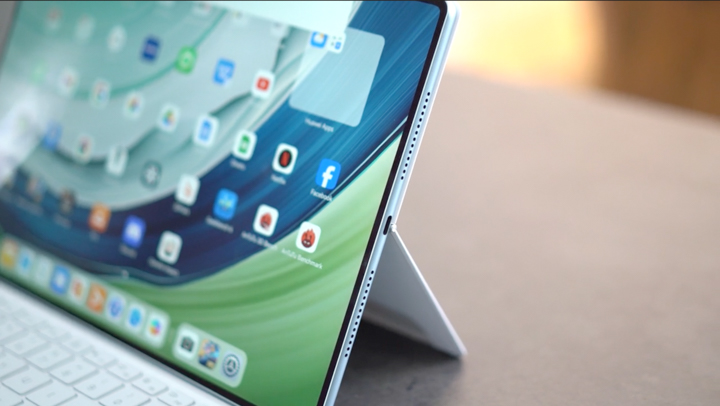
على الجانب الأيمن، نجد المجموعة الثانية من شبكات السماعات التي تستوعب محركات سماعات الاستريو الثلاث الأخرى، وبينها يوجد منفذ USB من النوع C للشحن ونقل البيانات عبر الأسلاك.
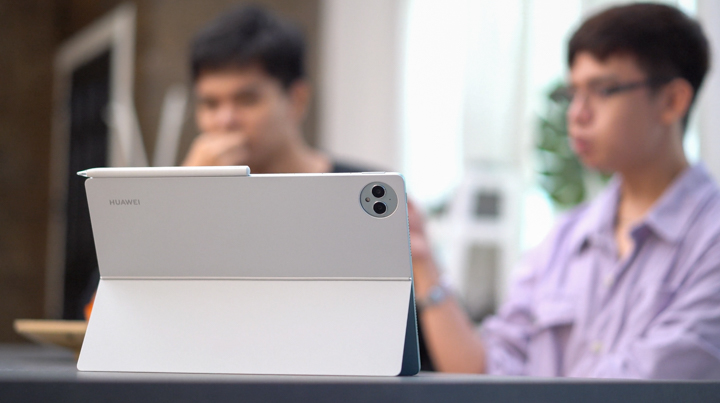
في الخلف، حيث نرى حقًا معظم ألوان الجهاز اللوحي.
هنا تجد أيضًا إعداد الكاميرا المزدوجة المضمنة في وحدة الكاميرا الدائرية التي تتضمن أيضًا فلاشًا وميكروفونًا.
وفي المركز، نحصل على اللمسة المميزة لـ Huawei المطلي بالكروم على ما يصفه Huawei بأنه "مواد من الألياف الزجاجية" (ألياف زجاجية؟) التي تبدو ناعمة الملمس وتتميز بملمس رمل دقيق، وهو ما أعتقد أنه يمنح الجزء الخلفي مظهر وقوام الزجاج المُصنّع.
--مما يجعله مقاومًا جدًا لبصمات الأصابع والبقع.
بشكل عام، يبدو الجهاز جيدًا كلوحة، وبشكل عام فإن جودة تصنيع Huawei MatePad Pro 13.2 inch رائعة!
الشاشة والصوت والبيومتركس
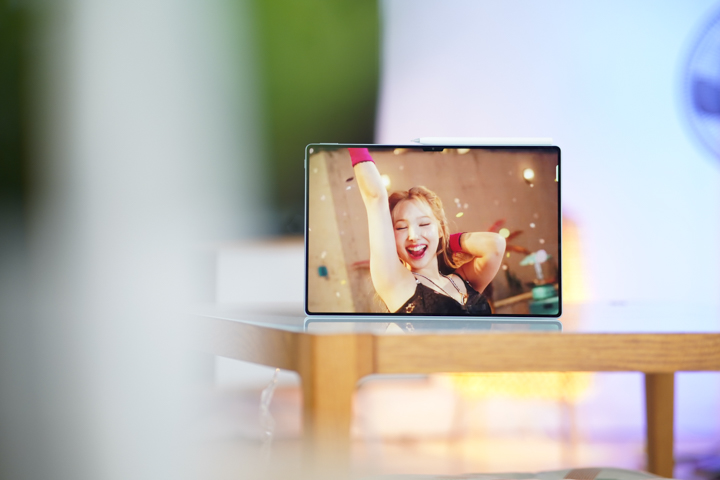
لكن هيا، ماذا عن الميزة الأبرز التي تلفت الأنظار في هذا الجهاز اللوحي، وهي شاشة OLED الجميلة ذات الدقة FHD+ بحجم 13.2 بوصة؟ تتميز بشاشة 144Hz بمعدل تحديث، مع معدل استجابة للمس يبلغ 360Hz، ودقة عرض تصل إلى 2880 × 1920 بكسل، وتصل إلى سطوع ذروي قدره 1000 نيت.
قبل أن تقلق من ذوبان كرات عينيك، يمكنك الاطمئنان إلى أنها تحظى أيضًا بشهادة TÜV Rheinland Global Eye Care 3.0، وهي المعيار الأكثر شمولاً لاختبار حماية العين في الأجهزة المحمولة.
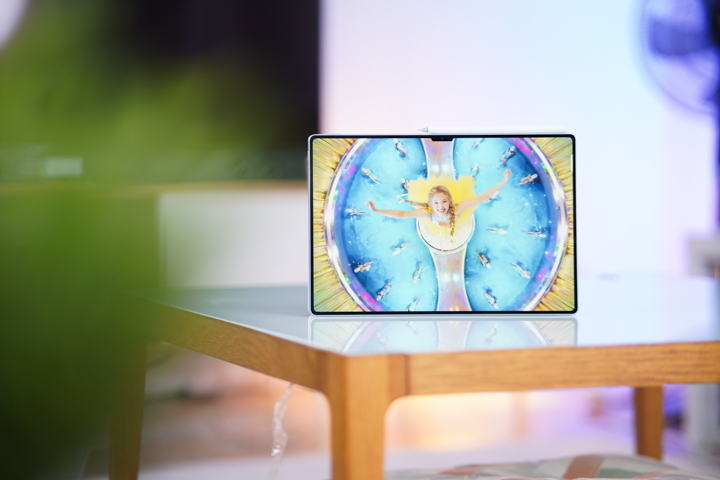
وفوق كل ذلك، يعتمد هذا العرض على تقنية Huawei X-True Display التي تعني إعادة إنتاج دقيقة للألوان ذات عمق عالٍ، مع نطاقات ألوان دقيقة ونسبة تباين عالية و HDR، بالإضافة إلى معدل التحديث السلس للغاية وأوقات الاستجابة المذكورة سابقًا.
كل ذلك، مع مشهد صوتي رائع من مصفوفات السماعات متعددة المحركات المكونة من مجموعتين تحتويان على ست سماعات إجمالاً، يحول جهاز Huawei MatePad Pro 13.2 بوصة إلى ملاذ مثالي لاستهلاك الوسائط!
خلال العطلات، استخدمت هذه اللوحة الشخصية كشاشة وسماعة بشكل كبير جدًا! إنها رائعة لمشاهدة الأفلام حتى أثناء التنقل أو عند الخروج مع الأصدقاء والعائلة.
وبصفتها مجرد مكبر صوت، فإن عمق مشهد الصوت فيها مذهل بالنسبة لجهاز لوحي. يمكننا بوضوح أن نرى أن المستخدمين النهائيين الذين سيستخدمون هذا الجهاز اللوحي كمكبر صوت مستقل سيبقون راضين للغاية عن أدائه الصوتي.
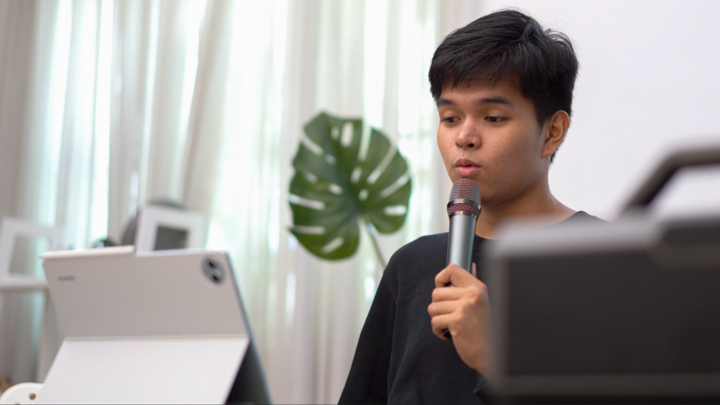
الصدى المذهل والمفاجئ، إلى جانب العمق والوضوح الهائلين، رفّع فعليًا جميع الأوقات التي كنتُ فيها أستضيف أصدقائي لـ chillnumans وhome karaoke!
كما جربت بعض ألعاب الهاتف الخفيفة عبر الجهاز اللوحي من خلال لعبة Mobile Legends وبعض ألعاب Genshin Impact!
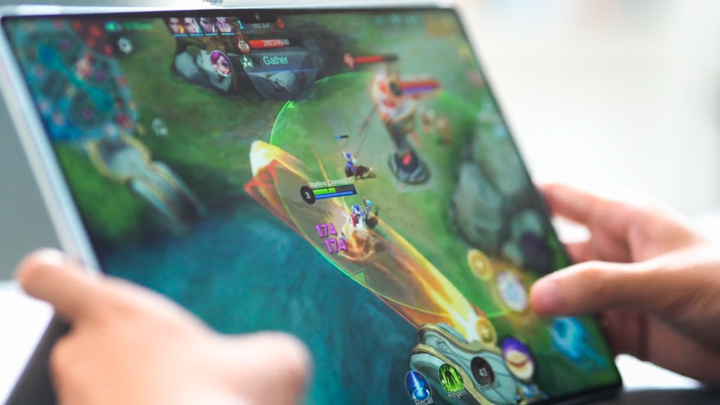
And yes, Genshin Impact is not natively supported in the Huawei AppGallery, but it was a non-issue as it easily became accessible with Gbox installed.
So we have no doubts in how amazing this tablet really is for watching videos, listening to your favorite tunes, and even large-display mobile gaming.
OS, Apps, and Ui
The Huawei MatePad Pro 13.2-inch runs on Harmony OS 4.0 out of the box.
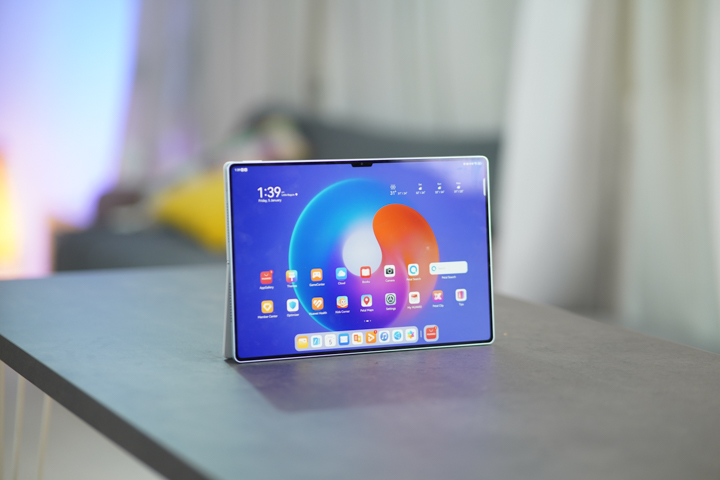
And when it comes to overall usability, it still isn't perfect, especially if you're someone who relies heavily on Google applications for work.
Although users of this tablet will still get access to Google Apps with the help of GBox which is easily accessible in the Huawei AppGallery. Google account synchronization can still be an issue at times, an easy workaround to this is accessing the apps through the browser.
Apart from that, Harmony OS is great. It's native applications, interface, and software optimization pairs well with their smart ecosystem of devices.
Suggested apps to download right on the homescreen can be daunting to look at, or overwhelming at first boot. But of course, all of those can be easily turned off or deleted from the home screen as well.
HUAWEI 3rd Generation M-Pencil
Speaking of accessories, introducing the 3rd Generation Huawei M-Pencil which now utilizes NearLink short haul wireless tech over traditional Bluetooth.
NearLink allows for better accuracy and latency and adds 6 times the pen pressure collection sensitivity!
We are happy to report that this claim is true because you 'can' actually feel it!
In our video featuring the tablet where we stacked 18 pieces of bond paper with the Yugatech logo printed on the 19th one; We placed the whole stack on top of the tablet's display and traced the logo to demonstrate the collection sensitivity of the 3rd generation M-Pencil.
When first connecting the 3rd generation M-Pencil, users get quick tips on how to use it with the MatePad Pro.
They should also get prompted right away to enable FreeScript, which allows us to use the pen when typing, or should I say, writing in search bars and whatnot, which is actually quite fun!
We can also double tap the M-Pencil to activate a macro gesture, which you can customize to open a shortcut menu that pops out of the top right corner. Or as a shortcut to switch between the current pen tool with the eraser or something.
Users can even set the notepad to open up for Quick Notes when taping the display while locked, all with the M-Pencil.
The pen feels really nice to write and draw with and to my eyes it feels very-very accurate. It felt very comfortable to use, and out of the box the feeling reminded me of drawing with a ballpoint pen.
A nifty productivity feature you can do with the M-Pencil is “Annotate”.
You can activate it by swiping down from the top-right corner of the screen with the M-Pen to access its quick menu. Or like me you can set the M-Pencil’s double tap feature to activate it.
From here we select Annotate and what it does is, allow you to draw, highlight, point-out or even take handwritten notes on anything on the screen, it's like a screenshot “plus” if you will.
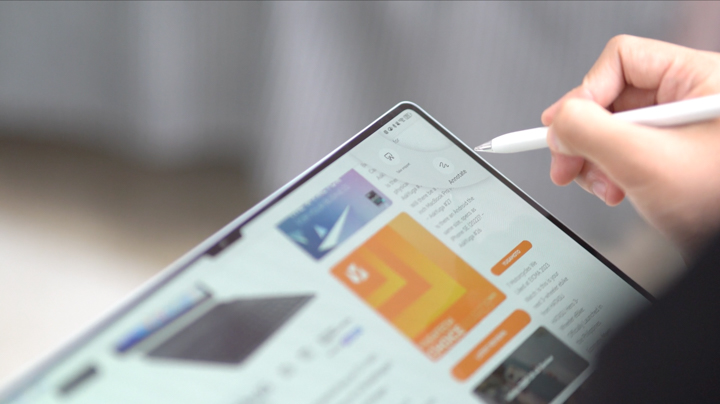
Which is pretty fun for meetings where we break down shot composition or just taking handwritten notes of stuff you screenshot and plan to share.
With the MatePad Pro 13.2 -inch, we can even present our documents and briefs over WiFi with Wireless Projection, easily found in the drop-down menu.
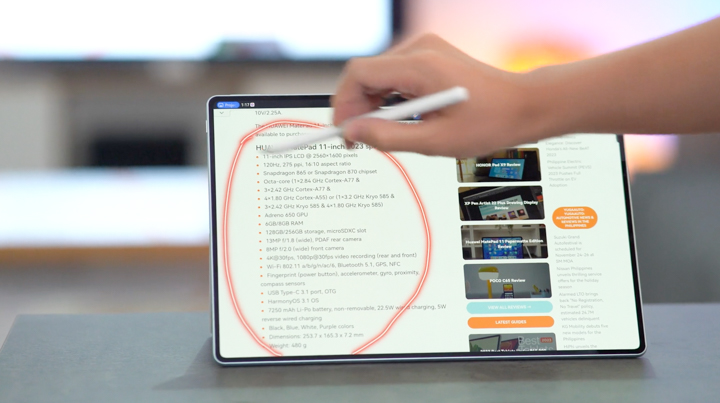
From here when presenting, users could use the laser pointer tool from the Notes app as like a virtual laser pointer for presentations, to highlight or emphasize words, images, and diagrams, apart from writing or drawing around everything like you could with Annotate, the possibilities are kind of endless.
Smart magnetic Keyboard
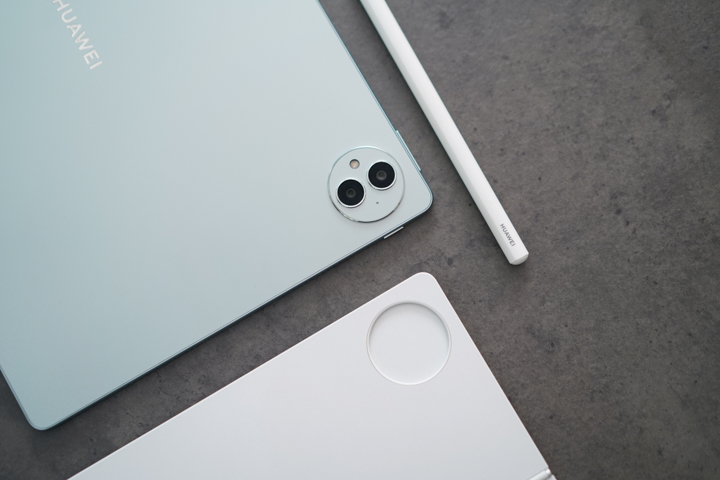
Let’s move onto another accessory that pairs really well with the M-Pencil, and its the nifty MAGNETIC smart keyboard attachments.
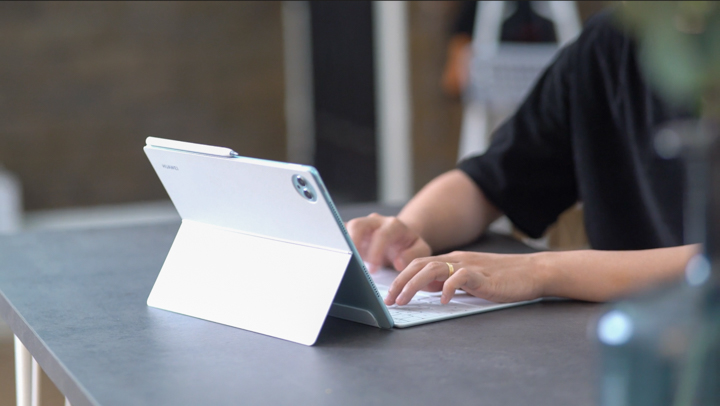
It comes in two pieces that virtually turn the Huawei MatePad Pro 13.2-inch into a laptop! The actual keyboard attachment magnetizes to the rear bottom of the tablet when in its proper horizontal orientation.
Then we get the rear cover and stand portion and line it up with the cut-out for the camera module. --And presto, we’re in business!
With this cover and keyboard, we can easily turn the tablet into a makeshift laptop.
What's cool is the stand is adjustable to almost all the way of the protractor, stopping at about 160 or so degrees.
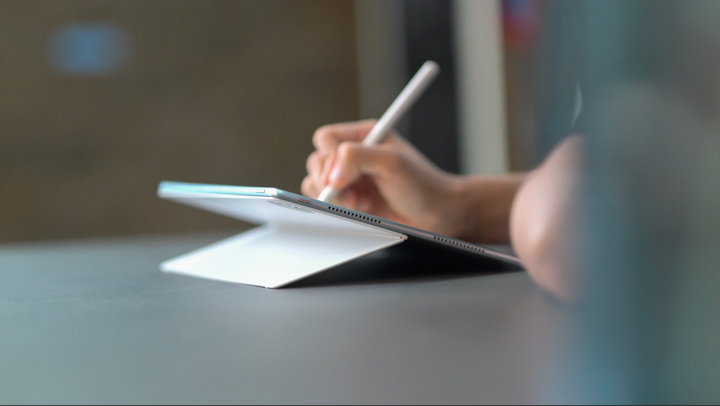
When the stand is at its max angle, the folks over at Huawei call it Studio Form. And since the tablet isn’t flat on the table it’s at that perfect angle which should provide illustrators and artists better posture, perspective and less distortion when drawing.
The tension’s pretty nice too, we just hope it lasts longer than we expect it to.
--Either way I wouldn’t be a weirdo and start roughhousing with the stand as if you were counting how many times you could open and close a foldable phone till its hinges stop working.
And yes, you can use the keyboard while detached from the tablet because it connects via Bluetooth!
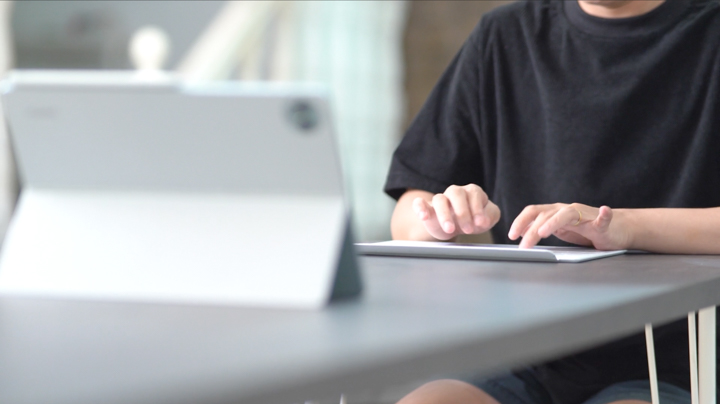
Which I did, when karaoke-ing with the family over the holidays, pretty neat!
The magnetic flap of the attachment also magnetizes to the base of itself for better handling when unattached, which I thought was really cool as well. And it features a large trackpad with gesture support.
The keys are of the chicklet variety at 1.5mm of key travel. The actual keyboard itself is composed with 6 rows of 79 keys, making it a 60% with 1 key split up and down keys, and overall tactility does feel good!
The responsiveness can leave a little bit more desired when coming from a sleep, but for the most part it's comfortable to type on, and easy to get used to.
For a more PC-like productivity experience, the Huawei MatePad Pro 13.2 introduces new aspect ratios when adjusting the sizes of different pop-up windows to take advantage of the 13.2-inch display.
When paired up with the WPS Office 2.0 app, not to be mistaken for the WPS mobile app, we get an even more PC-like experience for creating documents, spreadsheets, and presentations.
Allowing you to save and export your files in all the widely used formats. And yes, you can use this with a mouse as well.
For more creative workflows, we have things like Canva now for graphic design work amongst other things, then for video editing there’s CapCut which I always seem to hear good things from.
To be honest those apps make me feel old, and sometimes they get me when I realize all I’m doing is complicating things for myself when there are simpler and just as effective solutions available. But of course that’s a preference discussion at the end of the day. And as always if there’s a will, there’s a way!

For those in the Huawei Ecosystem, the MatePad Pro 13.2-inch also gets SuperDevice support which allows you to easily transfer files and copy-and-paste text and images across your devices.
Performance and Benchmarks
The brains behind the operations of the Huawei Matepad Pro 13.2 inch is Kirin 9000s. A 7nm chipset that features an octa-core CPU capable of up to 2.62 GHz, and paired with a Maleoon 910 MP4 GPU.
Its configured with 12GB of LPDDR5X memory and either 256GB or 512GB of UFS 3.1 internal storage. And from a performance standpoint, the tablet never really created any hiccups for us when testing.
Like I mentioned earlier, Genshin Impact from GBox was a non-issue on this tablet. We were able to run it in medium graphics settings with no problems, but we did face occasional stutters maxing out the graphics and framerate of the client.
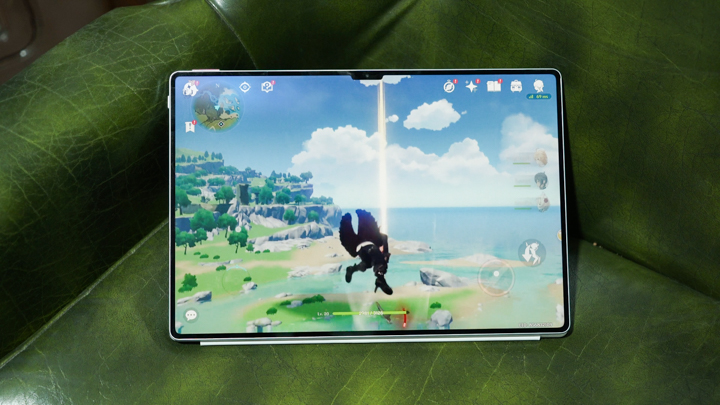
But apart from anything that specific, this productivity-focused smart tablet can handle virtually anything we threw at it.
For those interested in benchmark scores, check them out below:
- Antutu - 653,990
- Geekbench 6
- Single - 1,175
- Multi - 4,049
- GPU Vulkan- 2,332
- GPU OpenCL- 2,397
- 3DMark
- Wild Life - 3,942
- PCMark Work 3.0 performance - 10,647
Battery
You might be wondering, with all these laptop alternative features in this sleek and fancy tablet, how’s the battery life?
Well, the Huawei MatePad Pro 13.2-inch sports a 10,100 mAh battery with support for 88W wired Huawei SuperCharge technology.
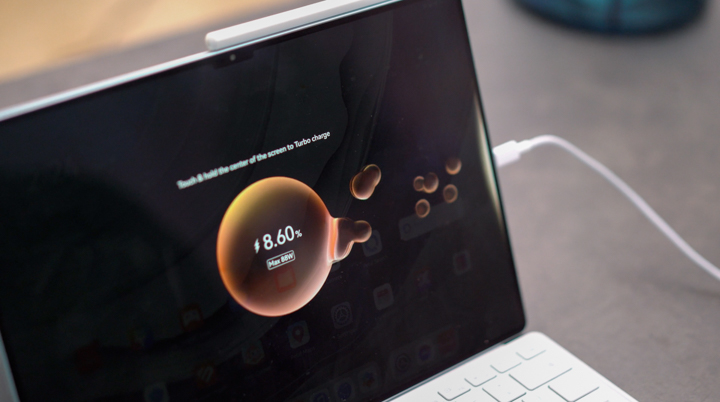
After running it through PCMark’s Work 3.0 Battery test, it garnered us a result of 9 hours and 44 minutes, this was with the screen kept at 50% brightness, volume muted and Airplane mode turned on to account for mixed usage variables.
However in our proprietary video loop test it lasted 16 hours and 34 minutes.
It is rated for about 12 hours of mixed use, which in any case, is still quite longer than most traditional windows laptops.
And heck yes, that 88W charging brick comes in the box! Because if ever you did need to charge the tablet throughout the day, with the included brick you can get it back to 100% in about an hour, which in my rough math is like 1.6% a minute, which is pretty sweet.
Conclusion
So to conclude this video, we need to answer the question: Who is this tablet for?
--Well to be fair it’s kind of a mixed bag, as great as this is as a multimedia machine for video and music consumption, it’s without a doubt a tool for work and productivity; The multimedia stuff is really just a bonus.
I say tool because this Huawei MatePad Pro 13.2-inch starts at PHP 59,999 for the 12GB + 256GB configuration, and PHP 64,999 for the 12GB+512GB variant.
Now is it worth the money for students and professionals looking to replace their laptops with something lighter and arguably more versatile?
–Yes, we think so!
But you need to be invested not only in the tool you purchased but also in your discipline to make it your productivity powerhouse.
With that in mind I see this perfect for administrators, copywriters, graphic designers, and social media managers.
What we Liked:
- Display
- Speakers
- Accessories (3rd Gen M-Pencil & keyboard)
- Overall performance
What we Didn't Like:
- Google App sync issues
- Suggested Apps (bloatware)
Huawei MatePad Pro 13.2-inch specs:
13.2-inch Flexible OLED Display @ 2880 x 1920 pixels
1000 nits peak brightness
Kirin 9000S (capable of up to 2.62 GHz)
Maleoon 910 MP4 GPU
12GB / 16GB LPDDR5x RAM
256GB, 512GB, 1TB USF 3.1 internal storage
13MP f/1.8, AF main camera
8MP f/2.2, FF ultrawide camera
16MP f/2.2 front camera
Harmony OS 4.0
Wi-Fi 6
Bluetooth 5.2
GPS (GPS, GLONASS, BDS)
USB Type-C
10,100mAh Li-Po battery, 88W wired charging
580 grams (weight)
289.1 x 196.1 x 5.5mm (dimensions)
Green, Golden Black



0 Comments
Leave a Reply