

The Creative brand has been in the speaker business for a very long time. Even when I started getting into computers back in the era of Windows XP, I’ve already seen their systems being used in schools, offices, homes, and even computer shops.
These days, there are more options available on the market when it comes to computer speakers. However, you’re still bound to see Creative speakers ever so often (like the iconic Pebble lineup), and sometimes not even in the form of desktop speakers you’re used to.
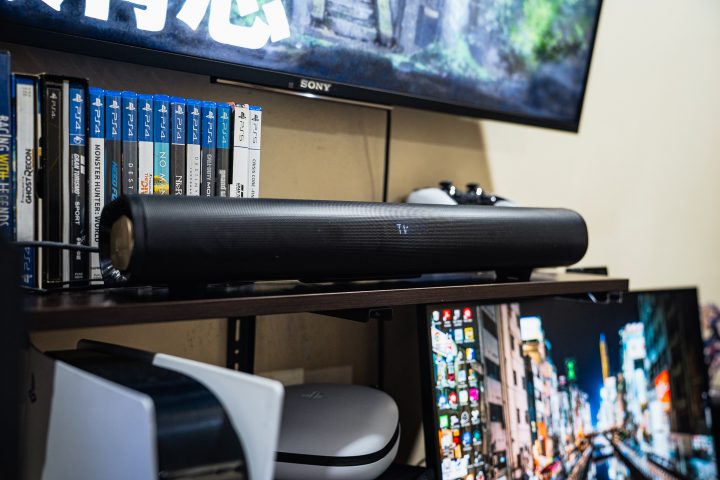
Creative now offers soundbars, and today we’re checking out the Stage Pro. It’s a relatively compact sound bar setup, perfect for your TV or computer if space is an issue.
Given the large number of soundbars or even speakers available on the market, is the Creative Stage Pro the one to pick, though? Well, we’re here to find out.
Design and Construction
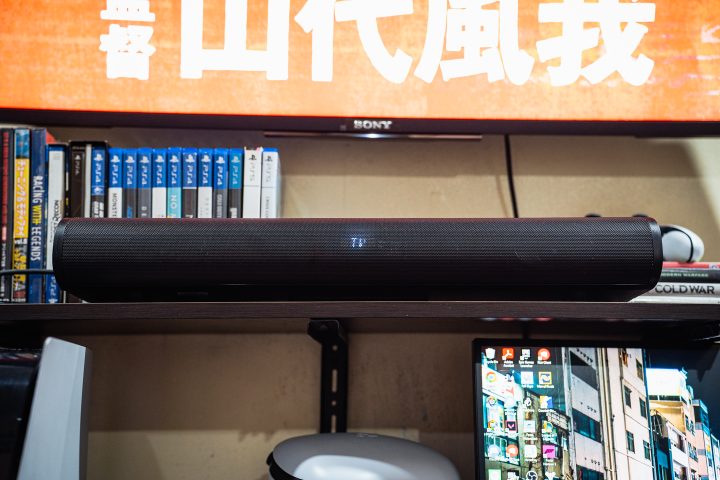
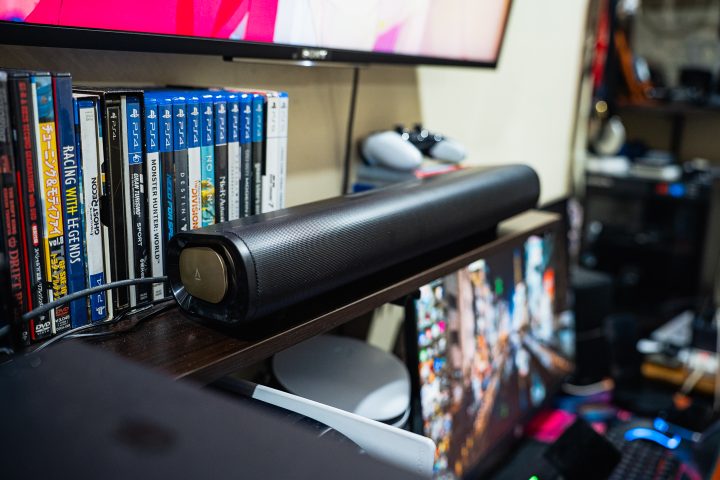
There’s nothing that really stands out about the design of the Creative Stage Pro soundbar. It looks very much like any other sound bar on the market, with a mesh-like front cover. I like how they integrated the LED inside the mesh, which you can turn off for a fully sleek look. If you’re looking for the Creative logo, it’s found on the bronze end caps.
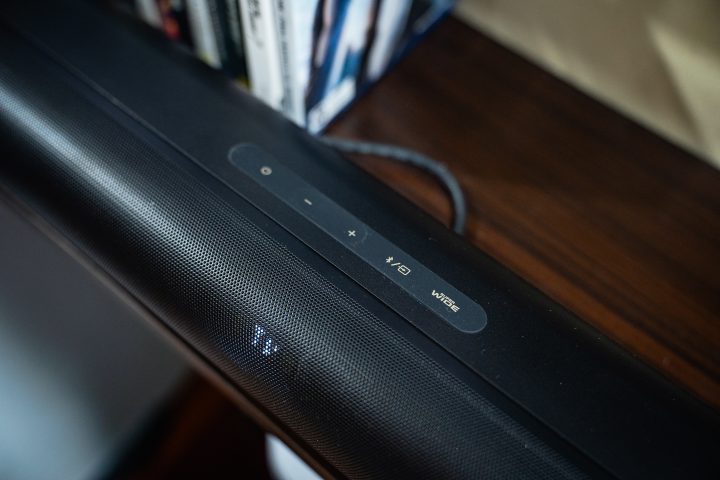
What I immediately liked about the Stage Pro is that there are physical buttons at the top to control the more important functions (volume, source, power, and super wide). This just makes it easy to adjust everything on the fly. You’ll likely use these first to set up the soundbar too, since the remote doesn’t come with triple-A batteries.
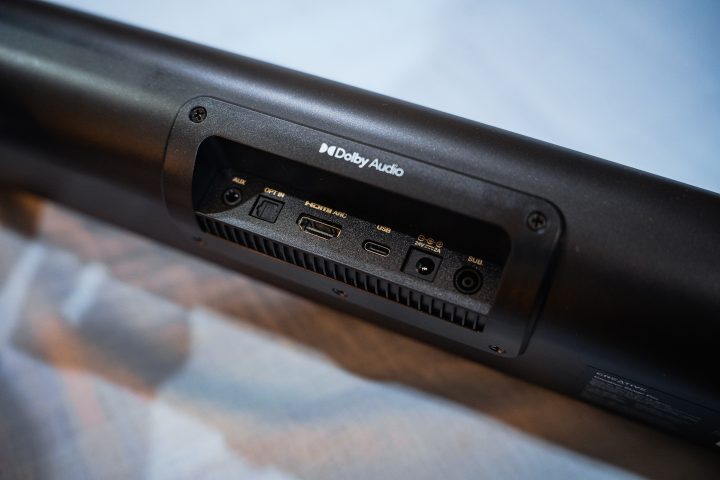
At the rear, you’ll find all of the ports to plug it in. There are four input ports – a 3.5mm aux, a USB Type-C port, an optical port, and an HDMI ARC port. Unfortunately, the speaker only comes with a USB-C to USB-A cable out of the box. The rest of the cables you will have to supply on your own.
Since this is a 2.1 system, it also comes with a dedicated subwoofer. The subwoofer is a 40W system and, like the soundbar, is relatively compact. For reference, I was easily able to carry both the sound bar and sub without a box going into my house since I left the box at the YugaTech HQ.
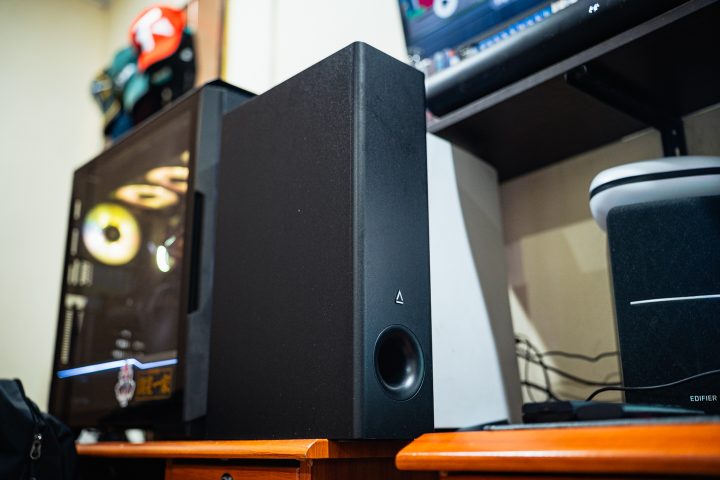
As mentioned earlier, the Creative Stage Pro system is meant for those who don’t have the luxury of space, whether it’s your office, house, or room. It’s relatively compact, measuring just 420mm long and only 115mm thick. The subwoofer isn’t that big either, being only slightly taller than a PlayStation 5.
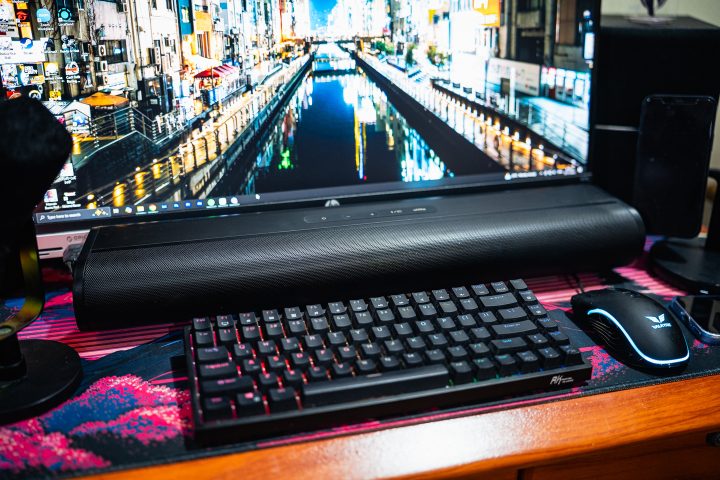
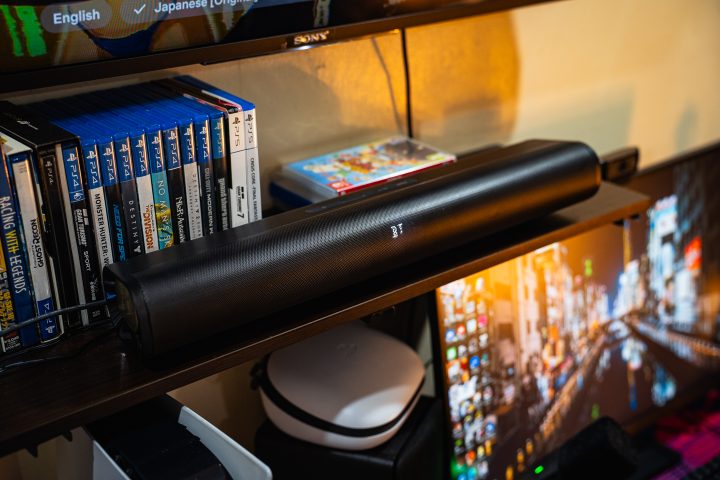
I was surprised to find out that the soundbar fits in front of my monitor, but it gets in the way of the USB ports I use all the time. With that I decided to set up the soundbar on my shelf with the sub in a gap between my desks, and hook it up to my TV instead.
Sound Quality
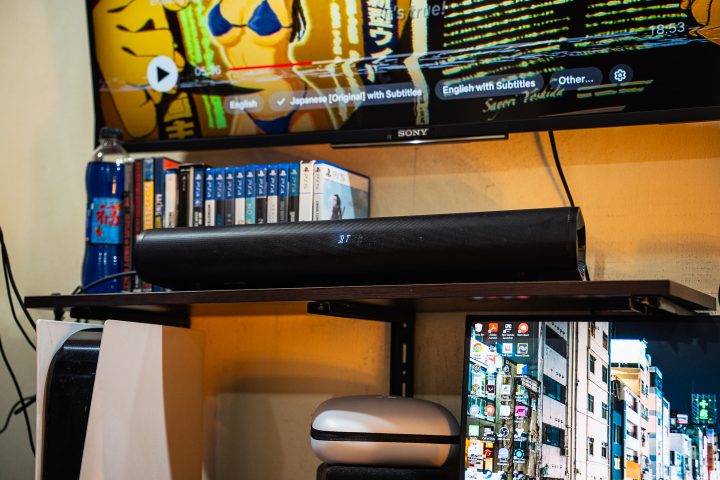
I’ve never been the biggest fan of soundbars as compared to more traditional bookshelf speakers. But given what the Creative Stage Pro offers, it’s quite impressive in terms of the sound quality.
The Stage Pro sound bar features two 20W speakers, delivery really good highs and mids. I did have to adjust the bass and treble through the remote to get it to sound the way I like though. Meanwhile, the bass is all handled by the subwoofer.
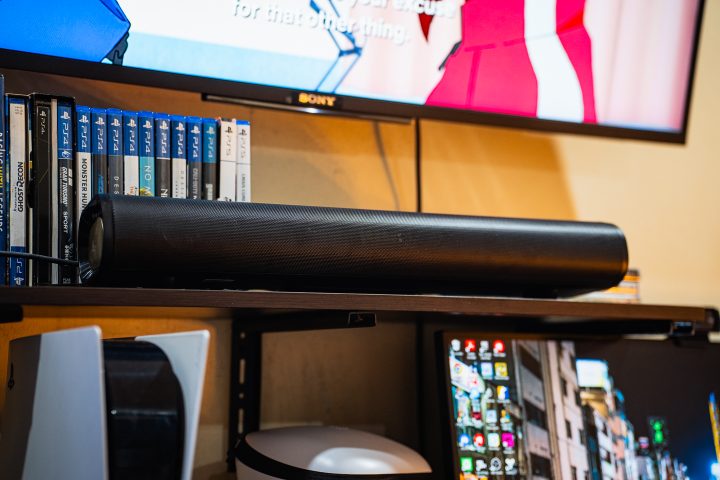
Overall, there’s great separation, and there’s a decent sound stage too. Whether you’re watching movies, listening to music, or playing games, you will definitely be able hear almost all things clearly. The sub has a lot bass, and I can feel it vibrating my table legs depending on the media I’m consuming.
I need to mention that the Stage Pro didn’t sound as great when I first set it up. That’s mainly because of the “Near” or “Far” function, which greatly adjusts the sound depending on how close you are to the soundbar. You can turn it off, but it does feel a bit flat for my liking.
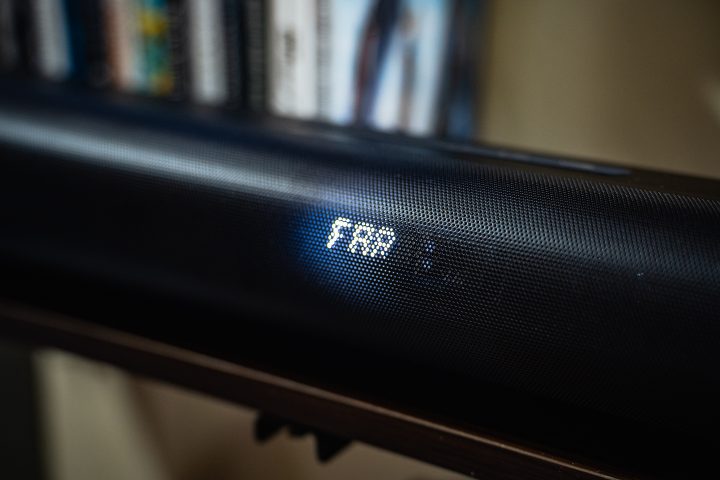
Given how close I usually am to my TV, I set it to “Near”, which made the sound surround me better. I did test it in “Far” mode, and it tries to imitate having a 5.1 speaker system, which makes sense if you’re sitting a bit farther. However, it’s not to my liking given the small space of my room.
There are also four modes to choose from – Music, Movie, Vocal, and Gaming. Depending on which one you choose, there are a few changes to how the speakers sound, but for personal preference, I turned it off.
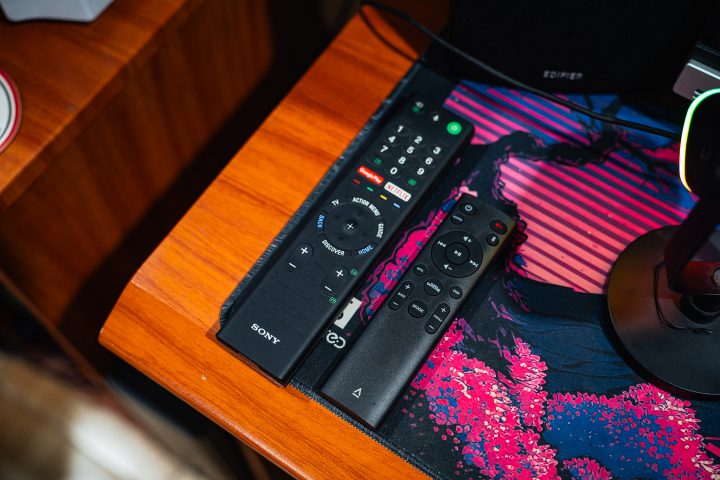
For reference, the soundbar was connected to my TV via HDMI ARC, and it’s the way I used it the most. Best of all, I don’t have to switch remotes to adjust the volume. I can simply use the Sony TV remote to adjust the volume of the soundbar. It has larger increments, but it saves me the hassle of switching between two different remotes to adjust the volume.
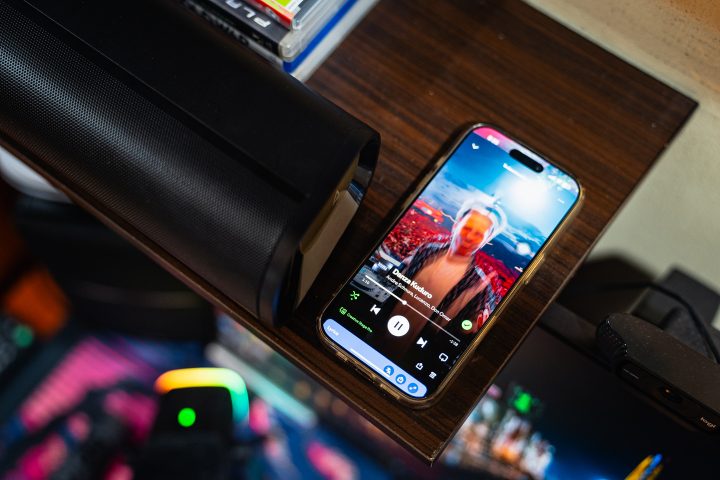
When I paired the soundbar to my phone via Bluetooth, there wasn’t any noticeable drop in quality as compared to a wired input either. Similar to the TV, I could adjust the volume of the speakers via my phone rather than having to use the soundbar remote. Unfortunately, there is no support for Dolby Atmos for the Stage Pro. So if you’re watching high-quality shows on Netflix or Amazon Prime, you won’t be able to fully take advantage of what the show offers.
Conclusion
Overall, the Creative Stage Pro is a great soundbar to own if you don’t have enough space for bookshelf speakers. The sound quality is great, and the compact size allows users to set it up in various areas. Not to mention the physical buttons make it accessible to control most functions, without having to reach for the remote. Whether you’re using it for your TV or as desktop speakers, you will have a great listening experience.
If you’re on the budget-conscious side, though, this isn’t exactly the most affordable speaker setup. The Creative Stage Pro retails for PHP 12,900, which is not cheap for a set of Creative speakers.
Not to mention, there are better-sounding bookshelf speakers out there for roughly the same price. The same could be said with finding a 5.1 soundbar speaker system. But if you don’t have enough space, and want a speaker system that is compact but still offer great sound, you definitely can’t go wrong with the Creative Stage Pro.
What do you guys think of the Creative Stage Pro? Would it be the sound bar or speakers you’ll pick, or would you choose something else for the price? Share your thoughts in the comments below.
What we liked:
- Compact form factor
- Great sound with good separation
- Works for PC and TVs
What we didn’t like:
- A bit expensive for a 2.1 soundbar
- Does not come with cables
Creative Stage Pro Specs:
2.1 Soundbar System with Subwoofer
Soundbar 2 x 20Wrms (L/R)
Subwoofer 1 x 40Wrms
Dolby Audio
HDMI ARC, Bluetooth 5.3, USB Audio, Optical, 3.5mm aux
Dimensions: 115 x 265 x 420 mm
Black





0 Comments
Leave a Reply