

The main reason why I’ve been very disciplined with wearing a smartband or smartwatch is because I wanted to monitor my activity levels, most especially step count, heart rate and sleep levels.
Every smart band and watch in the market can do these basic monitoring and even your smartphone can also do the same (all modern smartphones come with a built-in step counter, while many flagship phones also have a heart rate sensor).

For sleep monitoring, smart bands are the most comfortable to use, and while smartwatches offer more features, the way they deal with sleep activity may vary from brand to brand.
So, when I was offered to try out the UltraHuman Ring Air, I was excited to get the ring tested out and see if it can replace or complement my regular use of a smartwatch.
Design and Build
The Ultrahuman Ring AIR is designed as a lightweight, durable, and comfortable health-tracking wearable, featuring a “fighter jet grade” titanium exterior.
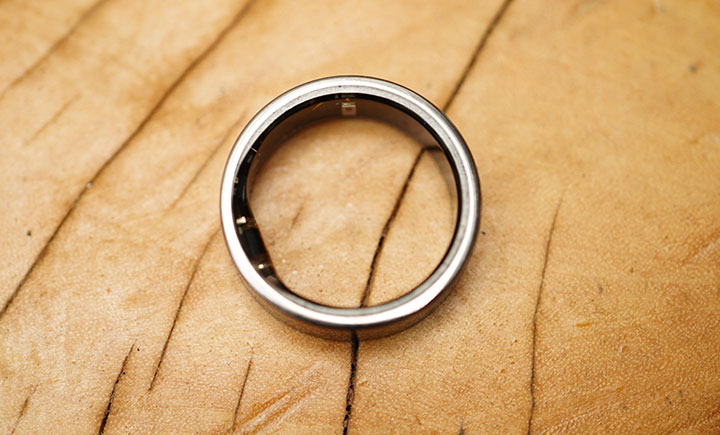
The ring has a sleek, smooth, and notch-less outer design reinforced with a Tungsten Carbide Carbon coating to enhance resistance to scratches and daily wear-and-tear. The inside of the ring has a slightly flatter, hypoallergenic, and smooth epoxy resin coating.
It has a width of 8.1 mm and a thickness of 2.45 to 2.8mm and notably light, weighing between 2.4 grams and 3.6 grams, depending on the size. It is rated for water resistance up to 100 meters, making it suitable for swimming and showering.
It is available in multiple finishes, including Aster Black, Space Silver, Bionic Gold, Matte Grey, and Raw Titanium.
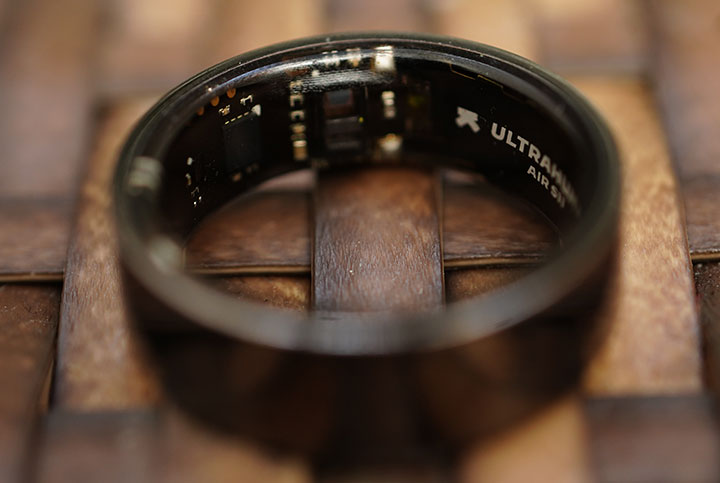
As for the internal components, it includes flexible PCBs, red/green LEDs for PPG sensing, an infrared sensor, a skin temperature sensor, a 6-axis motion sensor, and a 24mAh LiPo battery. You’d be pretty amazed that all those sensors and components are able to fit in such a small and narrow ring.
Fit and Comfort
Before you get the actual ring, UltraHuman will send you a ring fitting set that you can use to try out all of the available sizes. The Ring Sizing Kit ranges from 6 to 12 so depending on which finger you will be using the ring, you better try them out for some time before finally picking the final size.
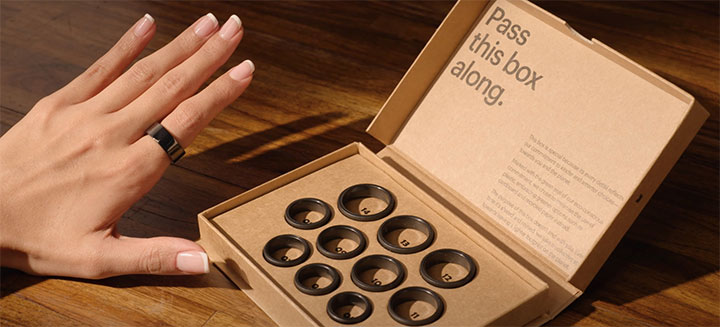
In my case, I intended to use it on my ring finger and size 10 was the most comfortable without being too loose. You can also pick the ideal color of the ring — Raw Titanium, Matte Gray, Aster Black, Space Silver, and Bionic Gold.
I ended up choosing the Aster Black because it looked just like any regular ring but after a month of using it, I thought the titanium or matte would have looked more cool or unique. Oh, well.
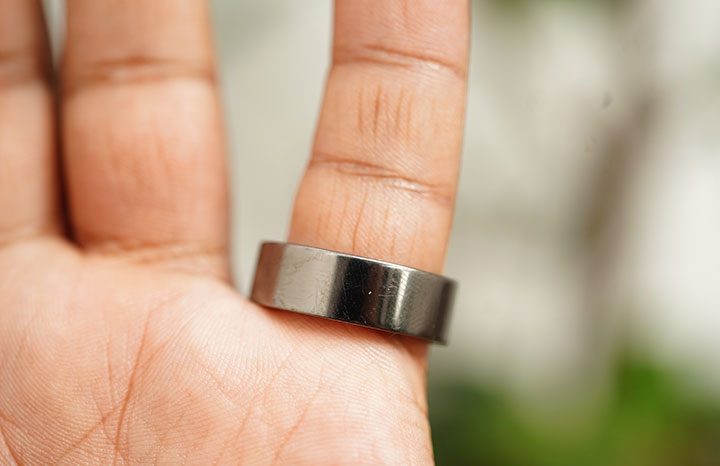
In terms of comfort, the smaller and lighter footprint of the Ring Air is its biggest advantage. I have not experienced any skin reactions, whatsoever. Most of the time, I won’t notice wearing it except when I am playing some mobile games and gripping the phone too tightly that the ring would graze the edge of the phone. I tend to transfer the ring to another finger or remove it for the meantime.
Sensors & Features
Amongst all the sensor recording that I religiously monitor with the Ring Air is the steps counter. There were erroneous reports of me taking over 11,000 steps in single day when I know most of the time I am just inside the vehicle traveling around for most of the day. The count even surpassed the other days where I know I walked a lot.
So, I continued monitoring it and compared the results with my Huawei Watch Ultra. In one instance where we drove from Iloilo to Caticlan for about 5 hours, then another short trip from Caticlan to Boracay by boat and e-trike, the Ring Air recorded over 11,000 steps again while the Watch Ultra on logged over 4,000 steps that same day. The other occasion where these exaggerated numbers were logged was also when we were traveling most of the day by car.
My theory is that the UltraHuman Ring Air has mistakenly recorded the bumpy ride as actual steps? A quick search revealed this to be true.
The Ultrahuman Ring AIR recording false steps while driving is a known, widespread, and active issue acknowledged by the company. Users have reported that the ring’s accelerometer interprets the vibrations or hand movements associated with driving as steps, leading to an overcounting of thousands of steps during commutes.
Perhaps the regular switching of the ring from the ring finger to the little finger (not so snugly fit here) also added to this erratic sensor issue.
While the device is already on its latest firmware, I have yet to figure out how to fix this little bug.
App and Reporting
The Ring Air comes with an UltraHuman app you can download from the iTunes App Store and Google Play Store.
It pairs and syncs with the ring easily and after you’ve created your account, will be greeted with tons of features and customized reports. I also tried to re-install the app and paired it to another device without any problems.
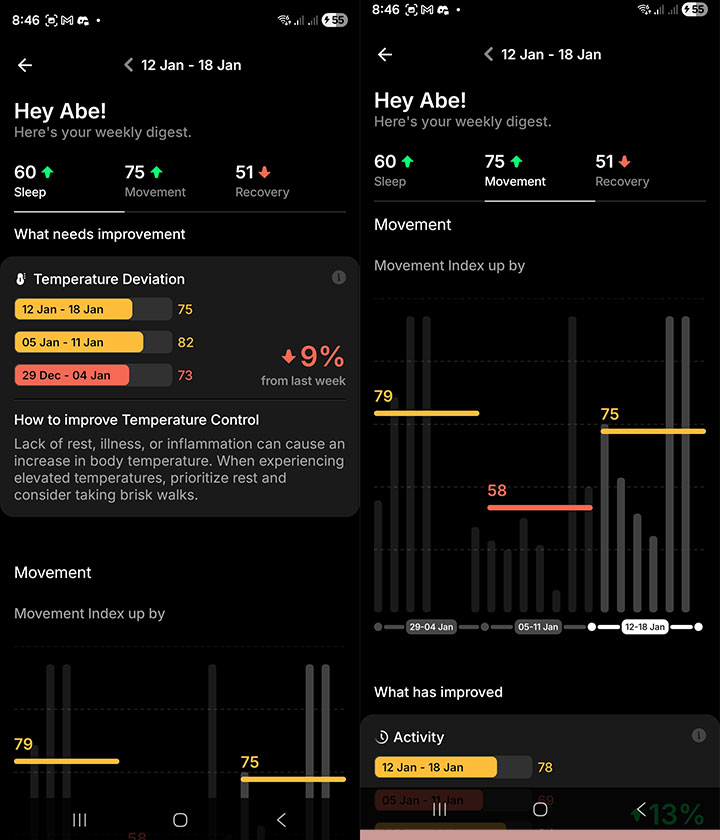
For most people, health monitoring starts with the basic ones like step count, heart rate, etc.
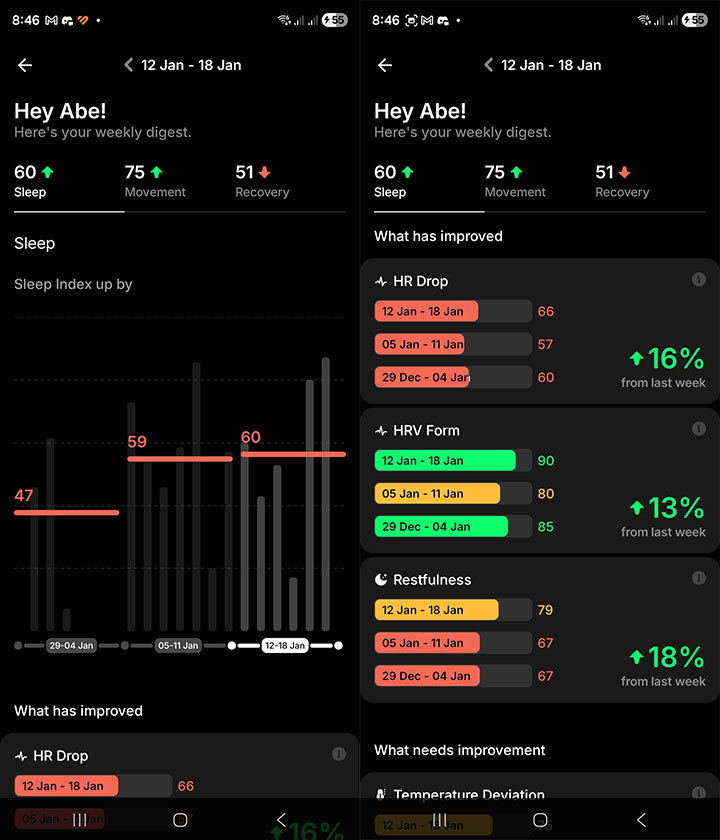
You can also customize your activity by setting specific goals like Movement Goals (steps, active hours, workout minutes) and Sleep Goals (sleep early, wake up early, sleep duration, sleep cycle).
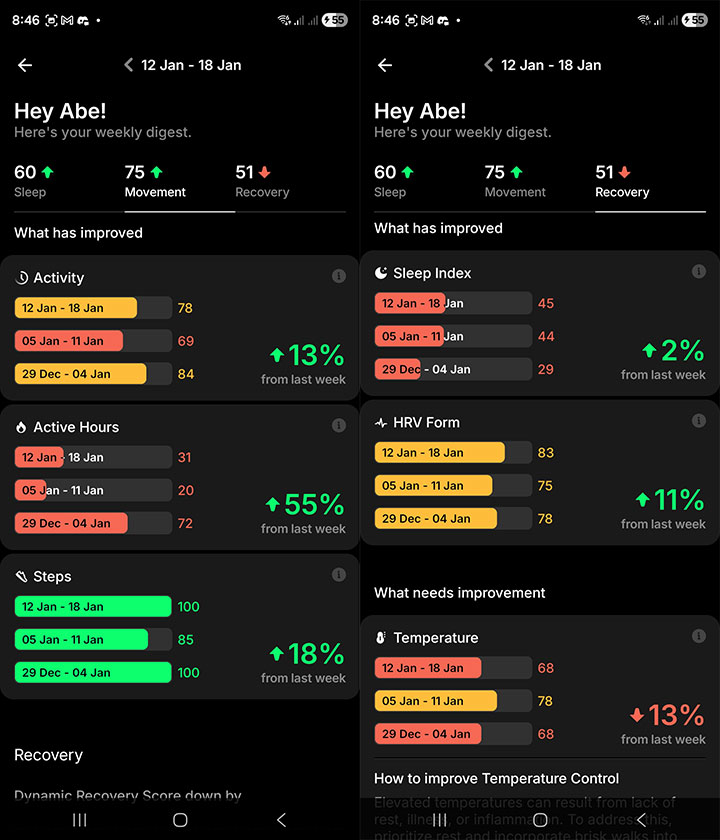
There are quite a number of reports that are completely new to me:
Dynamic recovery report – Recovery score built from HRV, resting HR, body temperature, prior sleep, and recent activity to guide how hard you should train or rest each day.
Stress rhythm report – Visualization of stress through the day using heart rate and HRV to show periods of higher or lower physiological stress.
Respiratory health report – Night-time breathing insight with breathing rhythm changes, snoring levels, and movement disturbances at night.
As someone who snores and have sleep apnea, these reports are actually tailored for folks like me. Since I have been using the Ring Air, I am more aware of these biometric signals and try to get them numbers to normal levels. I must admit, though, there are times when I don’t look at the reports when I know my week will be erratic or busy.
Battery
The ring normally lasts about 4 to 5 days on regular “Chill Mode” but there are a few other modes you can set it out to actually extend the battery life. I would normally place it on the charger every 3 or 4 days, as disciplined as I can, so I have enough juice if ever my daily schedule abruptly changes.
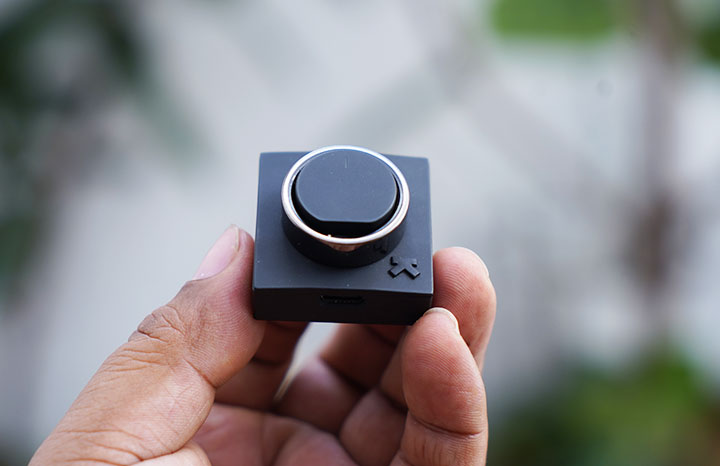
When I am traveling, I would switch to “Critical Battery Mode” so the battery can last around 6 to 7 days, especially if I decide not to bring the charger with me.
When charging, it takes about an hour or two to get it to 100% full which isn’t bad at all. I’d normally do the charging when I am about to get in bed and wear it back just as I go to sleep. I found it to be the most optimal way in order to keep the sensor data within accurate levels and not missing out on step counts and the likes.
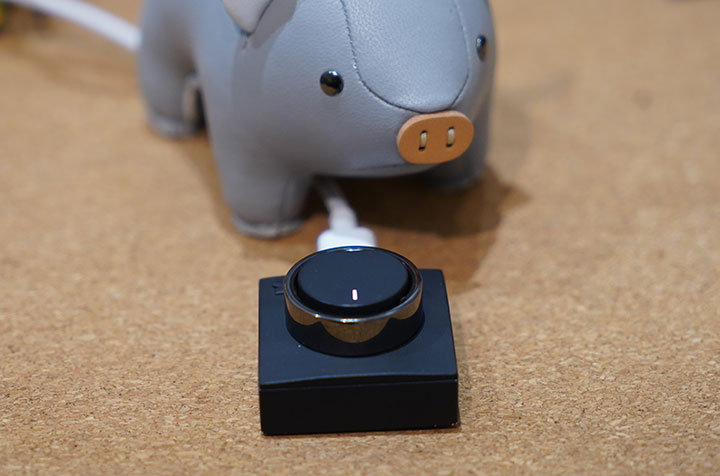
The good thing about the charger is that you can bring the tiny cradle with you anywhere and just plug it into a USB Type-C cable.
However, most power banks would stop charging after a few minutes because smart rings require a very low-current, “trickle” charge. This causes many power banks to mistake the ring for a fully charged phone or a disconnected device and automatically shut down to save power. Some power banks have Low Current Mode which addresses this issue.
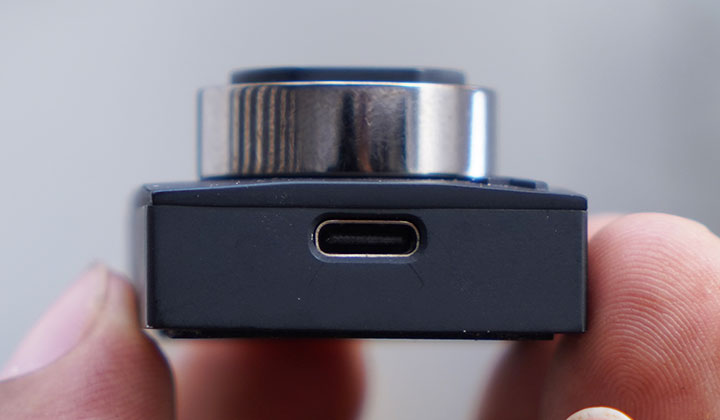
Compared to most smartwatches out there, the UltraHuman Ring Air is actually very efficient in terms of battery life, considering that it only has a 24mAh Li-Po capacity.
Only drawback here is that you’ll have to open the app in your phone to actually see the current battery life and there is no other way to get that info quickly.
Conclusion
When you think that a small and light ring like the UltraHuman Ring Air can do most of what many other smartwatches offer, you can help but be amazed. This is what I thought of the Ring Air the very first time I got to use it.
You get the benefits of what regular smartwatches can do, but in a more comfortable and smaller footprint. This is great for those who find wearing their smartwatches while sleeping and find them a little cumbersome or uncomfortable.
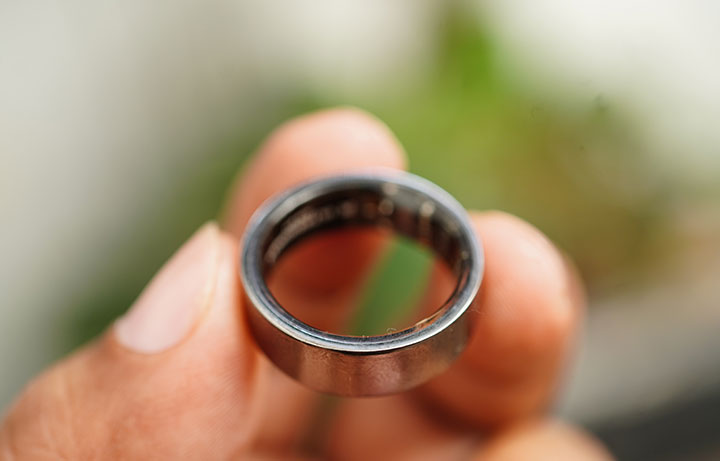
What’s more impressive is the battery life. It’s comparable to most other smartwatches or smart bands out there. Charging is also quick and easy.
However, wearing a ring may not be for everybody. While we admit that you have the choice to pick the correct ring size at first, the level of comfort is a matter of personal taste. It’s also another issue if you’ve lost or gain some weight which can affect your ring size. Unlike the wrist strap of a smartwatch that is readily adjustable, the Ring Air’s size is fixed.
Nevertheless, the UltraHuman Ring Air is an impressive device. From the ring sizing, selection options, app features, health monitoring, reporting and over-all experience, everything is almost flawless.
What we liked about it:
* Efficient battery life
* Comprehensive monitoring features
* Small and light footprint
* Relatively comfortable to wear
* Variety of choice for ring sizes and colors
What we did not like:
* Bugs in the step counter
* Quite expensive



0 Comments
Leave a Reply