

HUAWEI MatePad 12 X (2026) Review



Microsoft has just announced that its popular productivity suite, Office (Word, PowerPoint and Excel), is now available for the iPad.
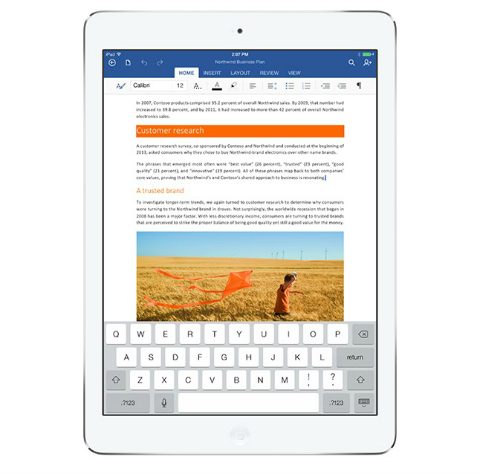
Office for iPad comes in three separate free apps: Microsoft Word for iPad, Microsoft Excel for iPad, and Microsoft PowerPoint for iPad. From there you can read your Word documents, view your Excel data and present with PowerPoint. If you have Office 365 subscription, you can edit and create new documents with the iPad.
You can download Office for iPad apps by heading to the the App Store or by clicking here. Do note that these are big downloads and are at least 200MB in size.
{source}










Apple, Asus, Cherry Mobile, Huawei, LG, Nokia, Oppo, Samsung, Sony, Vivo, Xiaomi, Lenovo, Infinix Mobile, Pocophone, Honor, iPhone, OnePlus, Tecno, Realme, HTC, Gionee, Kata, IQ00, Redmi, Razer, CloudFone, Motorola, Panasonic, TCL, Wiko
Best Android smartphones between PHP 20,000 - 25,000
Smartphones under PHP 10,000 in the Philippines
Smartphones under PHP 12K Philippines
Best smartphones for kids under PHP 7,000
Smartphones under PHP 15,000 in the Philippines
Best Android smartphones between PHP 15,000 - 20,000
Smartphones under PHP 20,000 in the Philippines
Most affordable 5G phones in the Philippines under PHP 20K
5G smartphones in the Philippines under PHP 16K


pedroluis888 says:
🌱 Noobs🏆1
Sana meron pang android para maging productive hp slate 21 ko haha
juju says:
🌱 Noobs🏆1
you can try MS Office Mobile for Android
Mr A says:
🥉 Rookie🏆1
I wonder if Macros would work on the IPad version.