

HUAWEI MatePad 12 X (2026) Review



Early this month, Cherry Mobile has announced a new affordable device that runs Windows 10 on a 7-inch tablet. Will the sub-Php5k Alpha Prime 7 be a good contender in the budget tablet category? Find out in this quick review.
The Alpha Prime 7’s name isn’t a random number the company just implemented on the tablet. The number 7 stands for its display size (in inches) that’s fitted with a 1024 x 600 resolution. It has noticeable bezels with the top and bottom having extra space for holding the device in landscape mode. The device has on-screen buttons namely Back, Home, and Find which directly searches both the web and Windows.

The back is made entirely of plastic which is segmented by black panels at the top and bottom. The material feels a bit cheap and tapping the case has that hollow sound that doesn’t add any premium value to it.

Additionally, it has a 5-megapixel rear camera that’s accompanied by a single LED flash. The shooter is accented with a chrome trimming that blends well with the silver panel that dominates the rear.

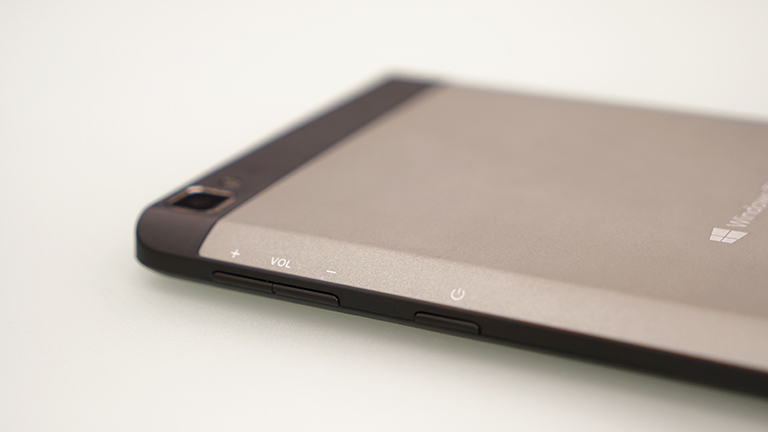
On its upper right side is where all the physical buttons are lined up. Here we have the power/lock screen button right below the volume rocker.
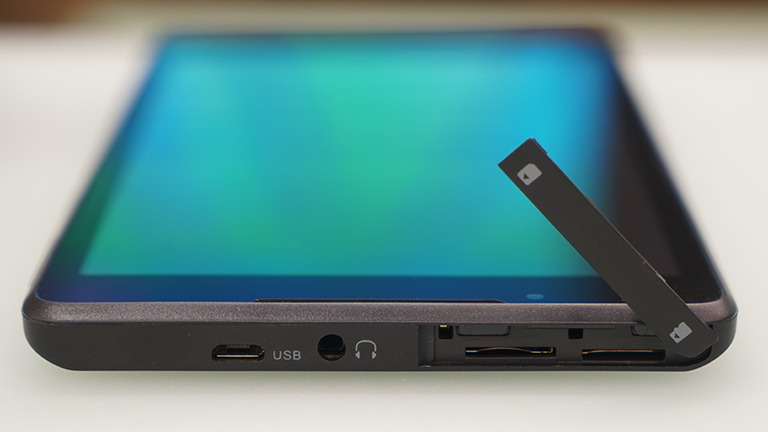
Meanwhile, you’ll discover the ports and slots at the top of the device. The microUSB port and audio jack are here as well as the slots for SIM and microSD for expanding the storage. As seen on the photo, the last two are covered using a plastic flap to protect against unwanted ejection.
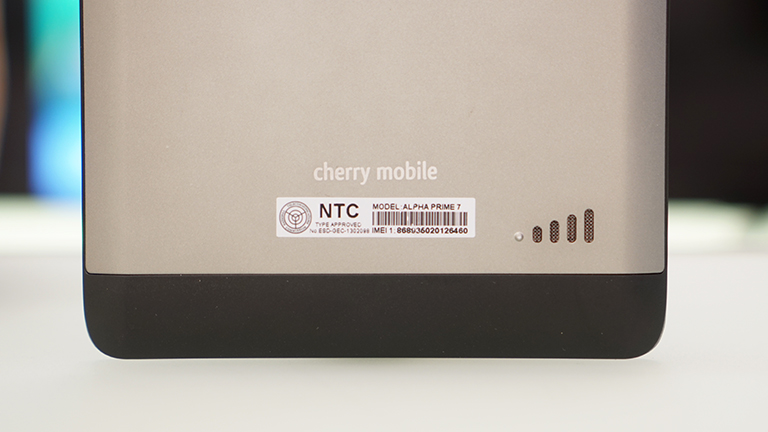
The speaker grille is located at the lower right corner and is shaped like the signal strength you see on common mobile devices.
Overall, we’re no fans of its build quality but for its asking price, you can’t really expect much. At 260 grams, it has a bit of heft to it but the general plastic implementation helped take some weight off of the tablet. Hold feel is pretty much the same as other 7-inchers and the slanting sides help it sit nicely on the hands.
The Alpha Prime 7 runs Windows 10 Mobile operating system which could be a bit confusing especially to those that are used to operating iOS/Android devices. Here, the live tiles seen on its desktop counterpart are present as well as other pre-loaded apps like Skype, Word, OneNote, and Outlook.
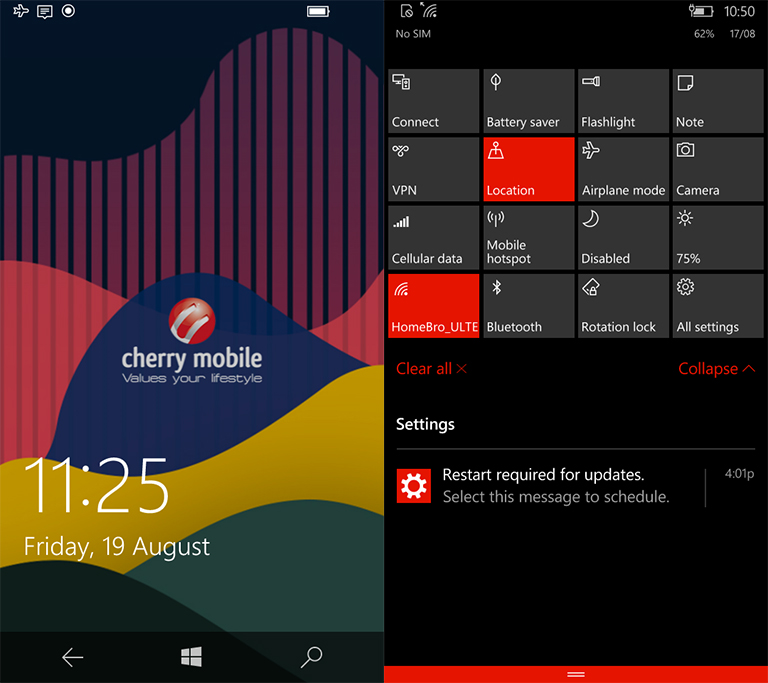
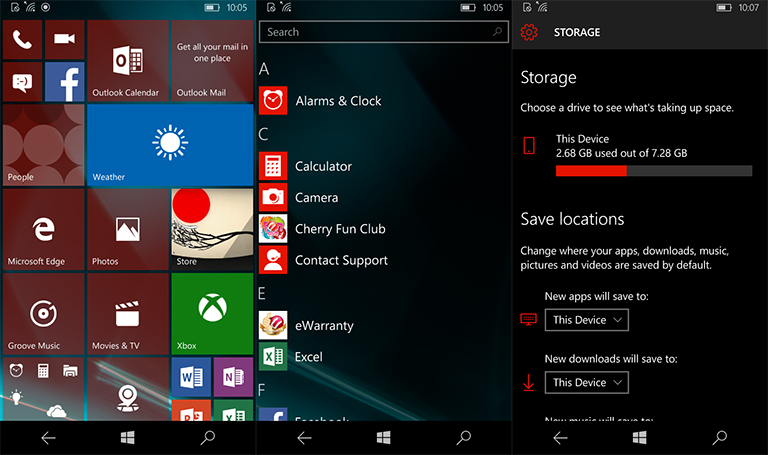
Out of the box, the system software occupies around 2.5GB out of the usable 7.28GB storage which could only hold a few movies and audio playlists. Good thing there’s a memory expansion slot up top so you can put more content into the tablet. Browsing through its UI, we would say that jumping from one app to the other was fluid but the time it takes opening the apps isn’t as fast as we’d like them to be.

Equipped with a 5-megapixel main shooter, the Alpha Prime 7 takes decent shots but nothing to write home about. Details are seen when ample lighting is provided but take it indoors and you’ll notice a rather soft focus and images with digital noise populating your shots. It has HDR for better exposure and has manual settings to adjust ISO, shutter speed, white balance, exposure, and focus individually. We have some sample shots below:


We conducted our usual benchmark tools (for Windows Mobile OS) to get an idea of the capabilities of its internals. Unfortunately, we weren’t able to run Basemark OS II since there were errors after installing the software but got AnTuTu and WP Bench to work. Below are the scores:
After days of fiddling with it, we noticed that the touch display sometimes doesn’t register input well especially when trying to unlock the screen. It would take us about 2-4 times of swiping up before we could successfully access the device. Additionally, we experienced slight lags every now and then when trying to go back the home screen or delays when opening certain apps, as previously mentioned.

Apart from that, typing on its keyboard was easy thanks to the big keys made possible by having a spacious screen. Playing games was also pretty amusing but don’t expect it to run graphics-heavy titles as it has limitations regarding display resolutions. Speaking of resolution, watching HD videos resulted to choppy and interrupted playback so be sure to scale down your video files before loading it unto the device.
With its 3200mAh non-removable battery, it resulted to 5 hours and 21 minutes of continuous playback with airplane mode activated, brightness and volume set to 50%, and battery-saving feature off. As for its normal usage, we were able to use it for an entire day with constant app updates on Wi-Fi and light gaming.
Cherry Mobile’s Alpha Prime 7 is indeed affordable at Php4,999. For that price, you have a timid list of specs like a quad-core processor, 1GB of RAM, and 8GB of internal storage that you can expand using an additional microSD card. The device isn’t a powerful workhorse moreso if you render productivity tasks on a daily basis, but will be enough to give to the kids for their games and some casual browsing.
Cherry Mobile Alpha Prime 7 specifications:
7-inch 1024 x 600 capacitive touchscreen display
1.1 GHz Qualcomm Snapdragon 210 quad-core CPU
Adreno 304 GPU
1GB RAM
8GB Internal Memory
5-megapixel rear camera
2-megapixel front facing camera
Micro SIM
4G LTE
Wi-Fi 802.11b/g/n
GPS w/ A-GPS
Bluetooth 4.0
Windows 10 Mobile
3,200mAh non-removable battery
189.7 x 102.8 x 9.3mm
260g
What we liked about it:
What we didn’t like:










Apple, Asus, Cherry Mobile, Huawei, LG, Nokia, Oppo, Samsung, Sony, Vivo, Xiaomi, Lenovo, Infinix Mobile, Pocophone, Honor, iPhone, OnePlus, Tecno, Realme, HTC, Gionee, Kata, IQ00, Redmi, Razer, CloudFone, Motorola, Panasonic, TCL, Wiko
Best Android smartphones between PHP 20,000 - 25,000
Smartphones under PHP 10,000 in the Philippines
Smartphones under PHP 12K Philippines
Best smartphones for kids under PHP 7,000
Smartphones under PHP 15,000 in the Philippines
Best Android smartphones between PHP 15,000 - 20,000
Smartphones under PHP 20,000 in the Philippines
Most affordable 5G phones in the Philippines under PHP 20K
5G smartphones in the Philippines under PHP 16K


Easy E says:
💠 Supremacy🏆3
Gagapang talaga yan haha.. Sayang lang pera mo dito.
richard pacia says:
🌱 Noobs🏆1
Does it support OTG?
Placido Penitente says:
🌱 Noobs🏆1
Sana ginawa na lang nila na full Windows 10 OS, sayang kasi at konti apps ng windows 10 mobile..