


HUAWEI MatePad 12 X (2026) Review



Samsung used the same materials and technology on the Galaxy S7 Edge as they did with Galaxy S6 Edge. As such, we have a slightly larger 5.5-inch Super AMOLED display with a quad HD resolution (2560 x 1440pixels) giving it a pixel density of 534ppi. We think they did not need to improve it that much, nor did they have to make it a 4K display just like the Z5 Premium.

As expected, the dual edge display looks gorgous and add to the depth and breath of the screen that makes images pop out. The deep and rich colors are every evident with the AMOLED display, the screen is bright and the Always On display adds a great feature that shows you bits of information like time, battery status and notification status on a consistent basis without sacrificing battery life of the screen.
We’ve had some slight issues with the thin bezels and curved display though as they tend to get accidentally touched when using the device with one hands causing random responses once in a while. Perhaps, that’s also relative to the size of your hands but in our case, we eventually end up handling it with both hands instead.
Both the front and back are protected by Gorilla Glass 4 and while we noticed that the front panel is less prone to fingerprint and smudge, the back panel isn’t so.
The S7 Edge comes with Android 6.0 Marshmallow right out of the box with a custom Touchwiz UI that adds a subtle customization to the Android experience. The UI is flat and clean with almost unlimited number of homescreens you can add to display widgets and app shortcuts. The leftmost homescreen is dedicated to newsfeed powered by Flipboard.
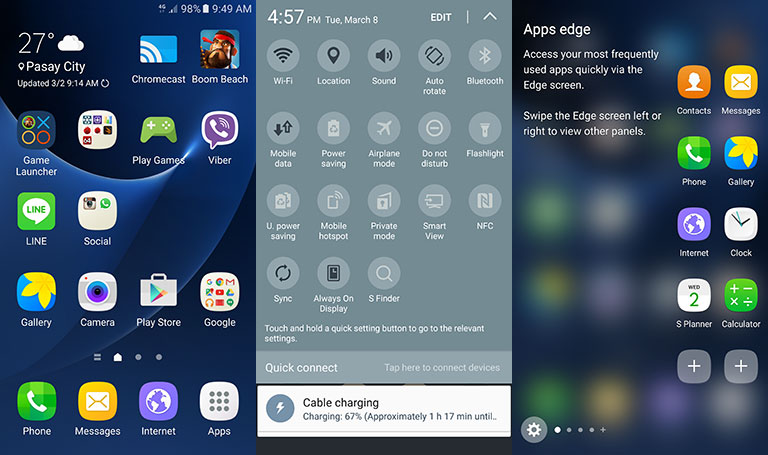
The biggest visual change is the enhancement of the people edge and app edge which now has wider space for two columns of your favorite contacts and apps as well as additional panels for weather, news feeds, RAM management, data management and more. All these work like some sort of task management panel.

There are also a ton of free and paid themes over at the Samsung App store that you can download to further cutomize the phone or completely change the look and feel of the user interface.
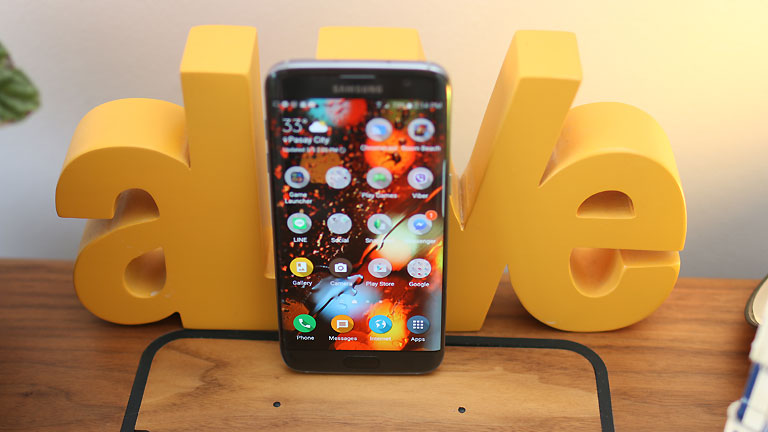
The Always On Display turns out to be a smart way to display essential information though it’s limited at the moment to time, calendar, notifications and a photo of oyur own choice. If you install a custom theme, it will also support it and display its own accompanying images or animation.
Samsung claims the 12MP camera is better than the previous 16MP on the s6 edge. This is because they included a dual pixel technology that is mostly used in DSLRs. The result is faster focus time and better quality shots. The lens also features a wider f/1.7 aperture for better low light performance.
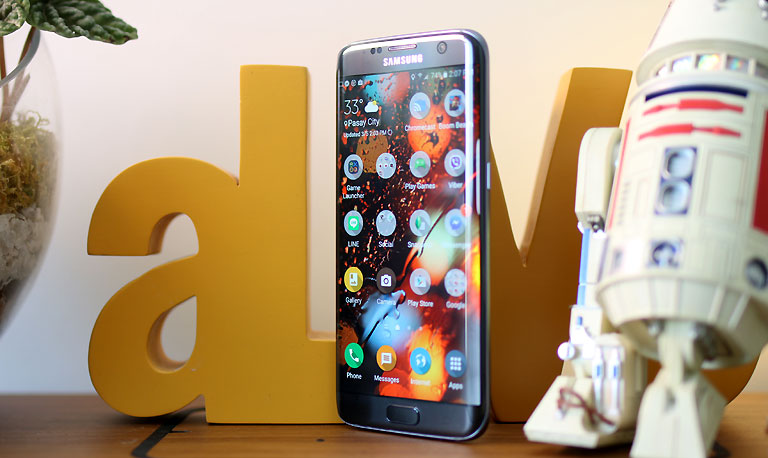
Looking at the shots we took with the S7 Edge, we can definitely say it does a much better job when used in low light environments and dark subjects. Check out the sample photos we got here.
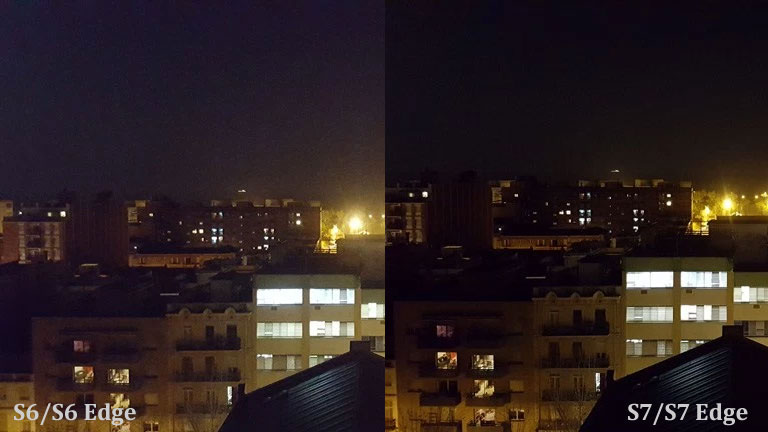
Compared to the Galaxy S6 Edge, the S7 Edge takes more image detail, generally brighter and more saturated but for the most part it is the night shots where the difference is very obvious.


The main camera can still record UHD (3840×2160 pixels) videos and, with optical image stabilization built-in, footages looked stable and smooth. Focus time is much faster at 0.02 seconds and the lens is pretty quick in re-focusing on varying subjects in the field of view. There’s also face tracking that allows the camera to focus on a subject while it’s moving.
You can switch to several Modes like Time Lapse or Slow Motion which takes up to 240fps at 720p.
The front camera was also improved with a 5MP sensor and f1.7 aperture. The higher aperture opening gives it better access to ambient light.

When we compared the low-light performance of the Galaxy S7/S7 Edge against the S6/S6 Edge, the different is very obvious as shown in these photos:
The Quick Launch feature that we first saw in the S6 is still present in the S7 Edge. This allows you to press the Home button in two quick succession to launch the camera from whatever screen or app window you are in.










Apple, Asus, Cherry Mobile, Huawei, LG, Nokia, Oppo, Samsung, Sony, Vivo, Xiaomi, Lenovo, Infinix Mobile, Pocophone, Honor, iPhone, OnePlus, Tecno, Realme, HTC, Gionee, Kata, IQ00, Redmi, Razer, CloudFone, Motorola, Panasonic, TCL, Wiko
Best Android smartphones between PHP 20,000 - 25,000
Smartphones under PHP 10,000 in the Philippines
Smartphones under PHP 12K Philippines
Best smartphones for kids under PHP 7,000
Smartphones under PHP 15,000 in the Philippines
Best Android smartphones between PHP 15,000 - 20,000
Smartphones under PHP 20,000 in the Philippines
Most affordable 5G phones in the Philippines under PHP 20K
5G smartphones in the Philippines under PHP 16K


powervr says:
🌱 Noobs🏆1
no fm radio no buy
Ungazzz says:
🌱 Noobs🏆1
As if naman may pambili ka?
fm radio? Wtf. Dukha!
JUST
stuck with your SKK
passingby says:
🌱 Noobs🏆1
hahaha!
Gordues says:
🌱 Noobs🏆1
Gusto ko sana ng s7 edge due to design and specs pero bat kya
Kht anong gwin nbgl prnc ia unlike iphone
IMHO says:
🌱 Noobs🏆1
In my opinion, kaya nakaka experience ng lag minsan ang android kase open yung ecosystem nya not like sa apple na secured and mas onti ang customization. Pwede mo ma prevent yung lag if you know how to determine you mga nag cause and remove it to your cellphone.
wired_boy says:
🥉 Rookie🏆1
di ka lang marunong mag maintenance ng phone mo.
Cris says:
🌱 Noobs🏆1
Sir Abe or to s7/s7 edge users, no signal problems like the one with s6 duos? Signal was very weak. Made me wary of Samsung phones.