

Google’s Circle to Search feature is now available for three Nothing smartphones. These consist of the Nothing Phone (2), Nothing Phone (2a), and Nothing Phone (2a) Plus.
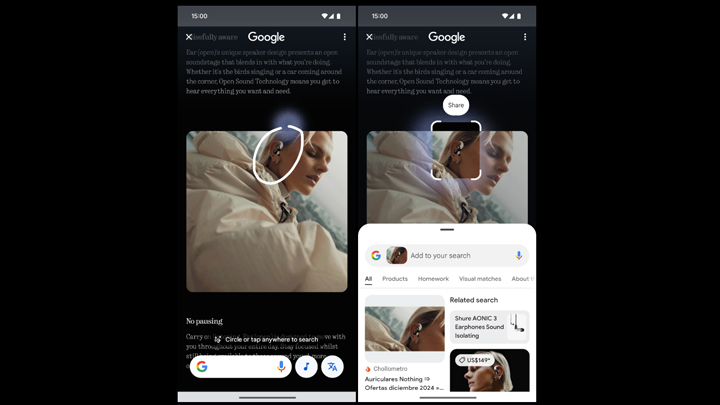
Device owners can try it out by long-pressing the Home button (3-button navigation) or the navigation bar (gesture-based navigation). Users may also check it out via Settings > Special features > Gestures > Navigation mode > Circle to Search menu.

For Nothing Phone (2) users, make sure your device is running Nothing OS 3.0 with build number Pong-V3.0-241207-012. For Nothing Phone (2a) users, the build should be on Pacman-V3.0-241210-2057.
Both devices should have received the stable update for Nothing OS 3.0 based on Android 15.
However, the Nothing Phone (2a) Plus is still in beta. Users should note that the feature is only available for units running build number PacmanPro-V3.0-241126-1448. Nothing says that the stable update should be rolled out early next year.
Users unable to use the Circle to Search feature on their devices may try again after rebooting the device post-update. Just take note of the mentioned build numbers to make sure your device can run it.
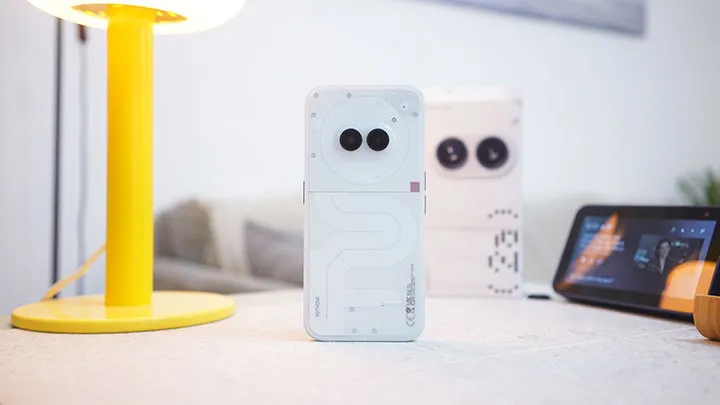
Interested readers may also look into our written reviews on the Nothing Phone (2) and Nothing Phone (2a).






0 Comments
Leave a Reply