

Blackmagic Design has officially released DaVinci Resolve 21, bringing a new Photo page, AI-powered tools, workflow improvements, and expanded camera format support.
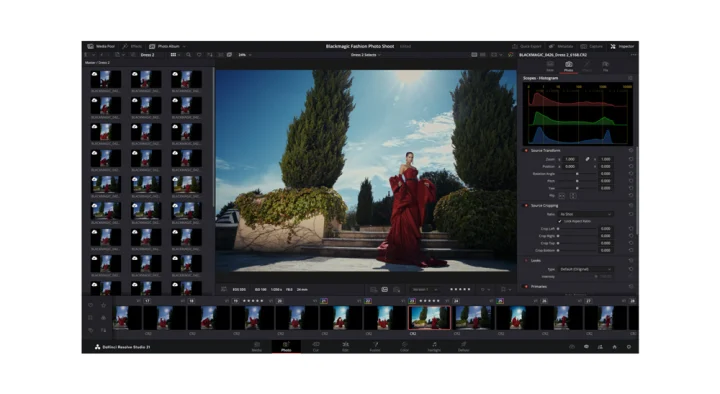
One of the biggest additions in the update is the new Photo page, which allows users to edit and organize still images directly within DaVinci Resolve. The feature includes album management, ratings, collections, Lightroom catalog import support, Apple Photos integration, and GPU-accelerated batch exports.
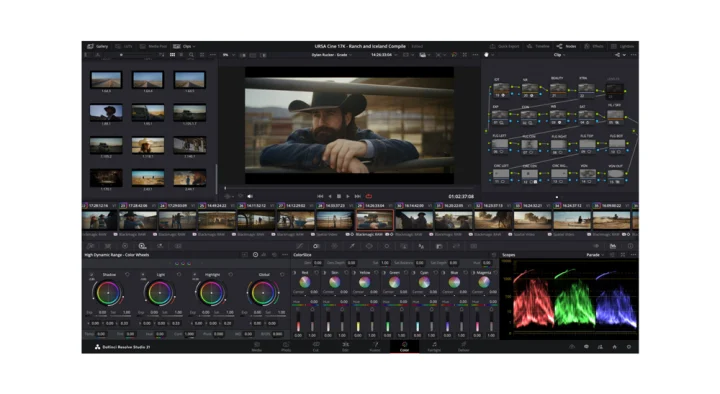
The update also introduces several AI-powered tools, including IntelliSearch for locating clips and content, CineFocus for adjusting focus effects, and new portrait enhancement features.
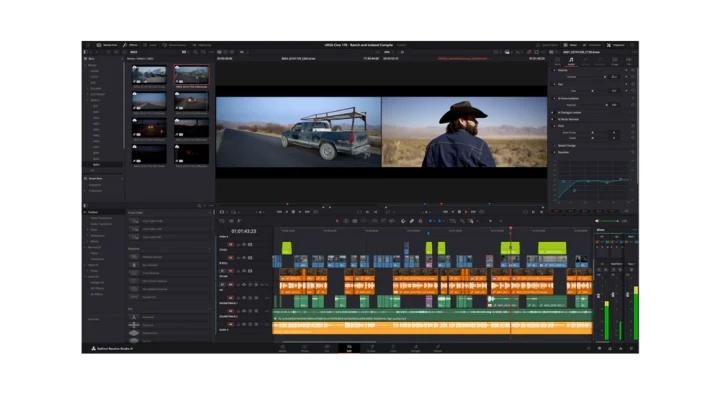
Editors gain new keyframing controls, improved subtitle management, timeline comparison tools, and support for Lottie animations and OGraf HTML graphics.
For photographers, DaVinci Resolve 21 adds support for Canon CR3, Panasonic RW2, Fujifilm RAF, Apple ProRAW, and newer Sony ARW RAW formats.
Blackmagic Design said the update is now available for both the free and Studio versions of DaVinci Resolve.
Pricing and Availability
DaVinci Resolve 21 – Free
DaVinci Resolve 21 Studio – USD 295
Available now through Blackmagic Design.
Key New Features
Photo page for still image editing
Lightroom catalog import
Apple Photos integration
GPU-accelerated batch exports
IntelliSearch AI search
CineFocus AI tool
AI portrait enhancement tools
Improved keyframing controls
New Fusion motion graphics tools
Expanded RAW photo format support
Faster Blackmagic Cloud synchronization
Supported New Photo Formats
Canon CR3
Panasonic Lumix RW2
Fujifilm RAF
Apple ProRAW
Sony ARW (compressed)
Nikon NEF improvements





0 Comments
Leave a Reply