

GCash users can now start using Google Pay even without a physical card, as the e-wallet begins rolling out support for the service across the Philippines. Once the feature becomes available on an account, GCash automatically generates a virtual Mastercard that users can view under Profile → My Linked Accounts.
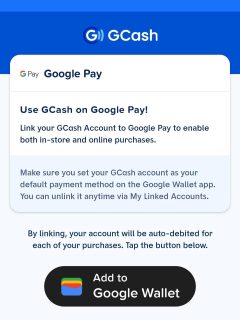
The update allows verified users aged 18 and above to link their GCash to Google Pay. However, the rollout is gradual, meaning not everyone will see the option right away. GCash also notes that the feature is not available for GCash Jr. and Overseas users, and that the app must be updated to the latest version.
To link Google Pay to GCash, users only need a verified account and access to Google Wallet. The linking process is done entirely inside the app and requires simple confirmation steps.
How to Link GCash to Google Pay
- Open the GCash app
- Go to Profile → My Linked Accounts
- Select Google Pay → Tap Add to Google Wallet
- Complete the verification → Tap Next
- Allow GCash access when asked → Tap Continue
- You will be redirected to Google Pay → Tap Add to Wallet → Continue
- Wait while Google checks eligibility → Tap Accept
Important: When asked to Set Google Pay as default, choose Not now.
GCash says users who still do not see the option simply need to wait for the ongoing rollout.





paki open namann po gcash ko nag error dima open salamat po