

HUAWEI MatePad 12 X (2026) Review



With its sleek Apple iMac-esque design and very conservative specs, this AIO from ASUS is oddly placed. It will get you through web browsing, office applications, and even some very light 2D games. It runs on an Intel Core-i3 7100U, 4GB of DDR4 Memory, and a 1TB 2.5″ 5400RPM HDD. No dedicated graphics here. Find out what we think about the ASUS Vivo V221ICUK All-in-One PC in our review below.

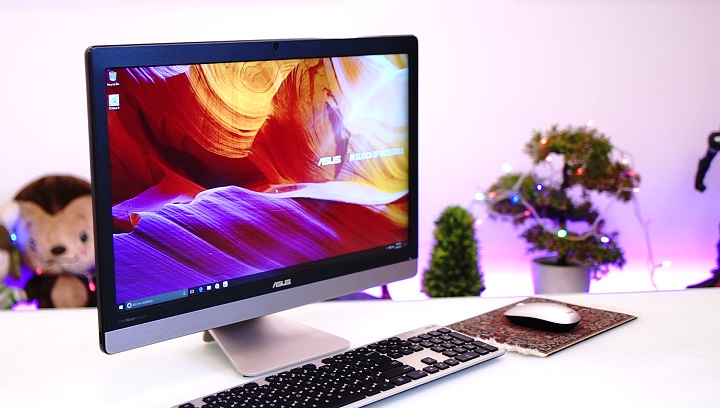
Right off the bat, the design language is very reminiscent of Apple’s iMac products. It sports a clean, simple metallic design with a very small footprint on your desk. Accounting for the stand, the overall depth is approximately 162mm when the screen is upright, about what you’d expect from an AIO or even a standalone computer monitor.

Taking a closer look, you can see the classic ASUS logo at the bottom, along with the power and HDD activity LED’s, as well as the speakers at the very bottom, which we will get more into detail about later on. Up top is a 720p webcam.

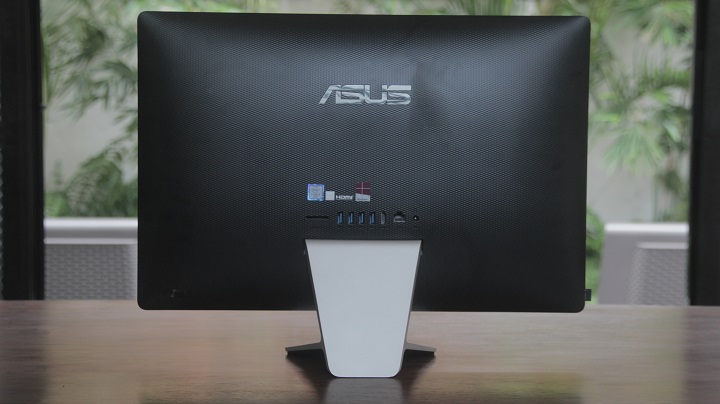
Moving on to the back, we have a matte black, textured finish. Here we find a large ASUS logo, a nicely placed power button, and the rear I/O.
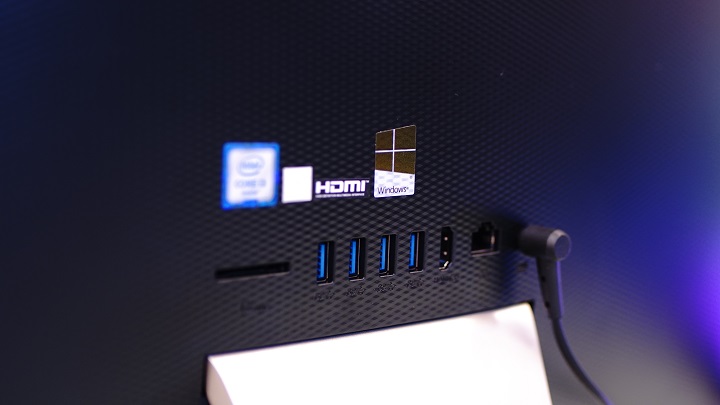
The ports are very basic by today’s standards, and they include a full-size SD card slot, four USB 3.0 ports, an HDMI-out, an RJ45 Gigabit LAN port, and of course, the power jack.
We would have liked to see one or two more USB 2.0 ports for connecting basic peripherals such as keyboards and mice, which brings us to the left side of the PC. This is where the sole USB 2.0 port is located. It’s an odd and unpleasant location for it to be in, as this is the optimal port to plug in the wireless receiver that connects the included wireless mouse and keyboard.

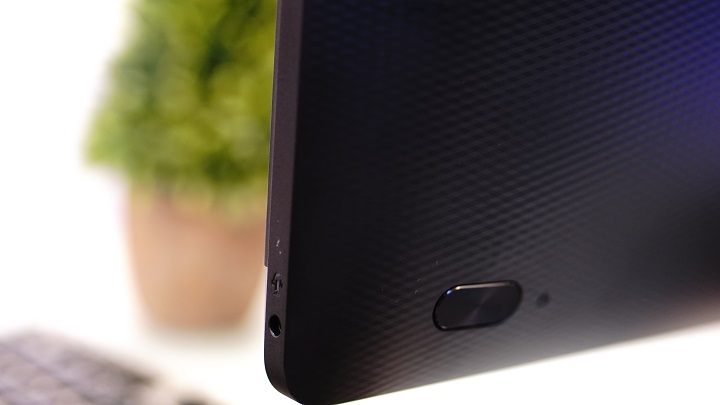
On the other side, however, are the very appropriately placed power button and headphone jack. The power button is big enough that you don’t need to look to know where it is, and the headphone jack’s location is very convenient for when you decide to use headphones.
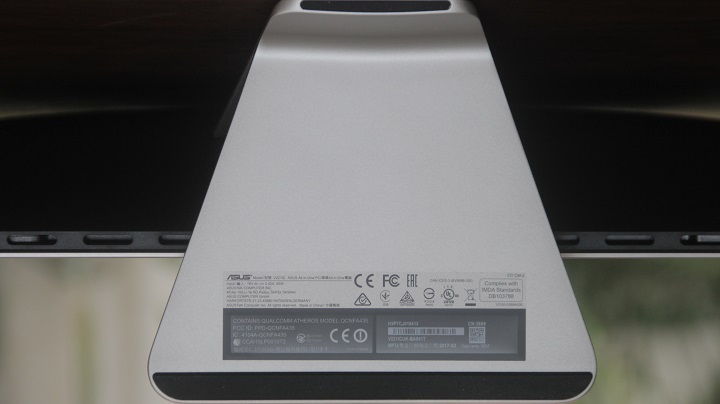
The base of the PC is very solid and has a nice trapezoid shape. It can tilt slightly up and down, and the bottom even has rubber feet to eliminate slipping.


The included keyboard and mouse are nothing special, and they both also somewhat have the minimalist iMac look. The keyboard is sleek and sharp looking, though it’s not very comfortable to type on, as the keys are very mushy.
 .
.
The mouse is not as aesthetically appealing as the keyboard, though, and looks very generic. It is quite small and will be uncomfortable for someone with larger hands. We do appreciate that they already had batteries included. They are both connected to the PC using the included wireless receiver.

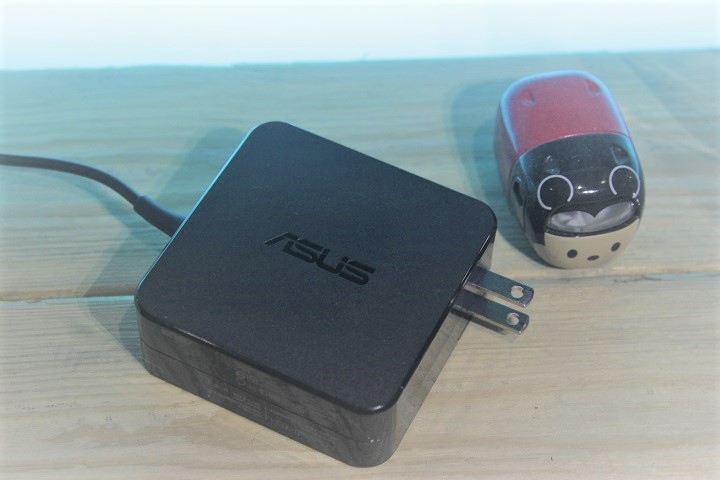
The power brick has a minimalist design as well, though we wish there was a way to wrap the cable around it, much like the Magsafe power adapters of Macbooks.
The V221ICUK sports a 21.5″ LED-backlid Full HD display, with a resolution of 1920 x 1080. The brightness and colors are decent, and details are sharp. It is supposedly anti-glare, but performs poorly in that aspect when used in a bright room. Viewing angles are actually not bad, though the best experience will be had when you’re centered on screen. The panel has a matte finish, making it very prone to fingerprints. The size is another factor to take into consideration, as we did not find it big enough for watching videos/movies with another person.
We were surprised by the speakers, which are very crisp, with clear highs and deep mids. They are however, not so punchy, lacking bass. Movies are very watchable using the speakers, and we even preferred them over using headphones.

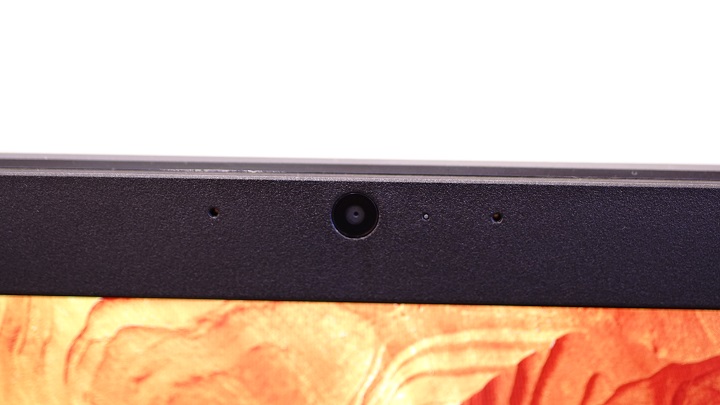
Up top are the 720p webcam and the microphone. Picture quality and sound quality are not great, but are sufficient for quick Skype calls or for business conference calls.
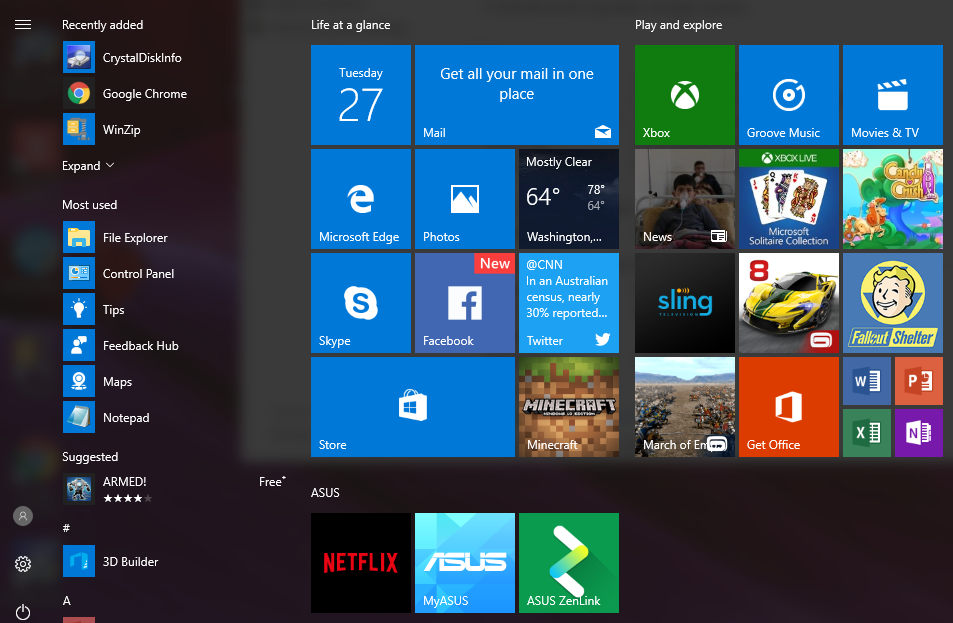
The PC comes with Windows 10 Home Edition, along with all the usual suspects such as Mail, Weather, Skype, Cortana, and even Minecraft. It also comes with some proprietary ASUS software as well, including ZenLink, which is used to sync content across all your devices.
The only hard drive included is a 1TB 5400RPM 2.5″ HDD. A big downside, there is no clear way to upgrade your storage or RAM.
At the very beginning of our testing, we immediately ran into optimization issues. We were faced with the 100% Disk usage error in Windows 10, making everything sluggish, even when idle. The hard drive was not damaged, indicating that it’s an optimization issue with Windows. We were temporarily able to fix this issue for our testing, however. This is a shame, as the i3 7100U is a very capable processor.

We were able to do some light photo editing with Adobe Photoshop and Lightroom, but the Adobe Premiere test did not fare as well, with extremely slow render times. Simple office applications, writing, web browsing, and content consumption yielded very pleasant experiences, though. As for gaming, less demanding 3D games like Minecraft are playable, and very light 2D games such as Super Meat Boy run smoothly.

There were no temperature issues whatsoever, and the PC was either cool or slightly warm to the touch, at most.
We ran a couple of benchmark apps to further test the performance. Find the results below for PCMark 8 and CrystalDiskMark:
PCMark 8
Crystal DiskMark

The ASUS Vivo V221ICUK is a fairly decent all-in-one for those with light workloads. It is for the student, the home office, and the minimalist. Using it definitely, gives you that professional feel with its sleek design. With a decent screen and very good speakers, this makes for a good content consumption machine. This is also good option who want a desktop PC, but don’t have a lot of desk real estate.
The ASUS Vivo V221ICUK All-in-One PC has an SRP of Php34,995.
ASUS Vivo V221ICUK Specs:
21.5″ LED-backlit Display, Full HD 1920×1080
Intel Core i3-7100U Processor, 2.4GHz (3M Cache, 2.40 GHz)
4GB DDR4 DRAM
SATA 1TB 5400RPM 2.5′ HDD
USB 2.0 port
4x USB3.0 ports
HDMI-out
802.11ac WiFi+Bluetooth 4.1 (Dual band) 1*1
Gigabit Ethernet
720p Webcam
Zen Plastic Golden Wireless Keyboard + Mouse
3 years warranty
What we liked about it:
What we didn’t like:










Apple, Asus, Cherry Mobile, Huawei, LG, Nokia, Oppo, Samsung, Sony, Vivo, Xiaomi, Lenovo, Infinix Mobile, Pocophone, Honor, iPhone, OnePlus, Tecno, Realme, HTC, Gionee, Kata, IQ00, Redmi, Razer, CloudFone, Motorola, Panasonic, TCL, Wiko
Best Android smartphones between PHP 20,000 - 25,000
Smartphones under PHP 10,000 in the Philippines
Smartphones under PHP 12K Philippines
Best smartphones for kids under PHP 7,000
Smartphones under PHP 15,000 in the Philippines
Best Android smartphones between PHP 15,000 - 20,000
Smartphones under PHP 20,000 in the Philippines
Most affordable 5G phones in the Philippines under PHP 20K
5G smartphones in the Philippines under PHP 16K
Barry says:
🌱 Noobs🏆1
“At the very beginning of our testing, we immediately ran into optimization issues. We were faced with the 100% Disk usage error in Windows 10, making everything sluggish, even when idle. The hard drive was not damaged, indicating that it’s an optimization issue with Windows. We were temporarily able to fix this issue for our testing, however”
How?