


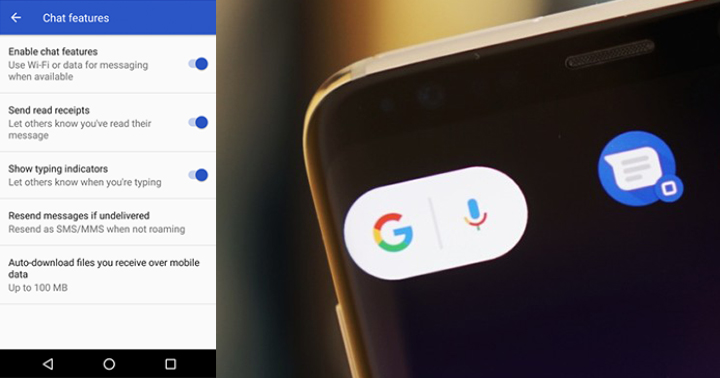
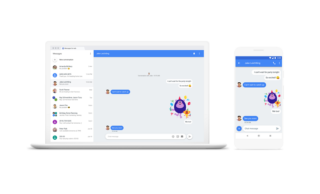
Google has launched new features for its Android Messages app which includes Messages for Web. Messages for Web basically lets you send and receive texts from your PC. To get started, go to messages.android.com on your web browser. Open the Messages app on your phone, tap the More options menu, select "Messages for web", then scan the QR code with your phone. The feature is rolling out to users starting today so make sure to keep your Android Messages app updated. Google is reportedly working on a permanent fix to the ever-present Android texting problem. Going as far as allocating the entire team into working on Android messages, which will be Chat's main application. It will not be a standalone app but rather a supplement to the SMS feature of Android messages. Read more in our articles including "Google launches Messages for Web" and ""Chat" is Google's Answer to Android's messaging nightmare".
Google has launched new features for its Android Messages app which includes Messages for Web.…
Jun 19, 2018
Google is reportedly working on a permanent fix to the ever-present Android texting problem. This…
Apr 20, 2018
Globe has apparently started a slow rollout of Rich Communication Services, or RCS, the new standard…
Feb 27, 2018
Google has just announced a new version of Android 12 that is catered to larger…
Oct 28, 2021Maybe this is what Google wanted all along — for every small-time phone manufacturer not…
Dec 5, 2008
Meta just launched Seller, a new app designed to help Facebook Marketplace users manage and…
Jul 25, 2026Google has launched new features for its Android Messages app which includes Messages for Web. Messages for Web basically lets you send and receive texts from your PC.
To get started, go to messages.android.com on your web browser. Open the Messages app on your phone, tap the More options menu, select "Messages for web", then scan the QR code with your phone. The feature is rolling out to users starting today so make sure to keep your Android Messages app updated.
Our coverage of android messages includes: "Google launches Messages for Web"; ""Chat" is Google's Answer to Android's messaging nightmare"; "iMessage-style SMS reportedly available to Globe, TM users via Android Messages". Each article provides unique insights and information.