App Troubleshooting

yugatech x ASUS

Latest Review

Sleek HUAWEI MatePad 12 X tablet on a dark surface
HUAWEI MatePad 12 X (2026) Review
A person holding the new iPhone 17 Pro Max
iPhone 17 Pro Max Review
Gray Philips tablet with rear camera and flash on metallic finish
PHILIPS 10-inch Tablet (T7305L) Review
nubia Neo 3 GT vs. Infinix GT 30 Comparison Review
Nothing Phone (3a) Lite smartphone on a white background
Nothing Phone (3a) Lite Review

Latest Guide

What’s new with Samsung One UI 8
Smartphones Under PHP 10,000 | Q3 2025
Smartphones Under ₱6K (Php 6,000) | Q3 2025
Xiaomi 15T Pro vs. Xiaomi 14T Pro: What’s different?
List of Xiaomi devices for HyperOS 3 Update Timeline
App Troubleshooting Archives » YugaTech | Philippines Tech News & Reviews
Yugatech Logo 2023
YugaTech is the largest and longest-running technology website in the Philippines. Orignally established in October 2002, the site was transformed in 2005 into a full-fledged technology news and reviews destination for Filipinos across the globe.

Tech Guides

YugaTech | Philippines Tech News & Reviews
© 2025. All Rights Reserved.

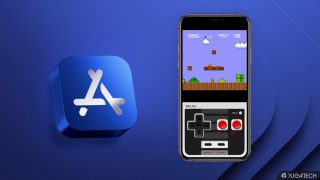
Been receiving reports that the YugaTech iPhone App isn't working on the iPad. I have just tested this and found that the app crashes when opening individual posts. For the meantime, I don't recommend installing the YugaTech app on your iPad. Apple has loosened its grip on retro console emulators within the App Store. The updated App Store guidelines now permit these long-banned emulators, allowing those already availeble to Android to make their way onto iPhones. The games themselves must comply with "all applicable laws," implying that apps offering pirated titles would be essentially banned from the marketplace. Apple's update extends beyond emulators. The company has also revised its policies regarding "super apps" like WeChat. Read more in our articles including "Issues with YugaTech App on the iPad" and "Apple App Store now permits game emulators globally".

More About App Troubleshooting

Frequently Asked Questions

What is App Troubleshooting?

Been receiving reports that the YugaTech iPhone App isn't working on the iPad. I have just tested this and found that the app crashes when opening individual posts.

What have you covered about App Troubleshooting?

For the meantime, I don't recommend installing the YugaTech app on your iPad. Apple has loosened its grip on retro console emulators within the App Store. The updated App Store guidelines now permit these long-banned emulators, allowing those already availeble to Android to make their way onto iPhones.

Where can I find articles about App Troubleshooting?

Our coverage of App Troubleshooting includes: "Issues with YugaTech App on the iPad"; "Apple App Store now permits game emulators globally"; "Apple iPhone 12, 12 mini in Purple now official". Each article provides unique insights and information.