circle to search

yugatech x ASUS

Latest Review

Sleek HUAWEI MatePad 12 X tablet on a dark surface
HUAWEI MatePad 12 X (2026) Review
A person holding the new iPhone 17 Pro Max
iPhone 17 Pro Max Review
Gray Philips tablet with rear camera and flash on metallic finish
PHILIPS 10-inch Tablet (T7305L) Review
nubia Neo 3 GT vs. Infinix GT 30 Comparison Review
Nothing Phone (3a) Lite smartphone on a white background
Nothing Phone (3a) Lite Review

Latest Guide

What’s new with Samsung One UI 8
Smartphones Under PHP 10,000 | Q3 2025
Smartphones Under ₱6K (Php 6,000) | Q3 2025
Xiaomi 15T Pro vs. Xiaomi 14T Pro: What’s different?
List of Xiaomi devices for HyperOS 3 Update Timeline

YugaAuto

[wp_rest_feed website="https://auto.yugatech.com" posts="4" show_excerpt="false" show_date="false" show_author="false"]

YugaMoto

[wp_rest_feed website="https://moto.yugatech.com" posts="4" show_excerpt="false" show_date="false" show_author="false"]

YugaGaming

[wp_rest_feed website="https://gaming.yugatech.com" posts="4" show_excerpt="false" show_date="false" show_author="false"]

AskYuga

[wp_rest_feed website="https://ask.yugatech.com" posts="4" show_excerpt="false" show_date="false" show_author="false"]
circle to search Archives » YugaTech | Philippines Tech News & Reviews
Yugatech Logo 2023
YugaTech is the largest and longest-running technology website in the Philippines. Orignally established in October 2002, the site was transformed in 2005 into a full-fledged technology news and reviews destination for Filipinos across the globe.

Tech Guides

YugaTech | Philippines Tech News & Reviews
© 2025. All Rights Reserved.

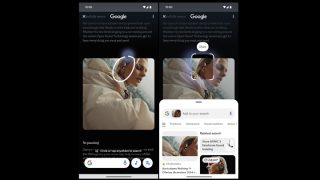
Google’s Circle to Search was a highlight for major Android releases in 2024. The feature let users make a search on any screens just by long pressing the home navigation bar. Tap the three-dot menu > then select “Seach this Screen” > only then it allows circling or scribbling on the display to make a search. Furthermore, Google is also adding AI Overviews for Lens which gives users an AI-generated summary related to their search or Lens results. Google’s Circle to Search feature is now available for three Nothing smartphones. Users may also check it out via Settings > Special features > Gestures > Navigation mode > Circle to Search menu. Users unable to use the Circle to Search feature on their devices may try again after rebooting the device post-update. Samsung today announced the availability of Circle to Search with Google for select Galaxy A series, furthering the push for mobile AI to be available in even more devices in the Galaxy ecosystem. Read more in our articles including "Google brings Circle to Search to iOS… kind of" and "Circle to Search now available for three Nothing smartphones".

More About circle to search

Frequently Asked Questions

What is circle to search?

Google’s Circle to Search was a highlight for major Android releases in 2024. The feature let users make a search on any screens just by long pressing the home navigation bar.

What have you covered about circle to search?

Tap the three-dot menu > then select “Seach this Screen” > only then it allows circling or scribbling on the display to make a search. Furthermore, Google is also adding AI Overviews for Lens which gives users an AI-generated summary related to their search or Lens results. Google’s Circle to Search feature is now available for three Nothing smartphones.

Where can I find articles about circle to search?

Our coverage of circle to search includes: "Google brings Circle to Search to iOS… kind of"; "Circle to Search now available for three Nothing smartphones"; "Circle to Search now on Galaxy A series, Galaxy Tab S9 FE series". Each article provides unique insights and information.