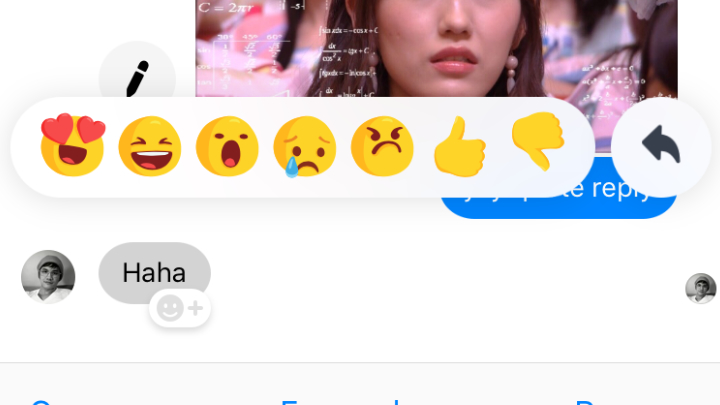

To quote reply to a specific message, users need to long tap on it and a reply button will appear next to the reaction emojis. Tap the arrow to write your reply, and the quoted reply will be displayed above your message. Facebook Messenger is required to be updated to the latest version to acquire the quote reply feature. Read more in our articles including "Facebook Messenger rolls out Quote Reply update" and "Facebook launches Your Profile, Your Home game".

Facebook has just launched the latest update of its Messenger. Users can now reply to…
Mar 21, 2019
Facebook is launching a new game, Your Profile, Your Home where users can build their…
May 20, 2022
Zoom has introduced ZoomMate, a new AI-powered work platform designed to help teams turn conversations…
Jun 20, 2026
The Philippine Atmospheric, Geophysical and Astronomical Services Administration (PAGASA) has launched the PANaHON mobile app,…
Jun 16, 2026
Netflix has unveiled a refreshed mobile experience and expanded gaming initiatives during its APAC Product…
Jun 11, 2026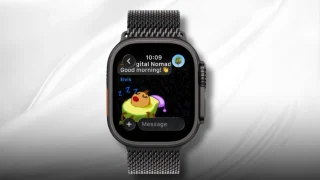
Telegram has released a fully native Apple Watch app, bringing messaging and media features directly…
Jun 10, 2026To quote reply to a specific message, users need to long tap on it and a reply button will appear next to the reaction emojis. Tap the arrow to write your reply, and the quoted reply will be displayed above your message.
Facebook Messenger is required to be updated to the latest version to acquire the quote reply feature.
Our coverage of facebook quote reply feature includes: "Facebook Messenger rolls out Quote Reply update"; "Facebook launches Your Profile, Your Home game"; "Zoom launches ZoomMate AI Teammate". Each article provides unique insights and information.