Huawei AppGallery

yugatech x ASUS

Latest Review

Sleek HUAWEI MatePad 12 X tablet on a dark surface
HUAWEI MatePad 12 X (2026) Review
A person holding the new iPhone 17 Pro Max
iPhone 17 Pro Max Review
Gray Philips tablet with rear camera and flash on metallic finish
PHILIPS 10-inch Tablet (T7305L) Review
nubia Neo 3 GT vs. Infinix GT 30 Comparison Review
Nothing Phone (3a) Lite smartphone on a white background
Nothing Phone (3a) Lite Review

Latest Guide

What’s new with Samsung One UI 8
Smartphones Under PHP 10,000 | Q3 2025
Smartphones Under ₱6K (Php 6,000) | Q3 2025
Xiaomi 15T Pro vs. Xiaomi 14T Pro: What’s different?
List of Xiaomi devices for HyperOS 3 Update Timeline
Huawei AppGallery in the Philippines: Apps, Features, and How to Use It
Yugatech Logo 2023
YugaTech is the largest and longest-running technology website in the Philippines. Orignally established in October 2002, the site was transformed in 2005 into a full-fledged technology news and reviews destination for Filipinos across the globe.

Tech Guides

YugaTech | Philippines Tech News & Reviews
© 2025. All Rights Reserved.

Huawei AppGallery is the official app distribution platform and the primary source for apps on newer Huawei smartphones. As the third-biggest app store globally, it has evolved significantly, offering a growing catalog of essential apps for Filipino users, from banking and social media to shopping and entertainment. While it may not have every app, solutions like GBox and APK downloads help fill the gaps, making modern Huawei devices fully functional for daily use.

More About Huawei AppGallery

Frequently Asked Questions

What popular Filipino apps are available on Huawei AppGallery?

Huawei AppGallery hosts a wide range of popular local apps. For finance and banking, you can find BPI, BDO, GCash, PayMaya, UnionBank, Cashalo, and EastWest. For shopping and rewards, it has Shopee, Lazada, SM Advantage Card, Robinsons Rewards, and BeautyMNL. Other essentials include news apps from GMA and ABS-CBN, travel apps like Philippine Airlines, and entertainment platforms such as Booky and GMovies.

How can I install apps like Facebook, Gmail, or YouTube on a Huawei phone?

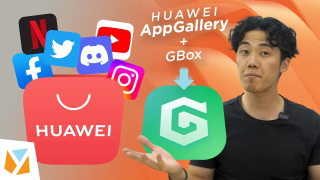
Apps like Facebook, Messenger, Gmail, YouTube, Spotify, and the BPI app are accessible on Huawei smartphones through a combination of Huawei AppGallery and GBox. As demonstrated in our guides, you can use GBox—a user-friendly tool available through AppGallery—to effortlessly download and run these popular applications, meeting your daily app needs comfortably and efficiently.

What are some key features and benefits of using Huawei AppGallery?

Huawei AppGallery offers several user benefits. It employs a strict 4-layer security detection for app safety. A 'Wishlist' feature lets you request apps and get notified when they become available. It also provides gifts and rewards like discount vouchers and in-app credits. For travelers, it can recommend useful local apps when roaming. Additionally, AppGallery has occasionally run promos offering rebates on in-app purchases for lifestyle and entertainment apps.