
Apple has just rolled out iOS 8 for the iPhone, iPad, and iPod touch, bringing with it tons of new features including new Messages and Photos features, QuickType keyboard, a new Health app, Family Sharing, iCloud Drive and more. According to Apple, this update is their biggest release since the launch of the App Store. They're not kidding as the update is 1GB in size (964MB on the iPhone 5C) and requires at least 4.7GB of free internal storage. iOS 8 is compatible with these devices: iPhone 4S iPhone 5 iPhone 5C iPhone 5S iPhone 6 iPhone 6 Plus iPod touch 5th generation iPad 2 iPad 3rd generation iPad 4th generation iPad Air iPad mini iPad mini with Retina display To check for the update and download via OTA just go to Settings -> General -> Software Update. You can also update your iOS device via iTunes for PC or Mac. You can also check out our article about 7 new features for old iPhones when iOS 8 arrives. Apple has released iOS 12.5.8 to keep key services like iMessage, FaceTime, and device activation working on older Apple devices that can no longer upgrade to newer versions of iOS. The update extends an important security certificate that these services rely on. Read more in our articles including "iOS 8 now available for download" and "Apple updates iOS 12 to keep iMessage and FaceTime working on older devices".
Apple has just rolled out iOS 8 for the iPhone, iPad, and iPod touch, bringing…
Sep 18, 2014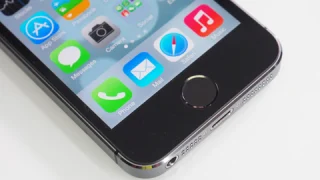
Apple has released iOS 12.5.8 to keep key services like iMessage, FaceTime, and device activation…
Jan 27, 2026Apple today officially announced the next version of their popular mobile operating system, the iOS…
Jun 7, 2011
Point your iPhone camera at something and ask Siri about it. That is the new…
Jun 9, 2026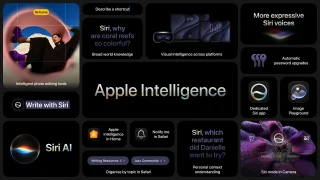
Apple Intelligence is not just about Siri and Safari. iOS 27 brings contextual AI features…
Jun 9, 2026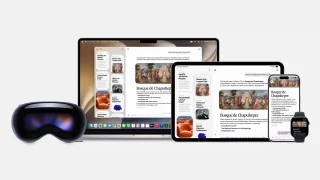
Apple Watch and Apple Vision Pro both get updated alongside the iPhone this fall. Neither…
Jun 9, 2026Apple has just rolled out iOS 8 for the iPhone, iPad, and iPod touch, bringing with it tons of new features including new Messages and Photos features, QuickType keyboard, a new Health app, Family Sharing, iCloud Drive and more. According to Apple, this update is their biggest release since the launch of the App Store.
They're not kidding as the update is 1GB in size (964MB on the iPhone 5C) and requires at least 4.7GB of free internal storage. iOS 8 is compatible with these devices: iPhone 4S iPhone 5 iPhone 5C iPhone 5S iPhone 6 iPhone 6 Plus iPod touch 5th generation iPad 2 iPad 3rd generation iPad 4th generation iPad Air iPad mini iPad mini with Retina display To check for the update and download via OTA just go to Settings -> General -> Software Update. You can also update your iOS device via iTunes for PC or Mac.
Our coverage of ios 8 update includes: "iOS 8 now available for download"; "Apple updates iOS 12 to keep iMessage and FaceTime working on older devices"; "Apple announces iOS 5 at WWDC 2011". Each article provides unique insights and information.