
The latter got our attention with its built-in kickstand and projector so we did a quick hands-on and first impressions during the event. What makes this unique from other tablets is that while those still need a separate kickstand, the Yoga Tab 3 Pro has a metal one built-in so you could use the device standing up, lying down, or slightly angled for easier typing. Just press the button at the back to pop the kickstand out and rotate it to a position that fully suits your typing needs. The projector itself is embedded along the kickstand so you could rotate it freely and point it towards any surface. Read more in our articles including "Lenovo Yoga Tab 3 Pro hands-on, first impressions" and "DJI Avata 360 -- why it changed the way we shoot videos".
Last night, Lenovo Philippines introduced a slew of new products including the Ideapad 100 and…
Dec 4, 2015
In the last few years, we’ve seen a number consumer-grade action cameras and vlogging cameras…
Jun 3, 2026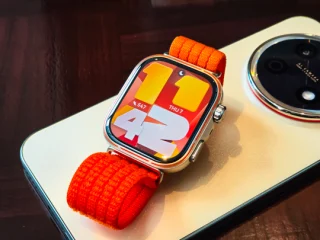
We’ve been using the HUAWEI Watch Fit 5 Pro for two days. Our initial impression…
May 7, 2026
Samsung’s 2026 flagship refresh isn’t about reinventing the wheel, it’s about making it smarter. The…
Feb 26, 2026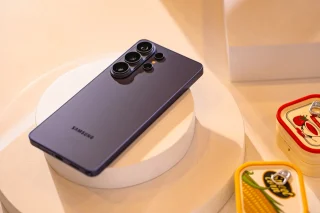
If there’s one launch we’re always excited about during the first quarter of 2026, it’s…
Feb 26, 2026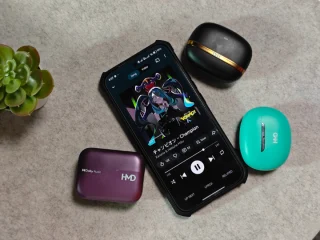
HMD has recently unveiled its DUB series of true wireless earbuds with three new models:…
Feb 2, 2026The latter got our attention with its built-in kickstand and projector so we did a quick hands-on and first impressions during the event. What makes this unique from other tablets is that while those still need a separate kickstand, the Yoga Tab 3 Pro has a metal one built-in so you could use the device standing up, lying down, or slightly angled for easier typing.
Just press the button at the back to pop the kickstand out and rotate it to a position that fully suits your typing needs. The projector itself is embedded along the kickstand so you could rotate it freely and point it towards any surface.
Our coverage of kickstand includes: "Lenovo Yoga Tab 3 Pro hands-on, first impressions"; "DJI Avata 360 -- why it changed the way we shoot videos"; "HUAWEI Watch Fit 5 Pro Hands-On". Each article provides unique insights and information.