
On your home screen, do a pinch gesture, then tap on Settings, and you should see the "Transparency mode" feature right away. Tip 8: One-handed mode Last but not the least, we've got One-handed mode, which is great for anyone with smaller hands, or honestly, anyone just trying to text with one hand while doing something else. The HONOR 600 Pro isn't exactly huge, but One-handed mode still comes in handy for reaching those far corners of the screen. Go to Settings > find "Accessibility features" > select "One-handed mode," then toggle it ON. That is the new Siri Camera Mode in iOS 27, and it works across more than just identifying objects. In iPod mode, the iPhone makes it a little hard to navigate between songs as controls are done via touchscreen. That means you need to unlock the iPhone from sleep mode everytime you want to skip or move on to the next song. The model with the highest number of highlights is likely the best candidate for an iPhone alternative. Read more in our articles including "HONOR MagicOS 10: Tips & Tricks" and "Apple Puts a Siri Camera Mode on iPhone, Visual Intelligence Across All Platforms".
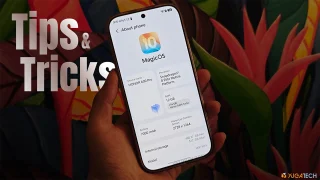
We’ve spent weeks using the HONOR 600 Series as our daily drivers to get a…
Jul 23, 2026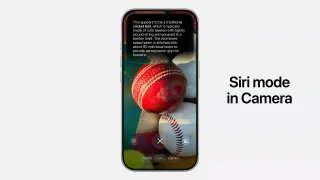
Point your iPhone camera at something and ask Siri about it. That is the new…
Jun 9, 2026After over two weeks of using the iPhone 3G, I can fairly say I have…
Sep 13, 2008Update: Check out our iPhone 3G Review. Globe drops iPhone 3G Price Exclusive: iPhone 3G…
Aug 15, 2008While every iPhone fans are waiting for the supposed August/September release of the iPhone 3G…
Jul 27, 2008While the release of the iPhone 3G is fast approaching, I’m closely coordinating with a…
Jul 8, 2008On your home screen, do a pinch gesture, then tap on Settings, and you should see the "Transparency mode" feature right away. Tip 8: One-handed mode Last but not the least, we've got One-handed mode, which is great for anyone with smaller hands, or honestly, anyone just trying to text with one hand while doing something else.
The HONOR 600 Pro isn't exactly huge, but One-handed mode still comes in handy for reaching those far corners of the screen. Go to Settings > find "Accessibility features" > select "One-handed mode," then toggle it ON. That is the new Siri Camera Mode in iOS 27, and it works across more than just identifying objects.
Our coverage of one-handed mode includes: "HONOR MagicOS 10: Tips & Tricks"; "Apple Puts a Siri Camera Mode on iPhone, Visual Intelligence Across All Platforms"; "iPhone 3G: The Good, the Bad and the Ugly". Each article provides unique insights and information.