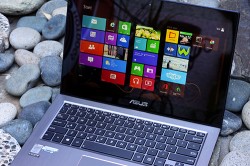
ZenBook Ux305

yugatech x ASUS

Latest Review

Sleek HUAWEI MatePad 12 X tablet on a dark surface
HUAWEI MatePad 12 X (2026) Review
A person holding the new iPhone 17 Pro Max
iPhone 17 Pro Max Review
Gray Philips tablet with rear camera and flash on metallic finish
PHILIPS 10-inch Tablet (T7305L) Review
nubia Neo 3 GT vs. Infinix GT 30 Comparison Review
Nothing Phone (3a) Lite smartphone on a white background
Nothing Phone (3a) Lite Review

Latest Guide

What’s new with Samsung One UI 8
Smartphones Under PHP 10,000 | Q3 2025
Smartphones Under ₱6K (Php 6,000) | Q3 2025
Xiaomi 15T Pro vs. Xiaomi 14T Pro: What’s different?
List of Xiaomi devices for HyperOS 3 Update Timeline
ZenBook Ux305 Archives » YugaTech | Philippines Tech News & Reviews
Yugatech Logo 2023
YugaTech is the largest and longest-running technology website in the Philippines. Orignally established in October 2002, the site was transformed in 2005 into a full-fledged technology news and reviews destination for Filipinos across the globe.

Tech Guides

YugaTech | Philippines Tech News & Reviews
© 2025. All Rights Reserved.

The Asus Zenbook UX305 just arrived in the Philippines last month, and it's a really an interesting device as it's beautiful, fairly affordable, and running on Intel's recently released Core M CPU. We were given around a few days to a week to play around with the Asus ZenBook UX305, and I was able to use it as my work laptop. Copying and pasting photos to Powerpoint proved a little too much for the Zenbook, and playing around with Canva and 2000+ px files in Photoshop cause the laptop to stutter. [fancygallery id="220" album="263"] Aside from the speakers and the lack of a good trackpad and a backlit keyboard, we had no other gripes with the Zenbook UX305. A full HD touchscreen, a backlit keyboard, Windows 8, and a thin form factor -- these are the things that come to mind when we think about the Asus Zenbook Prime Touch. The Asus Zenbook has retained it's signature design since the first time the Taiwanese company introduced their own ultrabook. We've been playing around with the Zenbook for quite some time, and we have to say it again: Windows 8 feels better with a touchscreen. With the Zenbook, however, the trackpad feels good and we found ourselves using the touchscreen less often. Read more in our articles including "Asus ZenBook UX305 Review" and "HUAWEI MatePad 12 X (2026) Review".

More About ZenBook Ux305

Frequently Asked Questions

What is ZenBook Ux305?

The Asus Zenbook UX305 just arrived in the Philippines last month, and it's a really an interesting device as it's beautiful, fairly affordable, and running on Intel's recently released Core M CPU. We were given around a few days to a week to play around with the Asus ZenBook UX305, and I was able to use it as my work laptop.

What have you covered about ZenBook Ux305?

Copying and pasting photos to Powerpoint proved a little too much for the Zenbook, and playing around with Canva and 2000+ px files in Photoshop cause the laptop to stutter. [fancygallery id="220" album="263"] Aside from the speakers and the lack of a good trackpad and a backlit keyboard, we had no other gripes with the Zenbook UX305. A full HD touchscreen, a backlit keyboard, Windows 8, and a thin form factor -- these are the things that come to mind when we think about the Asus Zenbook Prime Touch.

Where can I find articles about ZenBook Ux305?

Our coverage of ZenBook Ux305 includes: "Asus ZenBook UX305 Review"; "HUAWEI MatePad 12 X (2026) Review"; "Asus Zenbook Prime Touch first impressions". Each article provides unique insights and information.