

The Yeelight, the Zero Smart Bulb, and the Zero Smart RGB strip. Smart Plug and Smart Power Strip The devices you see in the setup are connected to two power strips. One of them is the Zero Smart Power Strip, while the other is just a standard extension. To turn it into a smart power strip, I connected it to the Zero Smart Plug, simple as that. By taking advantage of the smart features, I can control the power strips with a simple command to Alexa. What I like about the Zero Smart Power Strip is that you can switch off the sockets individually, giving you more control over what devices should receive power. Read more in our articles including "Adding smart features and RGB lights to a home workstation" and "Samsung and Google unveils AI-powered smart glasses".

One of the challenges of working from home is finding the right spot to work.…
Oct 16, 2021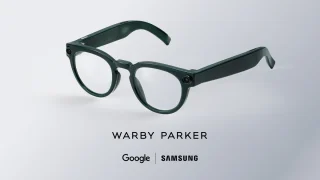
Samsung and Google have revealed new AI-powered intelligent eyewear at Google I/O 2026. Samsung and…
May 20, 2026A new poster ad from Smart Bro promotes their broadband speed to be up to…
Oct 11, 2008Healthy competition drives prices down and at the end of the day, consumers win. So…
Sep 6, 2008Just after midnight today, we headed off to Baguio City to spend the holiday. I…
Nov 1, 2006Launched just yesterday, Smart WiFi is a new broadband internet service which allows users to…
Jun 16, 2005The Yeelight, the Zero Smart Bulb, and the Zero Smart RGB strip. Smart Plug and Smart Power Strip The devices you see in the setup are connected to two power strips.
One of them is the Zero Smart Power Strip, while the other is just a standard extension. To turn it into a smart power strip, I connected it to the Zero Smart Plug, simple as that. By taking advantage of the smart features, I can control the power strips with a simple command to Alexa.
Our coverage of zero smart wifi power strip includes: "Adding smart features and RGB lights to a home workstation"; "Samsung and Google unveils AI-powered smart glasses"; "Smart Bro now up to 2Mbps". Each article provides unique insights and information.