


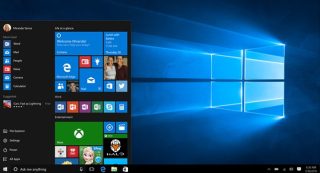
Ang Microsoft ay nagsabing sila'y nagpapakilala ng passwordless sign-in para sa "mas improved na seguridad at isang mas seamless na sign-in experience." Ang bagong sign-in feature ay magre-require ng authentication gamit ang Windows Hello Face, fingerprint, o PIN. Upang gamitin ang feature, ang Windows Insiders ay pwedeng pumunta sa Settings > Accounts > Sign-in options, at piliin ang "On" sa ilalim ng "Make your device passwordless" option.
Ang feature ay kasalukuyang inilalabas lamang sa isang maliit na bahagi ng Windows Insiders.




I am a Windows Outsider. I mainly use Linux; The only time I use Windows is when I’m on my home-based job. I don’t use a password when I use Windows, but use a PIN.