
350,000 比索是一笔巨款。
您可以用它做很多事情。像负责任的成年人一样用它赚取更多收入,或者将其用于购买手表甚至二手车。 alternatively,您也可以考虑购入目前市场上 arguably 最强大的游戏笔记本电脑之一——2025 款华硕 ROG Strix Scar 18。
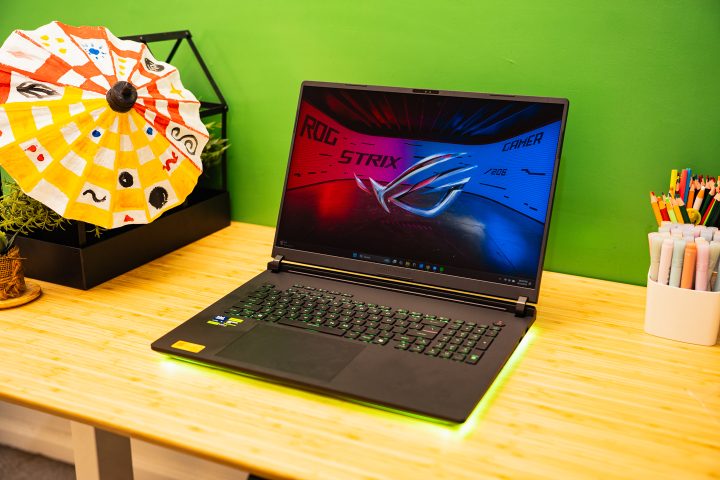
举个例子,Strix Scar 18 搭载了 Intel Core Ultra 9 CPU、RTX 5090 GPU 以及 64GB 内存。凭借这些配置,它可以运行您抛出的任何任务——我指的是字面意义上的“任何”。
但是,这款笔记本电脑提供的所有规格和功能是否值得这个价格?或者您应该自行组装一台台式机?更好的选择是,您是否应该将这笔钱投资到其他领域?好吧,让我们一探究竟。
设计与施工
在深入探讨ROG Strix Scar 18所搭载的硬件之前,我们先来聊聊这款游戏笔记本的设计。与2024款相比,ASUS对Strix Scar 18的设计进行了一项重大改动。
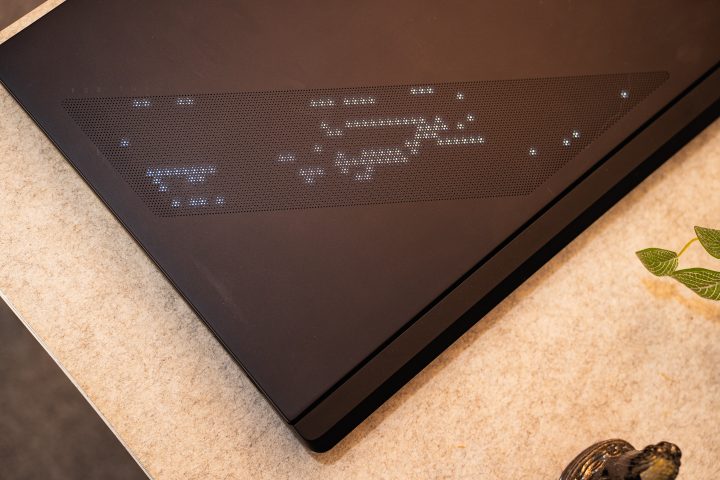
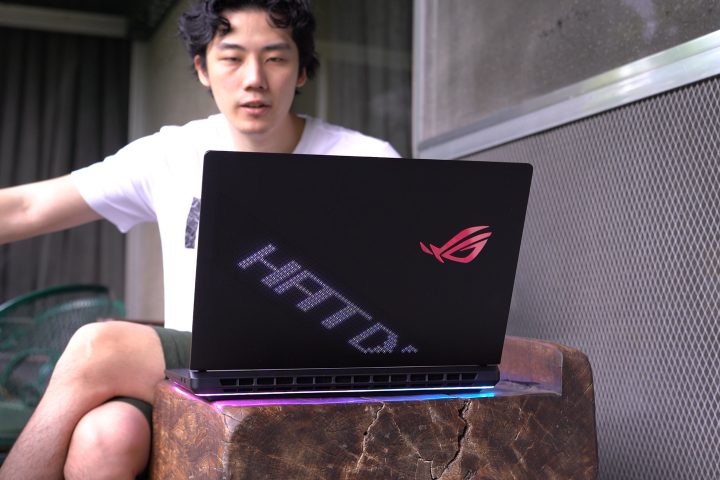
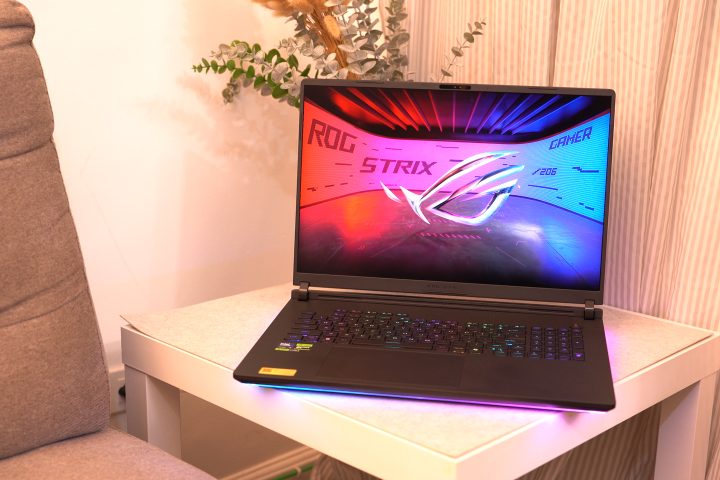
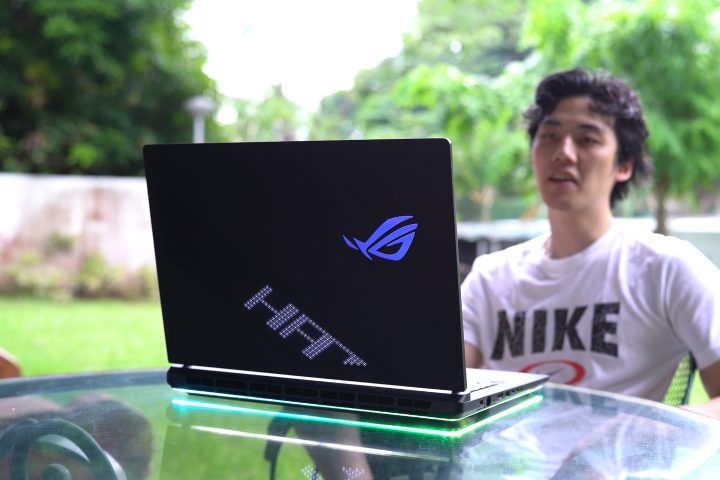
现在它配备了最初在Zephyrus机型上发现的AniMe Vision LED矩阵。该LED矩阵虽不如Zephyrus上的尺寸大,但作为一项附加功能依然令人满意。用户可以通过Armory Crate菜单完全自定义点阵的外观。我偶尔也会为了好玩而更改它。
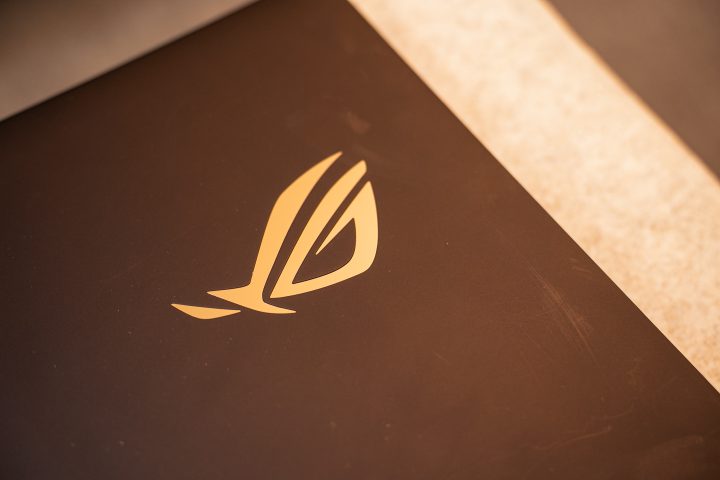
除了 AniMe LED 矩阵外,笔记本电脑的其余部分与之前保持一致。顶盖仍采用金属材质。右侧印有巨大的 RGB 背光 ROG 标志,以防他人不知道您使用的是哪款笔记本。
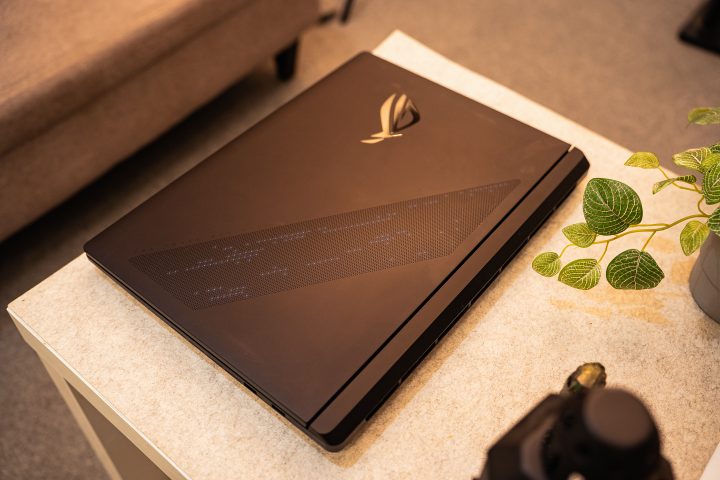
我个人喜欢带有全新 AniMe LED 矩阵设计的大号 ROG 标志,但我相信你们中有些人会更偏爱更简约的风格。不过话说回来,这毕竟是一款顶级配置的电竞笔记本电脑。
与前代一样,它延续了从顶盖到底座的纯黑设计,并保持了ROG笔记本应有的高端质感。此外,华硕对Strix Scar 18的进风与排风散热口也进行了重新设计,风格更为内敛。
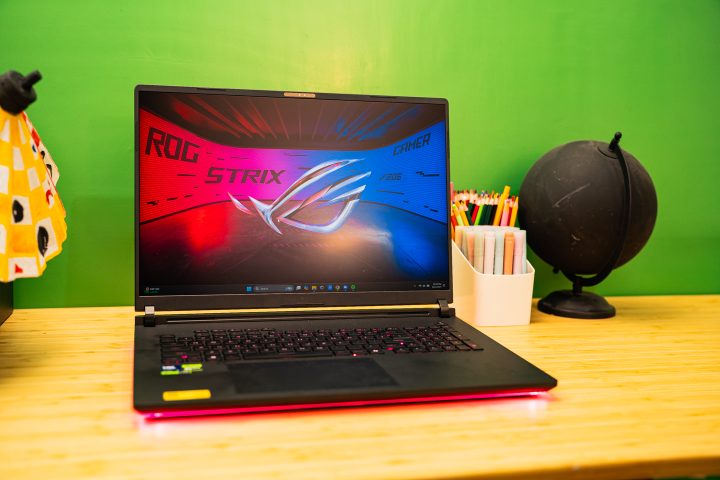
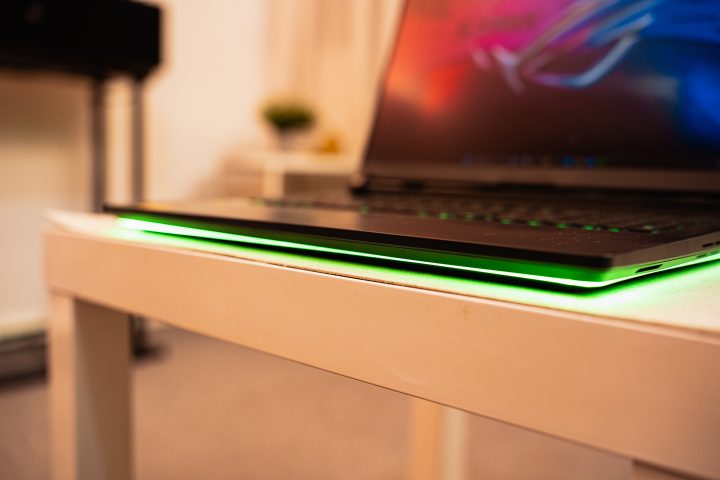
在笔记本底部,两侧的散热孔变得更窄。取而代之的是,所有排气口均位于机身尾部。得益于这一细微的设计调整,底座上的 RGB 灯效区域进一步扩大。RGB 灯带现在环绕整个笔记本——包括后部——点亮时营造出浓郁的“氛围感”。这让我联想到汽车的底盘霓虹灯。如果你更偏好低调的“素车”风格,可以关闭所有这些灯光,但何必如此呢。
与去年的机型类似,内部盖板和底座仍采用塑料材质。这是一种不错的塑料,触感舒适。然而,其质感无法与金属材质相媲美。尽管如此,整体使用体验依然良好。不过,我不太满意的一点是,它并不具备出色的抗指纹性能。容易留下指印和残留物,且清洁起来也略显困难。
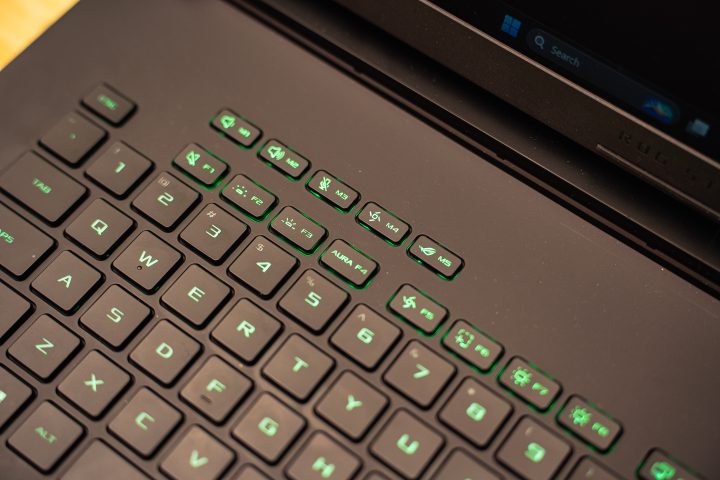
作为一款18英寸笔记本电脑,它配备了全尺寸键盘。此外,它还设有音量控制、麦克风静音/取消静音按钮、性能模式以及Armory Crate的专用按键。当然,您还可使用明亮的自定义RGB灯效。
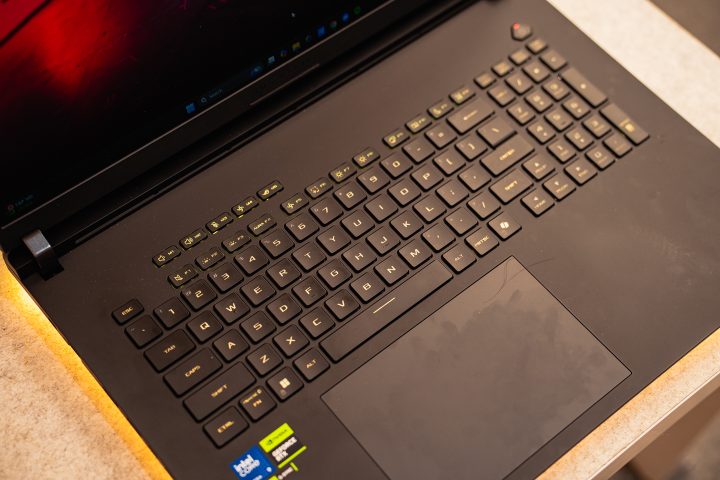
按键间距合理,外观与过往型号一致。不过,其手感与其他 ROG 键盘略有不同:按压需要稍多力道,但键程更长。
确实花了几天才适应这些按键,但它们手感极佳。我能够快速且准确地打字,包括撰写这篇评测。更重要的是,经过大量打字后,我的手指并未感到疲劳。
相反,让打字变得不太舒适的是笔记本电脑的前端,即手臂和手腕放置的位置。该区域轮廓更为锐利,导致长时间打字后会在手臂上留下痕迹。
关于触控板,它比之前稍大一些。触感依然舒适,更重要的是定位精准。我喜欢其机械式结构,使用时能听到清晰的物理点击声。尽管尺寸有所增加,但它仍具备出色的手掌误触抑制功能。外出时,我大部分时间甚至都不需要使用鼠标。
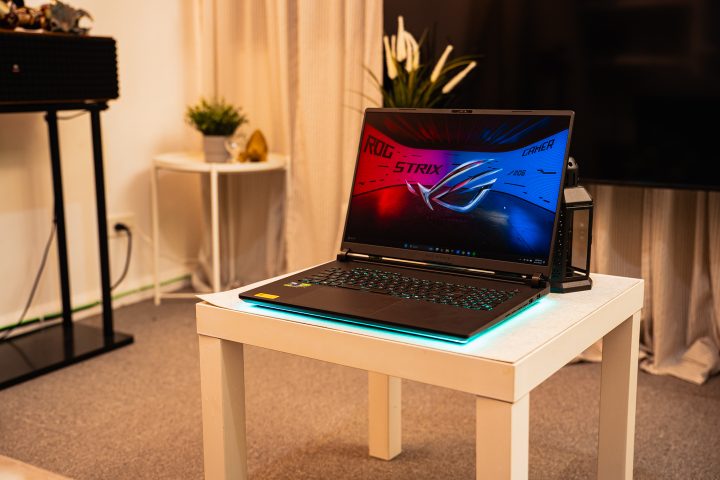
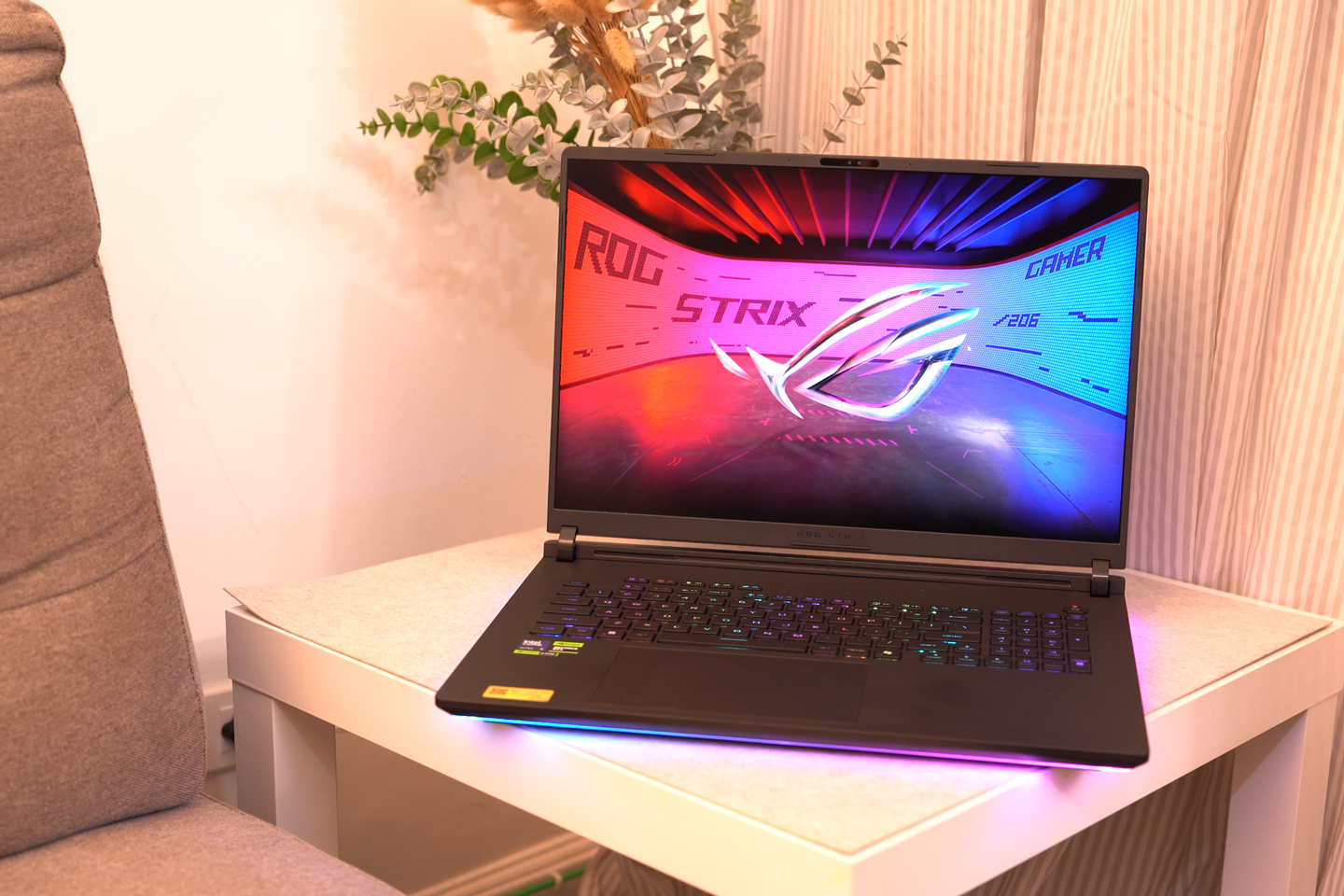
但当然,我们也必须谈谈这款笔记本电脑的尺寸。鉴于其体积庞大且沉重,它绝非最便携的笔记本之一。其长度几乎达到 400mm,合盖时厚度仍为 32mm。至于重量?则为 3.3kg。
它太大了,连我常用的包都装不下,我不得不带另一个包来携带它。当然,我还是会随身携带。
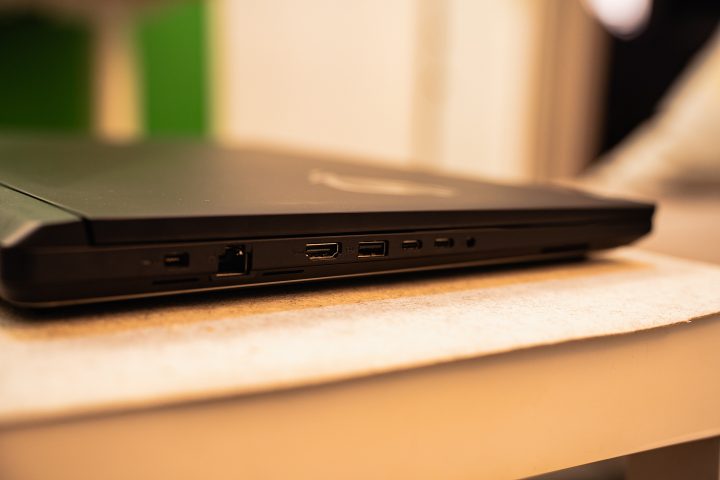
幸运的是,尺寸意味着您拥有大量端口可供外设、SSD、鼠标甚至控制器使用。您将获得3个USB 3.2 Gen 2 Type-A端口、2个Thunderbolt 5端口(USB Type-C)、1个2.5G LAN端口、1个3.5mm音频端口以及1个HDMI 2.1端口。
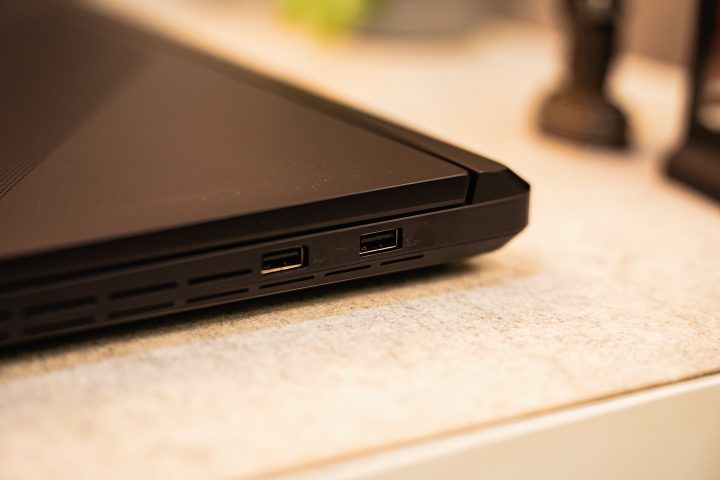
遗憾的是,这里没有SD卡甚至microSD卡插槽,我认为这是一个错失的机会。考虑到这款笔记本电脑在编辑照片和视频方面表现出色,配备一个SD卡插槽会让使用变得更加便捷。更不用说,机身仍有充足的空间可以添加该插槽。
显示与多媒体
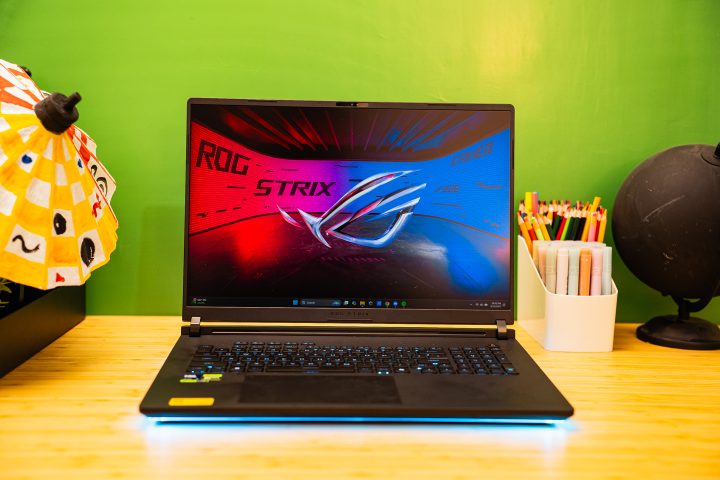
现在让我们转向大家关注最多的部分——屏幕。2025 款 ROG Strix Scar 18 的显示屏与去年保持一致,仍采用 18 英寸 2.5K Mini LED 面板,刷新率为 240Hz,响应时间为 3ms,华硕称之为 ROG Nebula HDR 显示屏。它还支持 Dolby Vision,可通过 Dolby Atmos 应用开启。
正如这款显示屏所预期的那样,它呈现出出色的鲜艳色彩,配合 240Hz 刷新率,画面运动流畅无比。借助 Dolby Atmos 应用,您甚至可以根据观看内容调整显示模式——无论是暗调、明亮还是生动风格。但在本次评测中,我主要将其设置为“生动”模式。
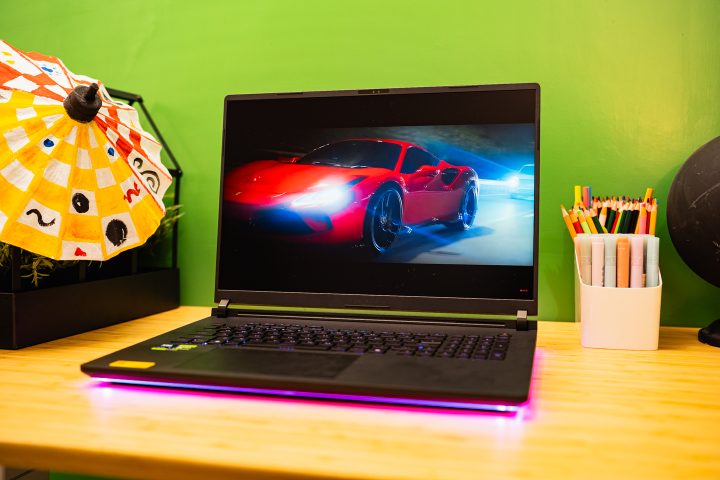
鉴于屏幕尺寸如此之大,它也非常适合在群体中观看视频。得益于其色彩鲜艳、黑色深邃,我确实在这款笔记本电脑上享受了追看我最喜爱的电影和动漫的乐趣。
But aside from having vivid colors, the colors are quite accurate too. You do need to turn on HDR since it isn’t turned on at the start, and the SDR colors are a bit oversaturated. I didn’t even calibrate it, and the output was similar to my monitor at home.
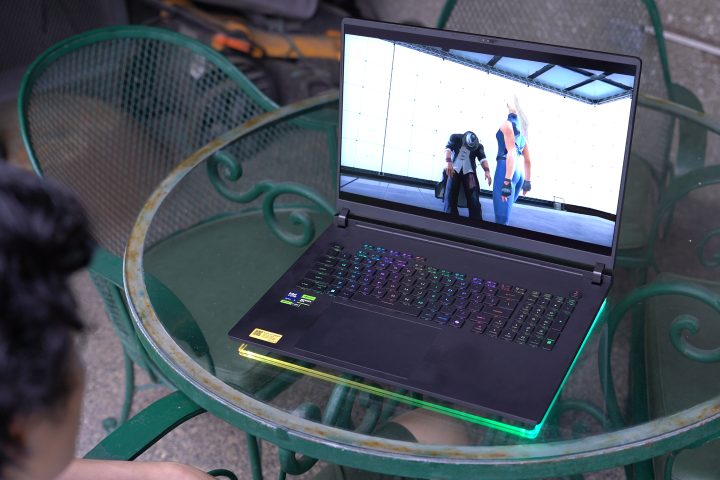
Of course, you’ll appreciate this display the most when you're gaming. The vivid colors work well with the 240Hz refresh rate, giving you a very immersive visual experience when you’re playing games. With the power the laptop packs, it can run games at the highest settings too, but more on that later.
It’s not just the visuals that pull you in when you’re using the ROG Strix Scar 18. The speakers are equally amazing too. This laptop features a 4-speaker system and is complemented by Dolby Atmos.
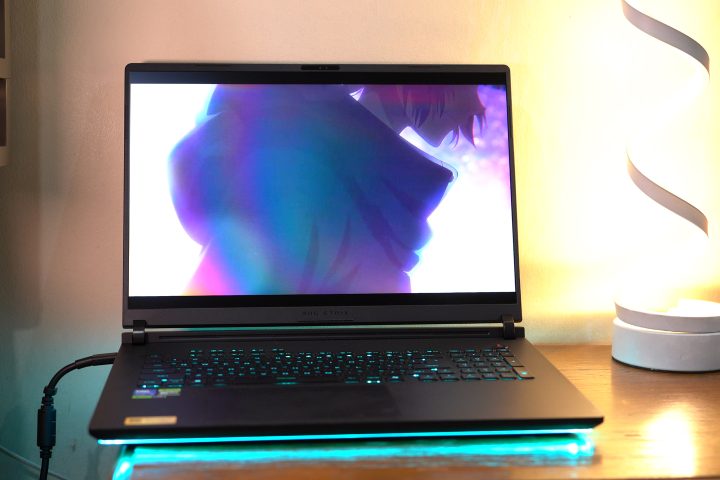
Even without Dolby Atmos set to dynamic, you already have a great sound stage and clear mids. It does lack a bit of bass for my liking, but that’s to be expected from laptop speakers. What’s more important is the sound stage, as you can be immersed not just visually but also audibly.
Best of all, it’s loud too. There’s no distortions either with the speakers maxed out.
Performance and Benchmarks
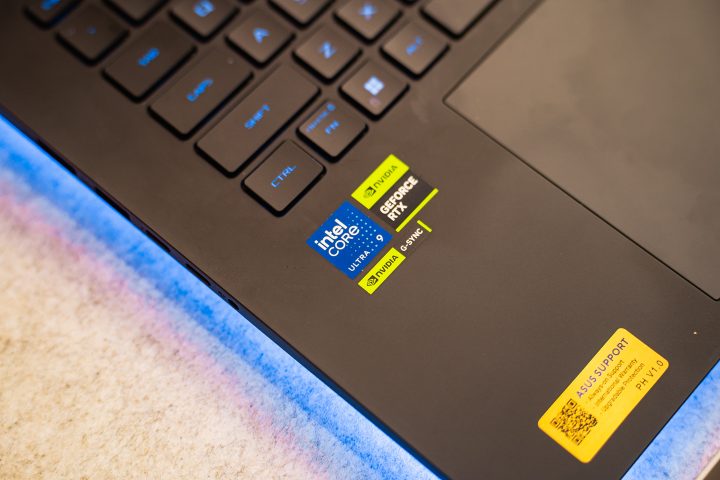
Now, we get to the good part – the performance. Our review unit of the 2025 ROG Strix Scar 18 is the top-spec variant. As mentioned earlier, it packs an Intel Core Ultra 9 275HX processor, 64GB of DDR5 RAM, 2TB of fast SSD storage, and an NVIDIA RTX5090 24GB GPU. If you need more storage, you can open up the back and add more. The same goes for the RAM.
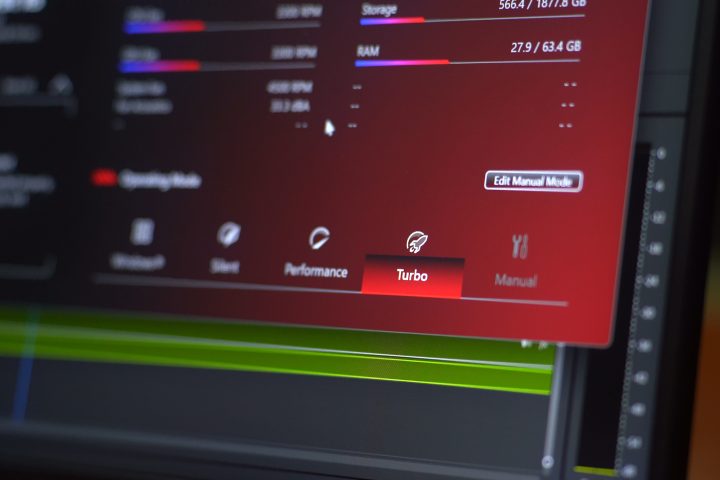
As with any ROG device, you can also choose the performance mode you’re in. Of course, when plugged-in, I always set it to turbo to maximize performance of the Strix Scar 18. You can even tinker with the settings yourself in manual mode to max out the settings.
But of course, do this at your own discretion. The last thing you want is to brick a PHP 350,000 gaming laptop because you overclocked everything.

On paper alone, you already know ASUS fitted all of the top spec parts available during the launch of this laptop. With that, we’re not surprised it scored really high in all of the benchmarks we ran, which you can check out below.
What we were more interested in was the performance in real-life. It could easily handle running our productivity apps simultaneously. We mean Premiere, Photoshop, and Lightroom all together, and the Strix Scar 18 didn’t slow down. Of course, the fans started to spin up, but that’s to be expected.
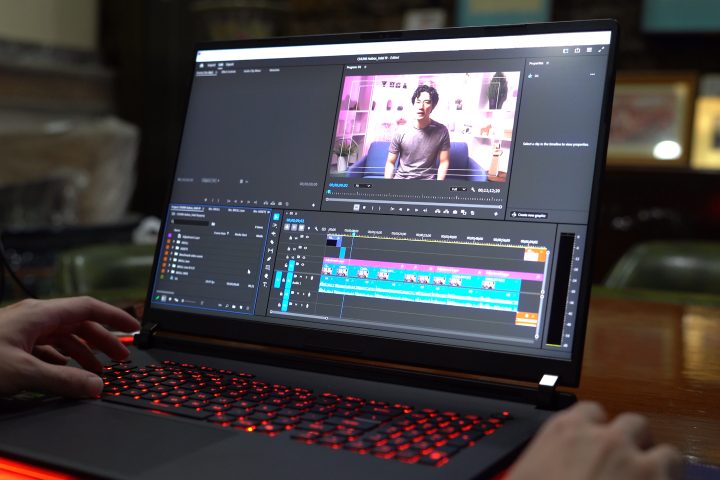
And even with these apps running, you can still load your favorite games. Work and play all at once. With Premiere running in the background, Genshin, Ready or Not, and even Forza Horizon 5 still ran smoothly without any issues. Mind you these games were run with the graphic settings maxed out.
I even tried running two games at once, and the Strix Scar 18 could handle it all. The laptop did heat up a bit, and the fans became loud when I did. However, the important thing is that the framerates for either game were consistent.
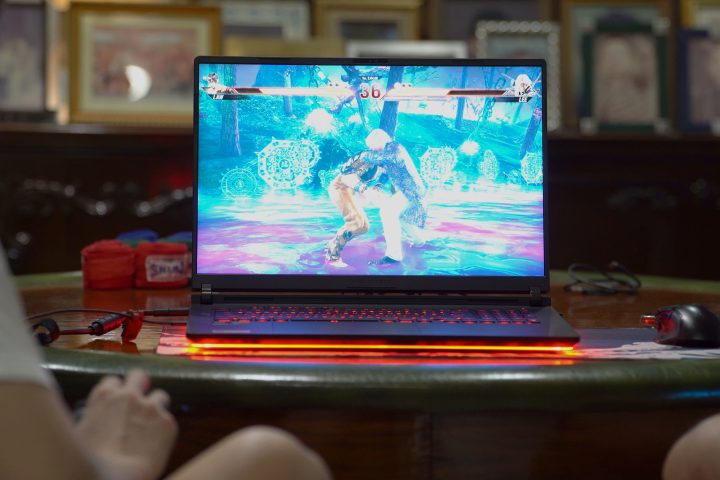
For better reference, on Forza Horizon 5, I had a consistent frame rate of around 140+ with all graphic settings maxed out and NVIDIA DLSS turned on. (playing on custom maps with a lot of assets). It’s a similar story when I was playing Ready or Not that features a lot of mods.
So there’s no doubting the performance of the ROG Strix Scar 18. The fans can get really loud when in Turbo mode and running games. But if you’re just using it to get work done, you’ll barely hear it at all.
Battery Life
The 2025 Strix Scar 18 packs a 90Wh battery, which is similar in size to other ROG laptops of this generation. But as expected from a gaming laptop, the battery life isn’t exactly the best even when you’re not playing games.
You get the most battery life when you’re in silent mode and just working on productivity tasks. These include Google Sheets, Spotify, Discord, and RGB turned off, but still connected to Wi-Fi. From my experience, I did have around 4-5 hours of battery life with this setup.
But when you’re playing in performance mode, it uses a lot more juice. After just 30 minutes of playing Tekken 8 maxed out, I only had 60 percent battery life left.
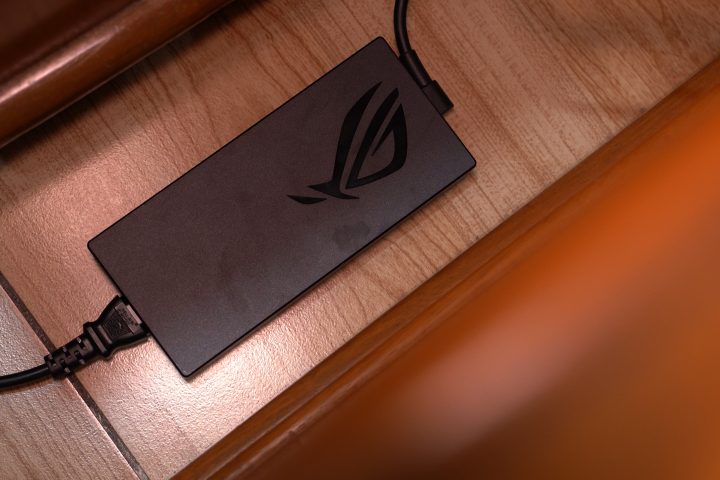
With that, you’ll find yourself looking for a charger quite often – even if you plan to just work. You can just bring the smaller 100W USB-C charger with you. But if you plan on gaming and using turbo mode, you’ll need the big 380W charger which weighs a lot.
Conclusion and Price
With everything it can do, the 2025 ROG Strix Scar 18 seems like the perfect gaming laptop. It’s a bit on the heavier side, but you can still bring it around to play games wherever you are. There’s just one big problem – the price.
The 2025 ROG Strix Scar 18 with the same specs as ours retails for PHP 348,990. That’s a lot of money to drop, especially on a gaming laptop. If you look around, you could even get the 2024 version of the Scar 18 for almost PHP 100,000 less. And by comparison, that is still a very powerful laptop today.
But if you’re a big player and want to aura farm wherever you go, you can’t go wrong with the 2025 ROG Strix Scar 18. You just have to pay to play. Would I get one if I had the budget? Definitely.
Still, what do you think of the 2025 ROG Strix Scar 18? Would you rather spend your PHP 350,000 here, or buy something else? Whatever the case, share your thoughts in the comments below.
What we liked:
* Amazing performance
* Beautiful display
* Great speakers
* Looks amazing
What we didn't like:
* Very expensive
* No SD or microSD slot
*  Not exactly portable



0 Comments
Leave a Reply