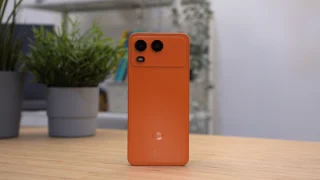
This 2nd generation HP Mini Note (1109TU) has been out as early as December last year (officially launched 2 weeks ago) but we only got to try and test one this week. I actually requested for the HP Mini 2140 but the messenger sent in the wrong model. So here’s a quick review of the HP Mini 1109TU while I await the replacement unit.
HP took notice of a lot of the issues concerning their first mini notebook (HP Mini 2133) and addressed them in the succeeding models. I think was a move in the right direction.
- They jumped ship and joined the Intel bandwagon, for good reason. The new mini notebook has Atom N270 1.6Ghz.
- They ditched Vista in favor of the older OS, Windows XP, which is most favored in the netbook market.
- HP priced their units more competitively. Not calling your mini-notebook a netbook is not a license to charge more than average for them. The Mini Note 1109TU now retails for just Php18,990.

Among the 10″ models, the HP Mini 1100 is one of the lightest and smallest we’ve reviewed here in the 10-inch category. They were able to shave off some pounds by repositioning the trackpad buttons to the sides instead of the bottom and cutting off a couple centimeters on the girth of the mini note. This is what they initially did with the 2133 and was followed by the 9″ Acer Aspire One. This made using the trackpad a little awkward that you’d always end up using both hands instead of one to operate the trackpad and buttons. That, or weeks of getting used to the unusual orientation (I’d recommend an external USB/Bluetooth mouse though).

The biggest advantage of HP’s Mini Notes is the keyboard, the largest we’ve seen of any netbook in its class. It’s practically almost the same as a standard keyboard of regular-sized laptops so if you’re into touch-typing, this one’s the best you can get. That, plus the glossy marble-black finish on the top gives the mini note a classy statement (albeit attracts a lot of fingerprints and smudges).

The screen is bright and glossy but sometimes too glossy to its disadvantage especially when used outsides at daylight. Nevertheless, the screen is crisp and clear. What’s a bit disappointing it the screen resolution — HP dropped the pixels down to 1024×578 when the standard is 1024×600. That’s a mere 22-pixel height difference but still matters as there are softwares that don’t run under 1024×600 or 1024×768. There’s a larger resolution (1024×768 pixels) but I haven’t seen them in stores yet.
Battery life is typical of a 3-cell battery — between 2 – 2.5 hours in my tests. The storage is also smaller with only an 80GB HDD instead of the usual 160GB and higher others are offering. Maybe that’s why HP was able to bring down their suggested retail price to under Php19,000.




@anikins – me too.. still waiting for the 2140 here in the Philippines.
[...] review for this blog by middle of the week. If you’re itching for it, do read my earlier HP Mini Note 1109TU review [...]
As for me i will never buy that one hindi practical sa ngayon and beside mananakit lang ang mata ko dyan maliit and hindi naman ako na tipong i-bibida ko sa labas at pupunta ng mall para lang mag wi-fi (sakit daming tinamaan dun ah!).
Anyway depende sa tao na lang yon. As for me it is better to become simple. malaya kang makapaglalakad kaysa lagi mong iniisip na baka may ho-hold-up sayo. Just a reminder lang.
… and in other news DAN is an DELL salesman.
This is my 5th HP/Compaq
I had hard drive malfunction long time ago, once, in my old Compaq Armada. This was due me slamming laptop lid, like seriously slamming it couple of times. Weeks passed and HDD failed. My fault, i admit it. It was two days before my warranty would finish, and HP replaced my Armada’s HDD in around, 5 hours? I don’t remember…
So take your childish 20K story and stick it.
ps.: Also data recovery costs around couple K but not 20K, so again kid stick it.
uhh.. someone posted something about activating 3g of HP Mini 1109tu. I tried downloading the driver. uhh.. what’s next?? What if I want to connect for Globe’s 3g? what should I do? sorry im not that technical about HP Minis or any laptop at all. Please..! I need your advice.. thanks
i’ve already downloaded and installed the file from this site:
http://ftp.hp.com/pub/softpaq/sp41001-41500/sp41365.exe
pero parang pang AT&T lang yung software, siguro kelangan din gumawa ng sariling installer/driver ang globe or smart ng sariling version nila para ma access ang 3G network dito sa pinas. gamit ko HPmini 1109tu. Share naman kayo panu ma-access..
We carry HP 1109TU (P18,490) and HP 2140 (P23,390). If interested text/call 0917.8223696 / 215.0949. Thanks
I got an HP 1109TU last month. Been using an Aspire One since last year. All I can say is that It’s an absolute joy to use. It’s slimmer than my Aspire One, and is only 1/2 inch wider… that with a 10.1in screen vs only 8.9 on my Acer. The best keyboard. Crisp screen(infinity type all glass), elegant looks. You won’t look cheap(altho it is) during meetings. 80gb is plenty enough for netbooks. I still have 60gb left after installing my needed apps, including Photoshop CS4. For a 3 cell, this thing lasts up to 3hrs, w/c is above average for a 3 cell netbook. Installed Windows 7, everything works right away. At only P18,990… this is a steal guys.
[...] Read the full HP Mini Note 1109TU Review. [...]
sir yuga, is there any possible way for me to tweak the vga to 1024 x 768, because it cant run power director. Thanks
if not to my eyesight impairment, the 10-inch screen and the size is truly wonderful and practical too. i had to settle for the acer aspire one 11.6-incher. by the way for those who bought the HP 1100-series there is already an extended battery pack (6-cell). Price: P5,000. look it up at Accent Micro – cyberzone SM north. hasta oigo amigos!
@Richard
I have installed the 3G driver. How do you make it work?
@bernie, don’t think you can. There’s another upcoming model that has higher resolution though.
[...] HP Mini 1109TU ( Price: Php 18,990) [...]
i hae a hp mini 1109tu.my problem is it has no video out. so i cant connect it to an lcd proector for presentations. here do i buy adapters if theres any hp sm moa dont have it. and is there battery replacement available locally with a longer battery life?
DAN: “he went to an HP service center(or whatever HP has) to claim for his warranty since its still less than 6months. They kept the notebook for 3months and after that they said to him that they can repair it for the price of 20K! And (another shocker) they charged him during the 3months they kept the notebook! Outrageous.”
I ENCOUNTER THAT TOO @ HP CENTER IN ROBINSON’S SUMMIT IN MAKATI, BUT MINE WAS A DESKTOP.
I think HP’s weakpoint are their after-sales service.
o i have this one already haha,, am using it.. and its my buddy!! love it! btw do u sell techy,, coz ur reviews are about it…
Hi. Does anybody here know how to activate the broadband in this laptop (HP mini 1001).. I inserted a SmartBro sim at the sim compartment found near the battery area. I also did what RICHARD stated. to download and i followed the step by step process. but it ddnt seem to work. please help me with a detailed process of how to make it work. My OS is Windows XP. Thanks in advance!
i have compAQ presario notebook and i encounter some problems to, and im planing to buy hp netbook, but now i changed my mind maybe ill go for acer,
Yuga,
where can I find the HP mini110 for only 18K?? checked out a couple of malls and were selling it for 22k. Please reply : ) really want to buy one.
@ OCELUS LAMBER
oviously you’re not the kind of person that has the FUNDS TO BUY ANY laptop. Don’t vent your frustration by posting stupid comments discouraging those who are more capable of buying netbooks.
The purpose of laptops is not to “i-bibida sa mall”. It’s for the convenience of getting your work done, wherever you would go. It’s apparent to me, you feel INSECURE of those actually using laptops in malls with free wifi. And a 10.1 inch screen won’t make your eyes hurt, but then again, you wouldn’t know, you’ve never tried one. Ehem.
the purpose of laptops is not to i-bibida sa mall. its for the convinience of getting your work done, wherever you would go. Its appraent to me, you feel INSECURE of those actually using laptops in malls with free wifi. And a 10.1 inch screen won’t make your eyes hurt, but then again, you wouldn’t know.
I did not get any fault to use hp1109 . It is a movable net-book.
so wala siyang pang cd right?
i go for 16gb ssd this storage has no moving parts because it it faster than i thought. i use my hp mini for checking email, web browsing and social networking like twitter and facebook.
[...] pixels (I expected at least 1024×600) and that couple of dozen missing pixels do matter (the HP Mini 1109TU has the same low [...]