

HUAWEI MatePad 12 X (2026) Review



After about a week of heavy use of the Apple iPad, I’ve gotten down to familiarize myself with Steve’s new toy. Check out my personal review of the iPad after the jump.
I insisted on writing this entire review on the iPad to see if I can crack it. I used Notes to write the text as the WordPress Dashboard has some limitations with the Safari browsing not fully rendering iframes.
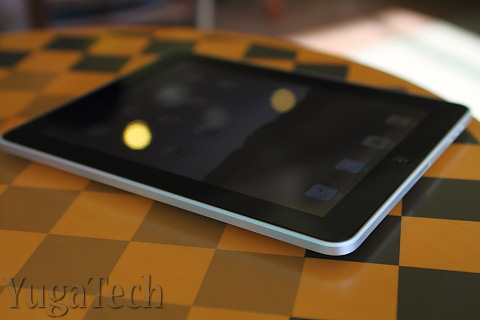
The photos though were transferred from my dSLR, edited and uploaded to Picasa Web using a PC. Now that the photos are in the cloud, I can include them in the post by linking to them. This part is impossible to do on the iPad.
This exercise gave me a better perspective on how the iPad performs and is instrumental for coming up with my final thoughts and conclusion for the review.
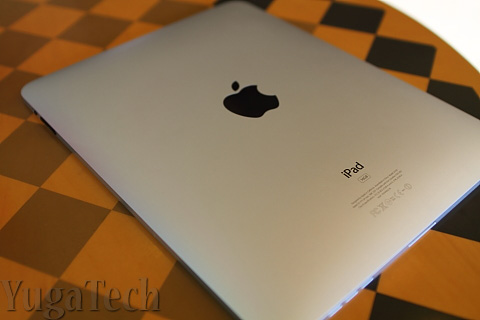
Design and Construction
For a first-generation tablet from Apple, the iPad is surprisingly thin and light. The body is completely made of solid aluminum that encases a thick solid piece of glass. Simplicity and minimalist approach has been Apple’s signature and the iPad offers just that.
Aside from the lonesome Home button at the bottom of the display, the power button is positioned on top, the volume rocker on the right side along with the screen orientation lock. The toggle allows you to lock the screen to a specific orientation so the display doesn’t rotate when you’re lying down (like on a couch or in bed). The built-in speakers are also found on the bottom while the 3.5mm headphone jack is on top.
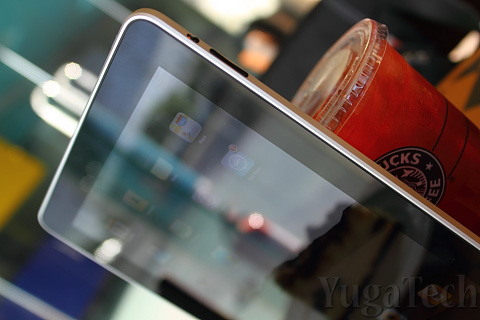
The design is pretty solid and the device is so thin it rivals even the thinnest smartphones out there. Being lightweight and thin is key to the portability of the device. It makes it more comfortable to hold with one hand for prolonged periods of time.
Display and Touchscreen
Size does matter and the iPad’s form factor offers a great combination between portability and mobile computing. The screen size is perfect for watching movies, viewing photos and reading text or browsing at a comfortable distance minus the crouching or squinting most people do with an iPhone, iPod Touch or any smartphone. This allows for prolonged use of the device without straining the eyes too much.
Those familiar with the display of the iPhone and the iPod Touch will be pleasantly surprised with the screen of the iPad. It’s not the best display I’ve seen (Super AMOLED display is still very expensive at this size) but the graphics are crisp and bright. The wide black bezel allows enough space for hand-holding the tablet without blocking the screen.
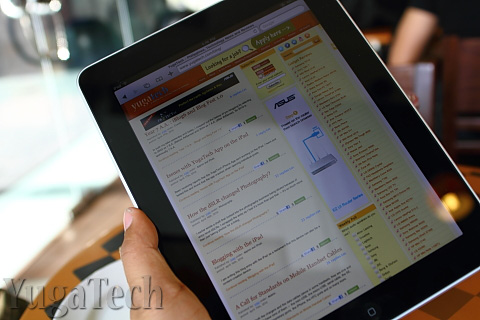
Of course, as with most shiny glass display, the screen is practically useless in the outdoors, under the sun or against a bright light source. This could be one of the biggest reasons why Kindle users will not give up their e-readers in exchange of the iPad.
The virtual keyboard is sized and spaced generously that allows for comfortable typing. I reckon I am able to do 30 – 40 words per minute with it. Not bad considering I’m no touch-typist.
Performance and Battery Life
The 1.0GHz A4 chip may not be the fastest processor around if you compared it to the ones running most netbooks these days but since the iPad runs on the iPhone OS, the system performs really well.
I think Apple did the right move of using the iPhone OS instead of the Mac OS. One can only imagine how the iPad will perform with OS X considering the processor used and the amount of memory on-board. Besides, how else can Apple make more money from its iTunes ecosystem?
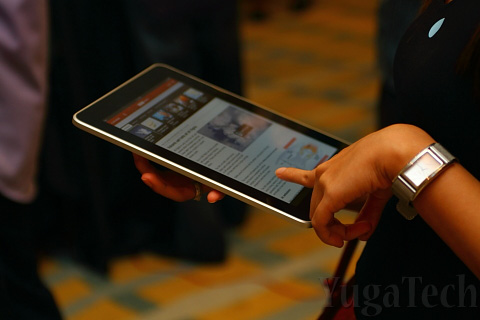
As for battery life, the iPad scored high marks for making it close to the promised 10 hours on a single charge. I didn’t have the luxury of sitting down for 10 straight hours to monitor the battery but I am able to clock in about 9+ hours in aggregate use in the course of a day (I’d already consider it an all-day computing device). On casual use, the iPad lasts about 2 and a half days before it completely discharges. The sleep mode really helps in conserving battery.
The Apps
The iPad-specific apps are just amazing as they maximize the screen real estate. Again, size does matter. One may not see the stark difference if you’re coming from a netbook perspective for those coming from the iPod Touch or iPhone (or any smartphone for that matter) point-of-view, it’s a huge improvement.

As I write this review, iPad-specific apps are still very few and number only in the hundreds. However, Apple says all of the 185,000 iPhone apps on the App Store can also be installed and used on the iPad (there could be a few that’s not completely compatible though).


More iPad apps are being developed but for the meantime, the iPhone apps can still fill the entire screen using a zoom-in function (the 2x zoom does make the graphics more pixelated).
My biggest beef so far is that iPad apps are way more expensive than the regular iPhone apps. Don’t really understand the logic behind that.
Conclusion
There’s been a huge debate on whether the iPad can replace the netbook. I’d blame Steve Jobs for openly challenging the netbook market and touting the iPad as the better alternative to mobile computing.
But, can the iPad really replace the netbook? My quick answer is a big, loud No; and a faint yes.
No. The iPad cannot do everything a netbook can. Forget about video chat, photo/video editing, or even playing FarmVille. Moreso if you’re heavily oriented on a Windows machine and dependent on specific tools and applications. Some apps may offer functions of productivity tools but are quite limited.
Yes. If your netbook usage pattern is strictly consumptive (i.e. surfing, chatting, email, social networking) then the iPad can easily replace the netbook for those tasks. In some instances, the iPad might even offer a better user experience over the latter (like reading for hours on end).
The iPad is an internet appliance, closer to a toy than a personal computer — it’s got limited features but does what it intended to do very nicely. Some people will hate it, others will love it. And that’s just how the iPad rolls.
Note: I re-wrote 80% of this review on my trusty netbook after finishing the first draft on the iPad. Got into trouble with “cut & paste” and lost almost everything I wrote using the iPad.
And to those asking where/how I got the iPad, check out this store.










Apple, Asus, Cherry Mobile, Huawei, LG, Nokia, Oppo, Samsung, Sony, Vivo, Xiaomi, Lenovo, Infinix Mobile, Pocophone, Honor, iPhone, OnePlus, Tecno, Realme, HTC, Gionee, Kata, IQ00, Redmi, Razer, CloudFone, Motorola, Panasonic, TCL, Wiko
Best Android smartphones between PHP 20,000 - 25,000
Smartphones under PHP 10,000 in the Philippines
Smartphones under PHP 12K Philippines
Best smartphones for kids under PHP 7,000
Smartphones under PHP 15,000 in the Philippines
Best Android smartphones between PHP 15,000 - 20,000
Smartphones under PHP 20,000 in the Philippines
Most affordable 5G phones in the Philippines under PHP 20K
5G smartphones in the Philippines under PHP 16K


durantula says:
🥉 Rookie🏆1
Thanks for the review Abe. I too don’t think this iPad could replace the netbook. Well cguro for now, hindi pa since applications are limited with it. :)
Enteng says:
🥉 Bronze🏆1
Cool!!! wish i could have one.
Rommel A. says:
🌱 Noobs🏆1
Will hold on to my Asus EEE PC netbook..IPad is still developing and expensive..
Rico says:
🥈 Silver🏆1
Great review Abe! With regards to the netbook vs iPad issue, I really think the iPad is the ideal candidate to replace, not netbooks, but the netbook’s intended purpose which is on the go “net” surfing. Funny enough, netbooks will be replaced by, notebooks. Then the iPad and other tablet devices will fill the void.
jd.Obedoza says:
🥉 Rookie🏆1
master yuga, bakit naman hindi mo pa isinama ung ulo nung girl na may hawak ng iPad? :)
Vic says:
🥉 Bronze🏆1
Nice review as usual… I agree, iPad may not replace netbooks, not in the immediate future. BUT, with development, it might just! Question: how about the issue Israel had with regard RF interference, did anyone in your vicinity complain of such?
I’ll wait for future generations of the device before I get one. By that time, apps will be substantial and Apple may be able to correct bugs. At the moment, back to my good old MacBook black! :-)
Darren says:
💎 Platinum🏆1
thanks YUGA!!!
daddy joey says:
💎 Platinum🏆1
dalhin mo naman pagmeet natin. hehe!
jtreyes says:
🌱 Noobs🏆1
isn’t the ipad bandwidth hungry as reported by the universities in the US?
Calvin says:
🥈 Silver🏆1
i think ipad is as bandwidth hungry as an ipod touch.
anyway, masasabi ko lang, maganda ang ipad for comics!!! get the iComic app Abe so you can read all those cbr files.
markmarcelo0210 says:
🌱 Noobs🏆1
I HATE APPLE PRODUCTS!!! Its competitors are still far more better than them. Like the iPhone I think Google Nexus One is better. The Macbook, I think Sony Vaio, Acer Aspire or Asus laptops are better. With this iPad naman, I would rather wait for HP’s version of iPad. That will be better.
Ibagsak ang Apple!
Jay says:
🥉 Bronze🏆1
i love apple.
Kiko says:
🌱 Noobs🏆1
I cant believe that you forgot to mention that this overpriced and overhyped product from apple does not support flash.
Apple fanboys always say that html5 is the future and not flash, but what about the present where flash is still dominant? This version of the ipad will be obsolete by the time html5 catches up to flash.
snpklsdmbldr says:
🥈 Silver🏆1
sir yuga, you might want to make a post about Dell’s new Android and Windows Mobile 7 phones. all of them are sexy and specs loaded! The Dell SMOKE, Dell FLASH, Dell LIGHTNING and Dell THUNDER!
Abe Olandres says:
🥉 Rookie🏆3
@kiko – please refer to the part where I said you can’t play Farmville on this device.
pabs says:
🥉 Rookie🏆1
my conclusion is, ipad is not for me…
Kiko says:
🌱 Noobs🏆1
@sir yuga
no disrespect sir yuga but it would have been better if you had elaborated more about the lack of flash since you mentioned that the ipad can easily replace a netbook with regards to surfing. :)
Rich558 says:
🥉 Bronze🏆1
@Yuga
The Ipad’s WiFi problems have been well documented and were even admitted by Apple itself. It has been attributed to the use of the solid aluminum backing which blocks the signal. Did you encounter the same WiFi problems like a weak wifi signal and the inability to re-connect after going to sleep?
Abe Olandres says:
🥉 Rookie🏆3
@kiko – can replace, but not “easily”. As for the lack of Flash support, this is not Apple’s first device to not support Flash. The iPad is probably the 7th internet device from Apple (iPhone 2G, iPhone 3G, iPhone 3GS, iPod Touch, iPod Touch 2G & 3G) that does not support Flash so I thought the issue has been discussed heavily since the first days of the iPod Touch and the iPhone.
@rich558 – interestingly, I have not had any problems with WiFi. I have already tested 2 iPads and so far, didn’t notice the problem.
deuts says:
🥈 Silver🏆1
Visited the link to us2ph.com. Meron na pala ngaun brand na Yugatech Verified. Ayos ah – dun sa us2ph.com website. LOL
Adrian says:
🥇 Gold🏆1
Apple Rules talaga.
jab says:
🥉 Bronze🏆1
great review abe… i’m thinking of doing one myself when i get one… hopefully…
chrysanSID says:
🥉 Rookie🏆1
great review po. i was a bit shocked coz the price is not that high. tama lang. and yes, you are right there are certain things that iPad can’t do yet. I also was able to watch at CNN their review about it….pareho lang ng na-mnetion nyo Sir Yuga. since this is the 1st of a kind the Apple has done, i’m pretty sure steve jobs will come up with a new version of it in a couple of months with much more feature! :)
The Teknisyan says:
🥈 Silver🏆1
yes, that’s what’s nice and bad about apple. they try to dictate what to and what not when it comes to their products.
I guess that’s apple for you! :)
Magneto says:
💎 Platinum🏆1
Excellent review walang pagka-bias, malinis at solid ang pagkakasulat- Nice one sir Abe!:D Nagustuhan ko yung part with iPad as Internet appliance..pwede! or pwede ring family entertainment device, great pooping device sabi sa Digg, cooking device (as cookbook), HD private Pron and or electronic board game (example: Scrabble, Chess apps).
Mahusay ang iPad talaga kahit 1st Generation pa lang -solid na yung mga features (software and hardware) niya. Yung mga na omit na features eh talaga namang wala yun by design standard –ng apple(adobe flash, usb etc) hehe and the rest of the features eh nasa competitors na para me matira naman sa kanila. Ang tagal kasi ng HP Slate, Courier, WePad, Dell Mini (Streak) Notion Ink Adam at iba pang tablet devices.
Kung walang Farmville sa iPad meron naman siyang free apps na We Rule-parang pinagsamang Farmvile at The Sims to (nakaka adik din hehe) im playing it now with my Ipad Nano…
HappyAbella says:
🌱 Noobs🏆1
Amazing talaga ang Apple. I want one too!!
-Sent via YugaTech Mobile App
Rom says:
🌱 Noobs🏆1
Btw, how can this IPad can connect to the internet using USB? It has no USB port.
Sir Yuga? Anyone?
Abe Olandres says:
🥉 Rookie🏆3
@rom – there’s an accessory for the USB.
John Carl says:
🥉 Bronze🏆1
Sir Yuga, I reviewed the tech specs of the iPad and read that it has a micro-SIM slot. Is there any way that I can use the normal SIM, i.e. my Sun Broadband SIM (the one from the dongle), with the iPad?
Sayang naman kasi kung hindi ako makakapag-internet sa isang portable device here sa Pinas.
Abe Olandres says:
🥉 Rookie🏆3
@john carl – the telcos will obviously offer micro-SIM card to accommodate this.
Justin Lancomb says:
🌱 Noobs🏆1
When is this coming out again?
Kimwell says:
🥉 Rookie🏆1
Thanks for reviewing the iPad and I really envy you for getting your hands on apple’s latest gadget. Heheheh..As of now the iPad has indeed some limitations but who knows? Maybe the iPad 2G will have multi-tasking as well as some other nifty features.
โหลดเพลงใหม่ล่าสุด says:
🌱 Noobs🏆1
thank imformation
Garena Master says:
🌱 Noobs🏆1
Sir Yuga, what’s the price range of this Apple iPad?
I’m interested with the price, but as i read its features as mentioned in your review, this gadget is not for me coz i’m into photo editing, video editing, and online games.
adam says:
💠 Supremacy🏆1
It doesn’t look handy though its thin. I would still prefer netbook or laptop than IPAD probably people would buy that one only if they have extra cash.
Efren Sy says:
🥉 Rookie🏆2
Thank you Yugatech for Sharing us2ph!
:)
Victoria says:
🌱 Noobs🏆1
Status symbol… pamporma lang talaga! Not that functional. Even if it’s not expensive, I’ll stick to my netbook.
Alain says:
🥉 Rookie🏆1
Hi i’m selling iPad 16GB Wifi for only 34k! contact me if you want one. 092239*****
Efren Sy says:
🥉 Rookie🏆2
mahal yun ng 2k ha
ipadgeeko says:
🌱 Noobs🏆1
my cousin bought one but when I tried it, it’s quite not that good. With our bandwidth here in the Philippines, online videos could be tough with ipad.
Efren Sy says:
🥉 Rookie🏆2
has anyone tried the 3G model of the iPad?
yung totoo ha
Beginner's Guide in Blogging says:
🥉 Rookie🏆1
some said, this Ipad is pamporma lang talaga, maybe i should buy if i have eexxxxtrrraaa cash in my pocket. For now, i will prioritize the things that i needed most.
Pat says:
🌱 Noobs🏆1
Nice thorough review, Yuga. Keep up the good work!
Wreek says:
🥉 Bronze🏆1
Just got my ipad for my birthday got it jailbreak and its so magnificent! The sound is awesome.
Doc Harry says:
🥉 Bronze🏆1
I wonder where to get that camera connection kit. And does anybody have any recos for BT keyboards available locally?
Blu3martini says:
🥉 Bronze🏆1
Pang Ebook/HD videos lang yata yan.
Wouldn’t bother to get one since limited ang features.
I enjoyed watching a video of it with a blender though.
Efren Sy says:
🥉 Rookie🏆2
Dami palang iPad haters dito
kawawa naman
chowchowcute says:
🥉 Rookie🏆2
@ Wreek – Congratulations did you get the Wifi or 3G version
:)
Jailbreak iPad is really cool
go get the voice command working already!!!
Wreek says:
🥉 Bronze🏆1
I got the wifi version! 3 g is not accepted by our local network so its useless. Once you got to hold the ipad you wont be able to put it down. I eat withit sleep with it . Its a bigman toy!
chowchowcute says:
🥉 Rookie🏆2
actually thats not true, a friend of mine got his iPad 3G working over smart and globe networks
that is why we order the 3G models coming this June 8 via us2ph
shout out to yuga for the share of info
wifi is still good, 3G just offers mobility..
Thanks for the share to Wreek
go iPad!!! :)
chowchowcute says:
🥉 Rookie🏆2
I will be posting the Photos and Videos of the iPad 3G when it arrives on my multiply site
also the video for the smart sim card working on the iPad 3G
Jailbreak + Voice Control for the iPad
Stay tuned.. for updates
Wreek says:
🥉 Bronze🏆1
Anyway i got smartphones that are 3g and i dont use it because they are slow sm and robinsons mall are wifi zone already so are schools restaurant fastfoods , i dont brows or check my email on the street i got blackberry to do that. I got trauma on my iphone 3gs for charging me huge amount after using that 3g. Wifi is free.