

Tablets are a great alternative to laptops. This is especially true for those who prefer to pack light.
With that, it’s also becoming a very competitive segment akin to smartphones, and it’s no surprise that manufacturers are introducing new models every year.

Today, we’re looking at Xiaomi’s latest tablet lineup, specifically the new Xiaomi Pad 8. If you’re interested in the Xiaomi Pad 8 Pro, we’ve also done a review of it, which is now live on the website.
It might look identical to its predecessor, the Xiaomi Pad 7, but it features a bunch of changes under the hood. But the real question is this: is the Xiaomi Pad 8 the tablet to get in 2026, or is it better to wait for something else down the road? Let’s find out.
Design and Construction
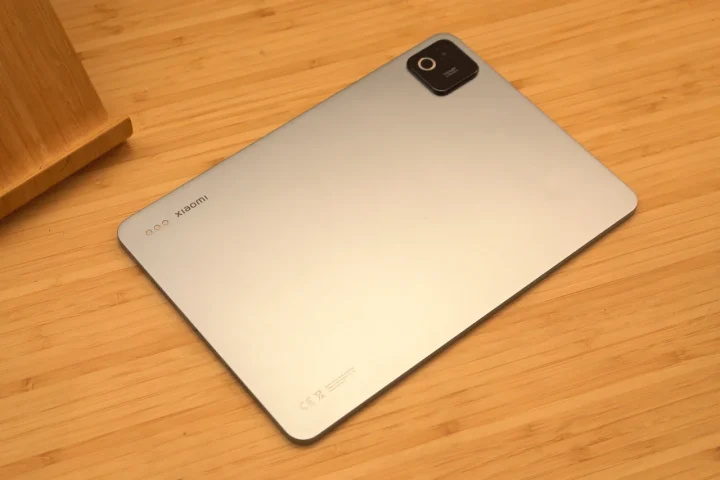
As mentioned earlier, the design of the Xiaomi Pad 8 looks almost identical to the Pad 7 we reviewed last year.
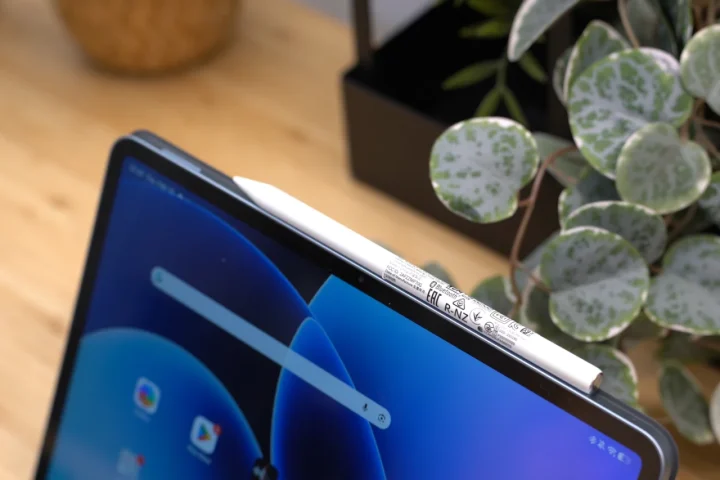
The layout is very much the same as before, with the volume rocker on the right side and the magnetic charging port for the Xiaomi pen when holding it in portrait mode. At the top, you’ll find the power button together with two speakers, while at the bottom you’ll find the other pair of speakers and the USB-C port.
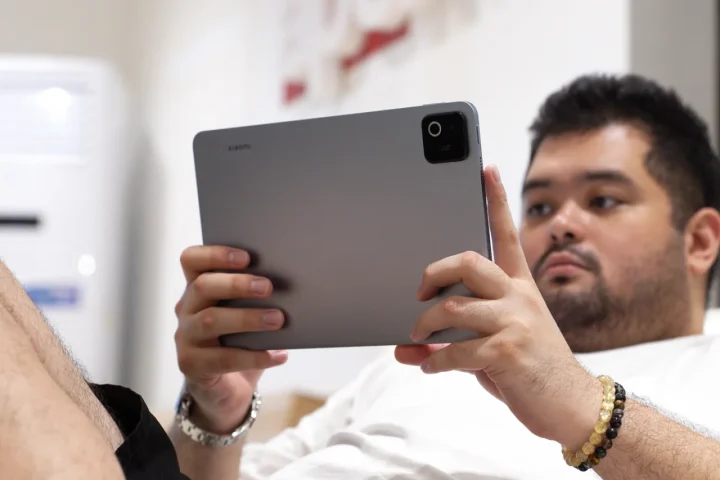
So while it looks the same, then again, that’s not to say that’s a bad thing. The tablet still looks and feels premium with its all-metal build and minimalist styling.
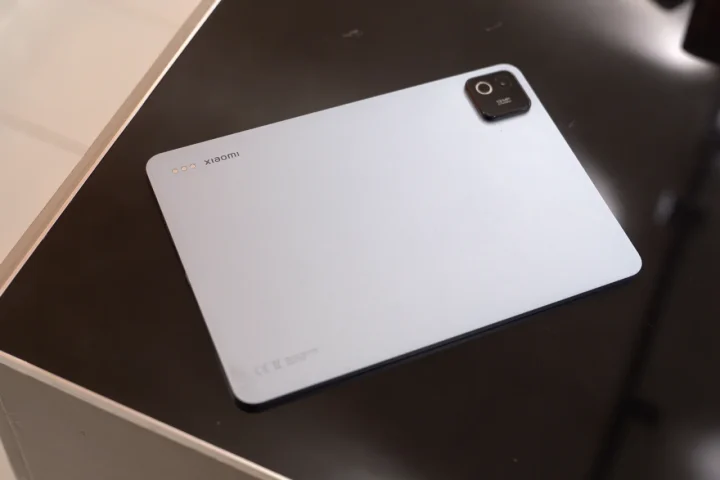
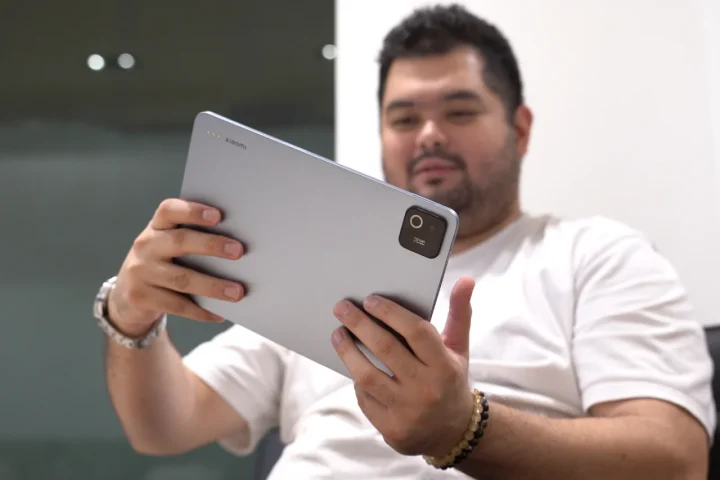
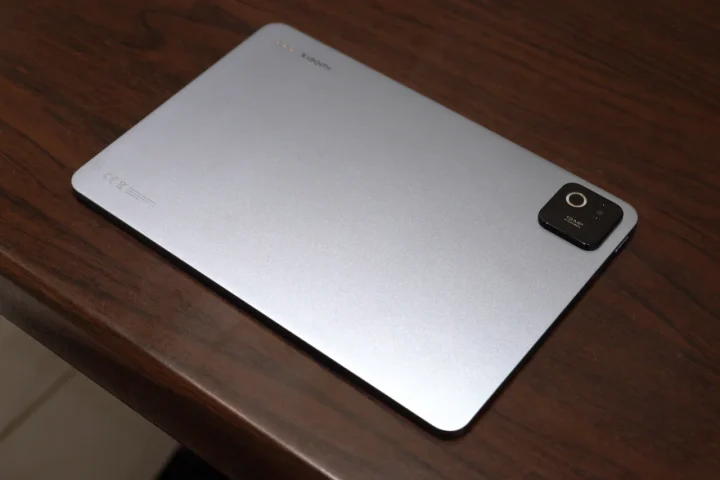
At the back, there’s just a large camera island on the upper left corner that houses the single main rear camera, but more on that later. Across it is a small Xiaomi logo which adds a bit of touch to the minimalist design.
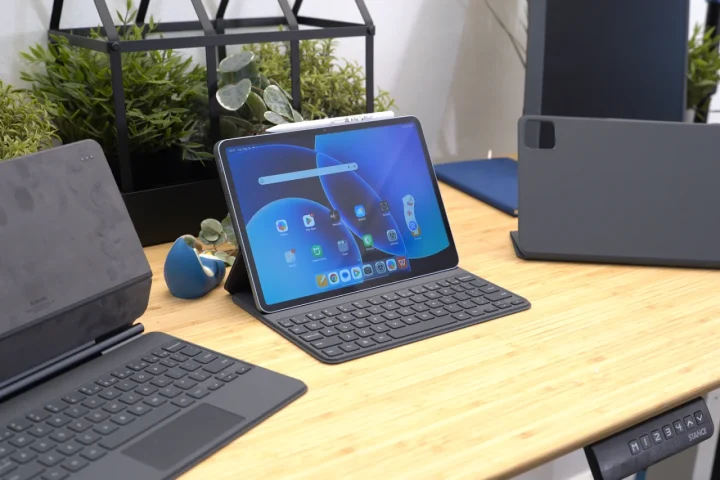
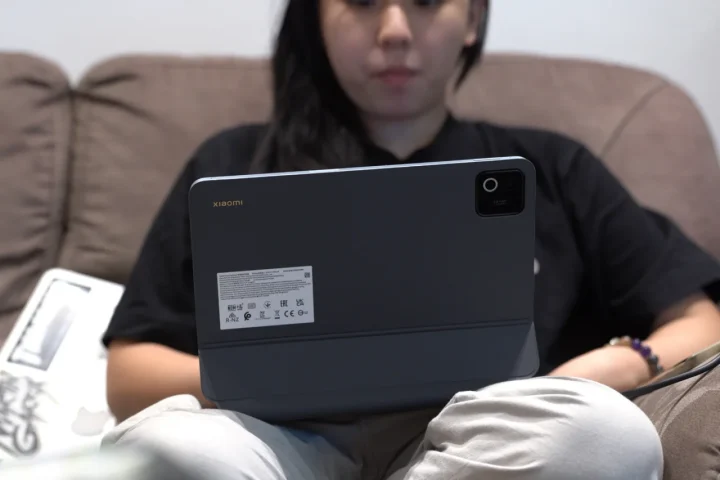
Beside the logo are three small dots which connect the tablet to the various accessories available from Xiaomi. These include a keyboard and even a keyboard with a trackpad, allowing it to be used like a laptop.
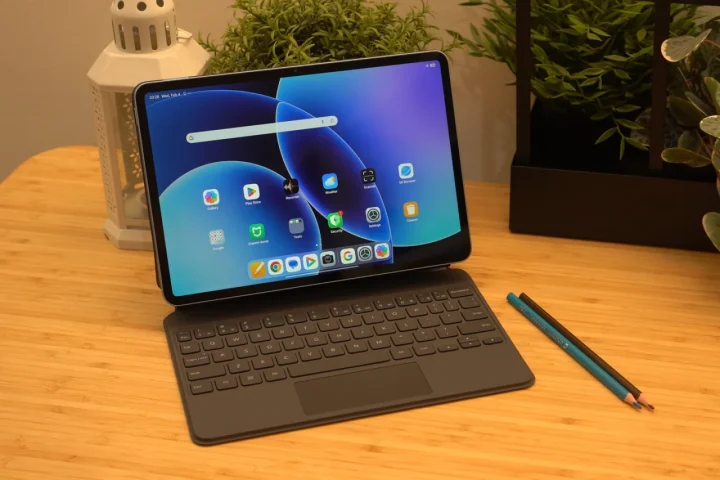
Among the cases, we found the one with the trackpad to be the best to use. It’s the thickest one and heaviest, but it also felt the most premium and comfortable to use. We could easily adjust the angle and just work on stuff like a laptop. The keyboard spacing takes a bit of getting used, but other than that it works great.
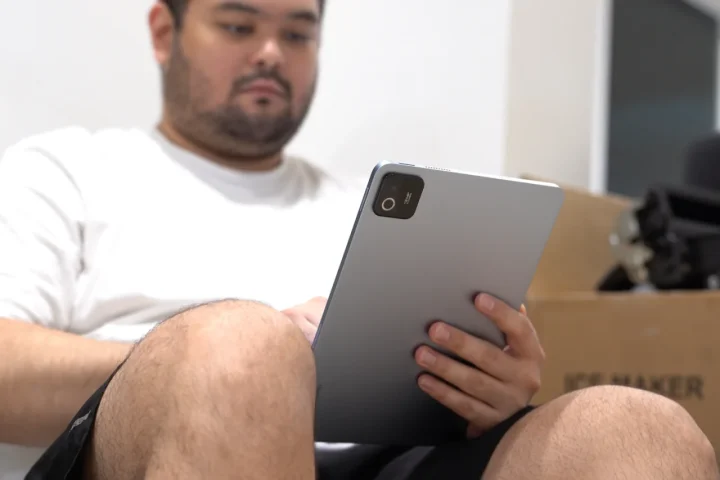
Despite the identical design, the Xiaomi Pad 8 is a bit thinner, measuring 5.8mm thick. It’s still relatively lightweight weighing roughly 485 grams without any of the accessories. But even with the accessories, it’s very easy to bring around.
The only issue with the Xiaomi Pad 8 though, is the lack of an IP rating. With that, do be careful when using this tablet outdoors.
Display and Multimedia
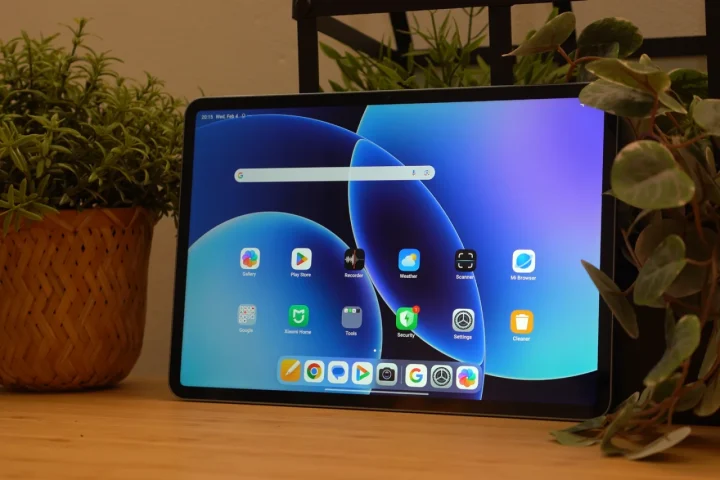
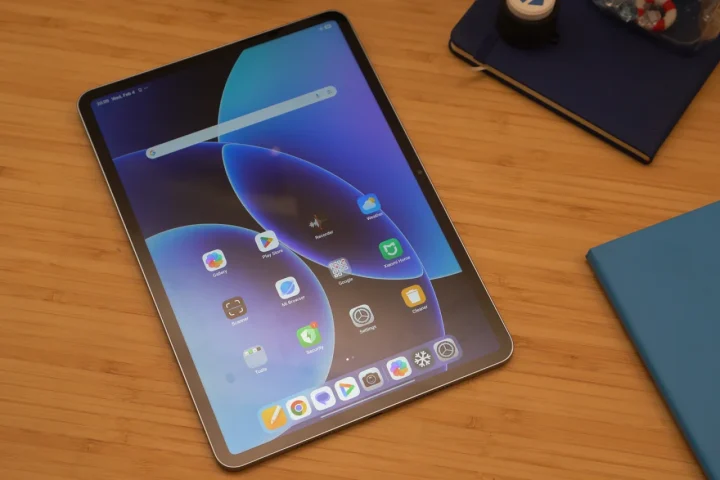
Given that the design and dimensions of the Xiaomi Pad 8 didn’t change from before, it’s no surprise that the display also appears to be a carry over from its predecessor. It continues to feature an 11.2-inch IPS LCD panel with 144Hz refresh rate, 800 nits peak brightness, and support for Dolby Vision.
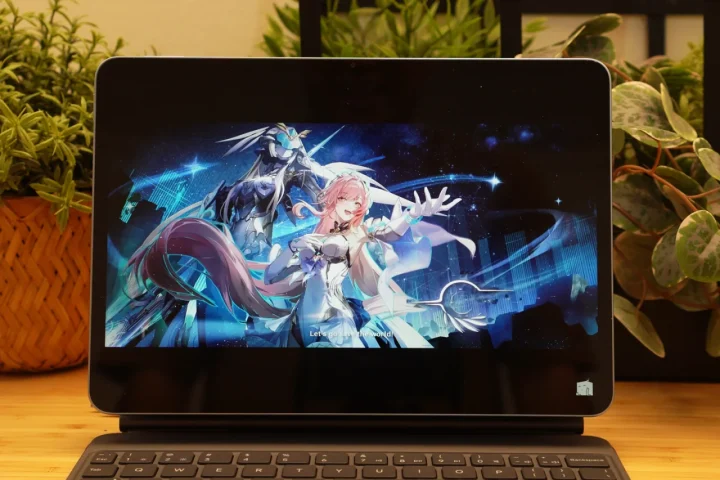
It’s a beautiful display, and we’re not surprised Xiaomi didn’t see a need to change it up. We do wish they updated it to feature an OLED for an even better viewing experience, but that would also mean a bump in price.
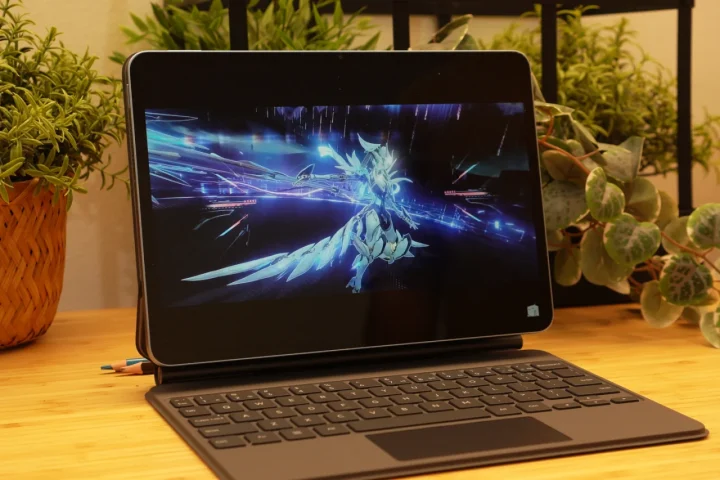
Still, the display of the Pad 8 is one of the better IPS LCDs we’ve tried out. The colors are quite vivid and the blacks can be quite deep. The viewing angles are decent too, with very minimal color shifts. No doubt, users will have a great viewing experience with this tablet when watching videos on YouTube or Netflix.
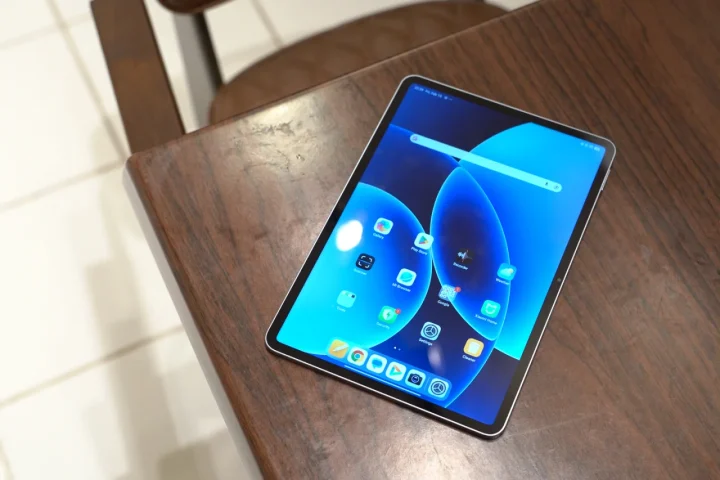
However, it’s far from a perfect display. For starters, users will notice the very thick borders all around, which takes up a big chunk of the display area. Another thing is the lack of an anti-glare coating.
The display easily picks up reflections wherever you go. With that, some might find it irritating especially when using it in areas with a lot of light bouncing around. Thankfully, maxing out screen brightness helps with this issue.
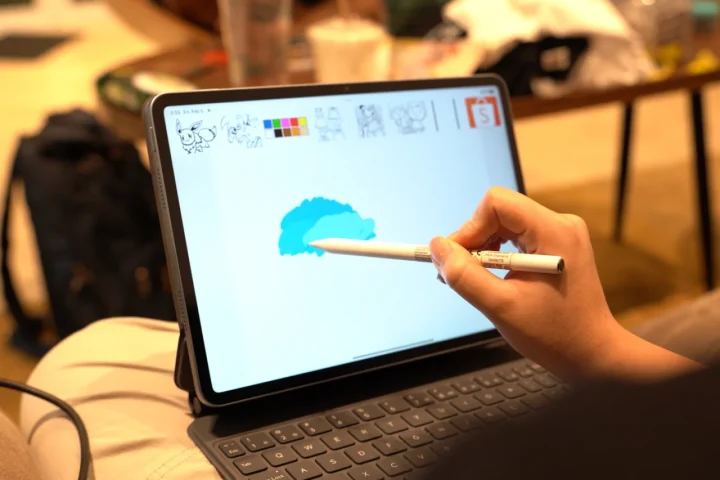
Since this is a tablet, of course, we tried out how well it is for taking notes or doodling using the Xiaomi Pen. It’s sensitive to pressure, and users can sketch quite nicely using this tablet. Well, that’s assuming you have the skill to draw, which I clearly lack. But in the hands of someone who is skilled, they can sketch some nice art.
As for the speakers, it comes with quad stereo speakers, giving users a great listening experience. Not to mention it now adopts Dolby Atmos, which further improves the audio quality when turned on.
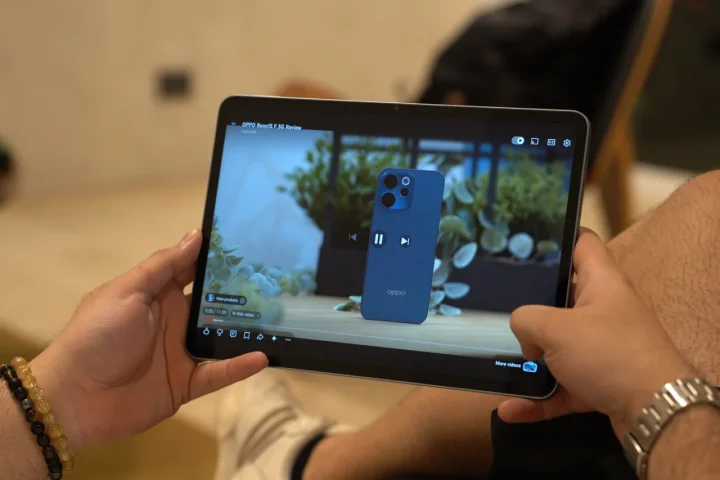
The speakers themselves aren’t that loud despite having an option to bump the volume up to 200%. However, the speakers have a great sound quality with a decent sound stage, especially when the tablet is in front of the user. It’s still lacking a bit of bass in our opinion, but the mids and highs are decent.
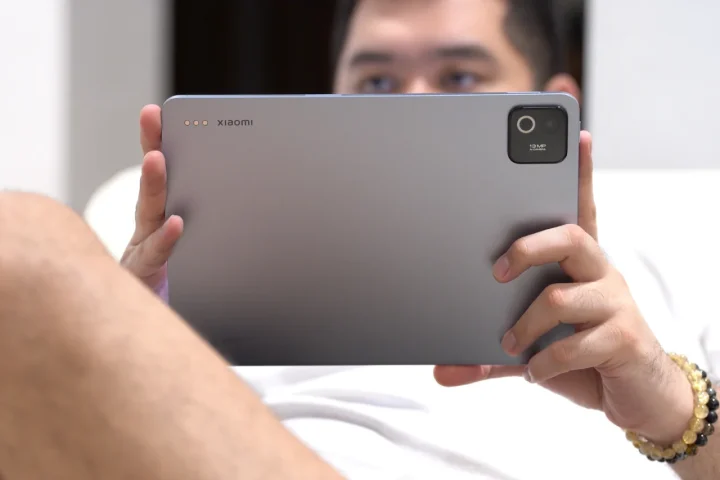
Paired with the large display, there’s no doubt that users will have a great time watching movies on this tablet.
Cameras
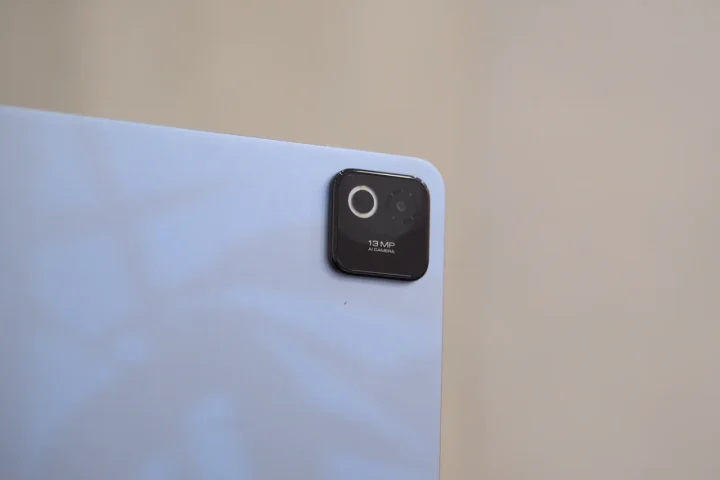
Remember the large camera island at the back? Well, don’t be fooled. The Xiaomi Pad 8 only features a single 13MP shooter, while at the front, we find an 8MP camera for selfies.
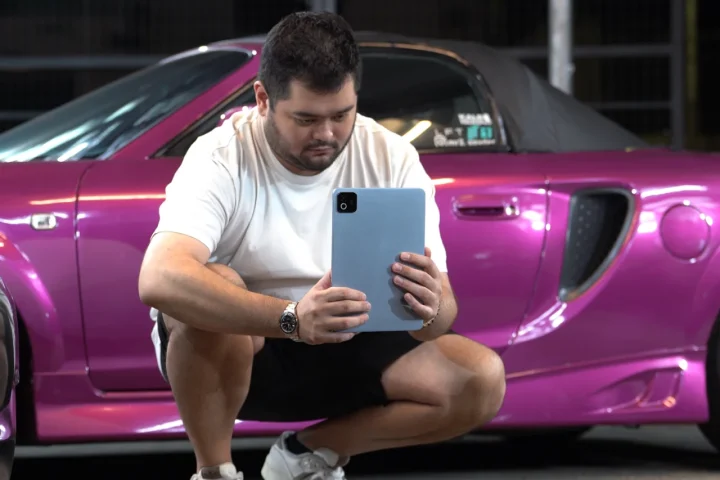
If you’ve been reading our reviews for a while, then I’m sure you already know our stand when it comes to using a tablet to take photos and video. You’re still going to look stupid doing so even in 2026. Just use your phone.
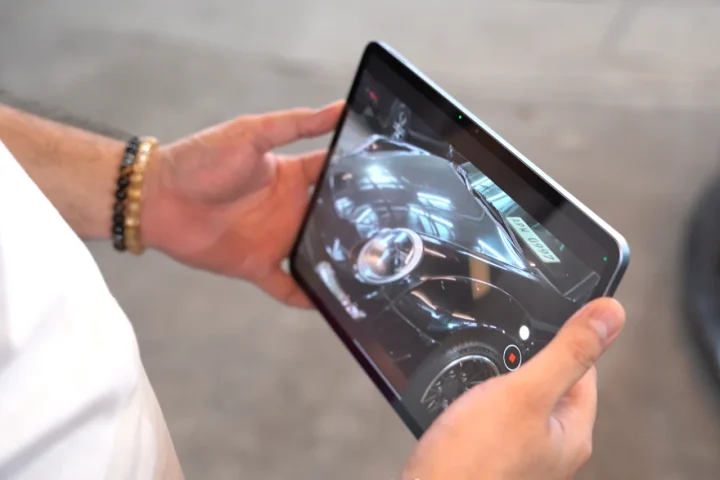
But if you choose to use the Xiaomi Pad 8 to take photos and video it takes decent photos and videos. The images are sharp, and there’s a decent balance between the highlights and shadows. There’s a nice contrast too, but nothing too extreme.
Even at 2x zoom, the images are still usable, but beyond that, the quality drop is very obvious. The output is very much identical when it comes to video
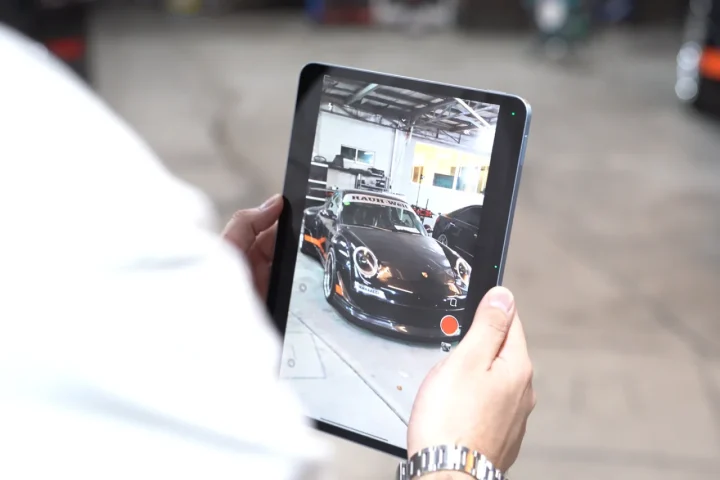
The rear camera can record up to 4K@30FPS, while the front is limited to 1080P@30FPS. Interestingly, there also seems to be some form of stabilization even though there is no option to turn it on in the settings. With that, the video didn’t come out as shaky as we expected.
Check out the sample gallery below to see what we mean.
Xiaomi Pad 8 Sample Photos
Feb 10 – 13

Performance and Benchmarks
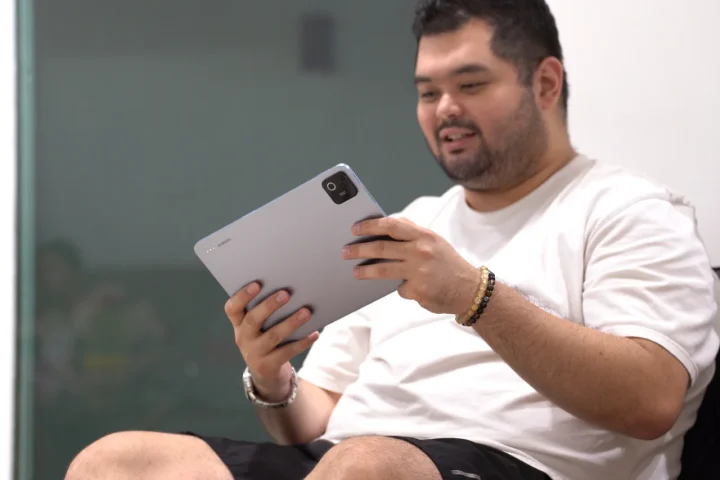
While the Xiaomi Pad 8 might look identical to its predecessor on the outside, one of the biggest changes they made can be found under the hood. It now packs a Qualcomm Snapdragon 8s Gen 4 chipset. Our review unit comes with 8GB of RAM and 128GB of storage, which is the base variant available.
Storage is a bit small, and there’s no microSD card slot to expand storage further. With that, we recommend getting the Pad 8 with a higher storage capacity.
Even with 8GB of RAM, the Pad 8 ran very smoothly, and could handle all the tasks we threw at it. Run multiple applications simultaneously? Not a problem. Users can leave apps running in the background, and can easily switch between them to pick up where they left off. With that, there’s no need to worry about losing productivity when using this tablet.
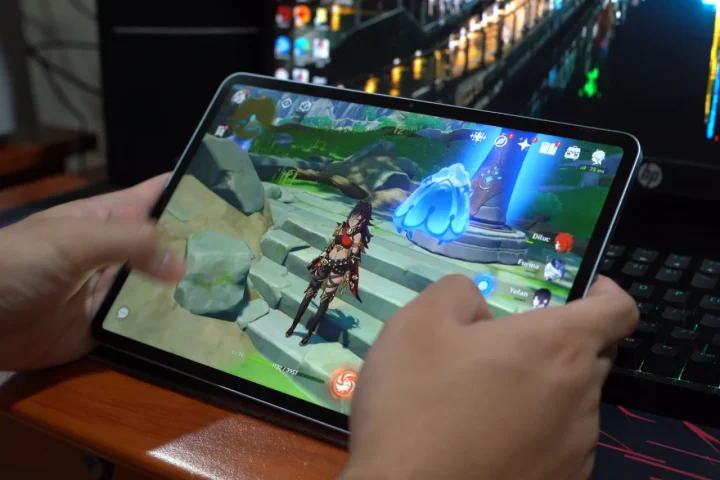
But of course, it’s not just all work. The Xiaomi Pad 8 is also great for playing games. It could easily handle graphics-intensive titles like Genshin Impact with all the settings maxed out. There’s no framerate drops or stuttering even when fighting against a lot of mobs.
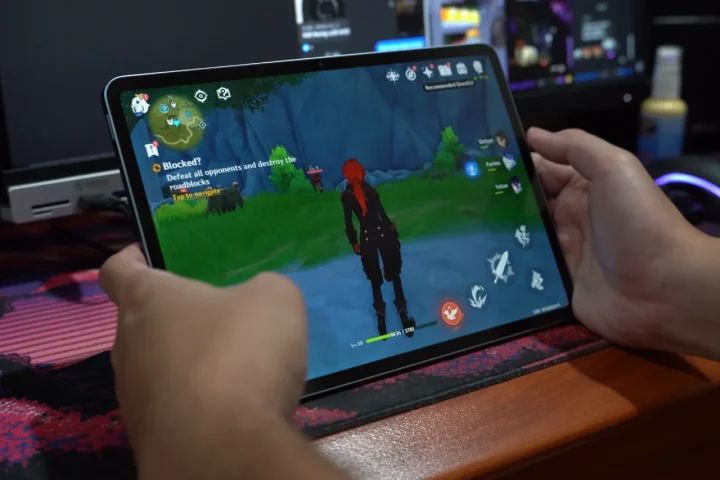
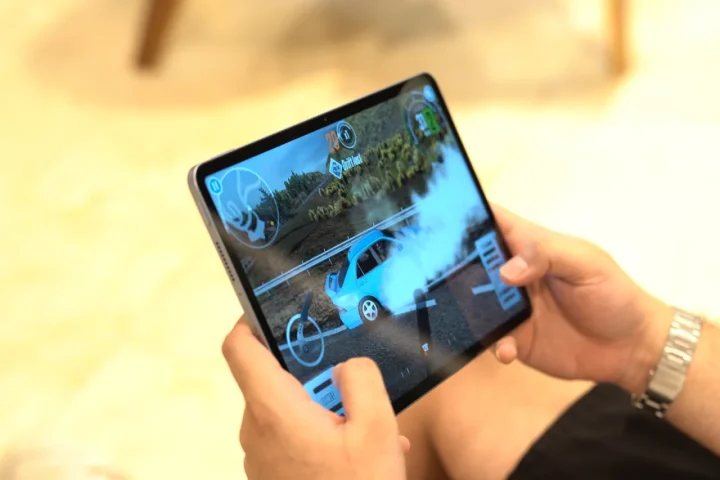
Paired with the beautiful 144Hz display, there’s no doubt users will enjoy exploring the world of Teyvat and not just complete dailies. Other games ran smoothly as well including the CarX Drift 2, which ran on max graphics and unlimited FPS.
All-in-all, users can definitely enjoy work and play on this device, no problem.
As for the benchmarks, you can check them out below.
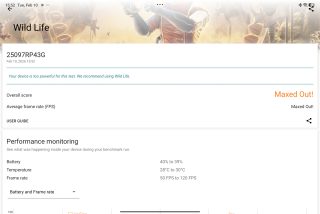
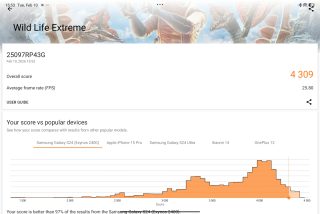
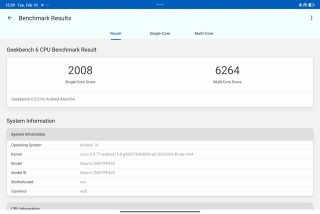
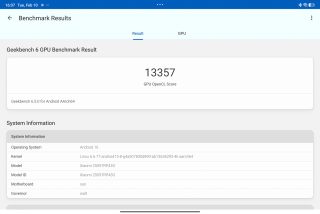
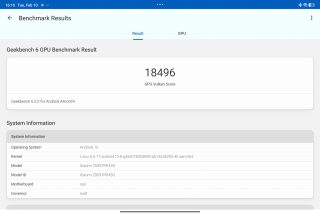
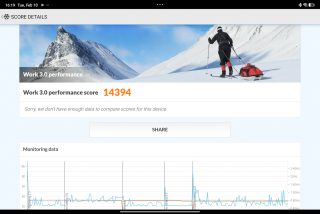
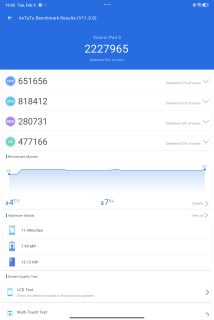
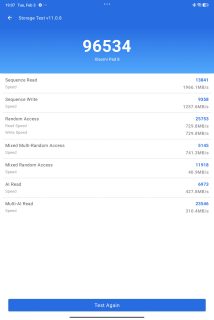
| Device: | Xiaomi Pad 8 |
|---|---|
| Chipset: | Qualcomm Snapdragon 8s Gen 4 |
| RAM | 8GB |
| Antutu V11.0.8 | 2,227,965 |
| Antutu v11 Storage | 96,534 |
| Seq. Write | 1966.1 MB/s |
| Seq. Read | 1257.6 MB/s |
| Geekbench Single-Core | 2,008 |
| Geekbench Multi-Core | 6,264 |
| Geekbench OpenCL | 13,357 |
| Geekbench Vulkan | 18,496 |
| 3D Mark Wild Life | Maxed Out! (Maxed Out! Avg fps) |
| 3D Mark Wild Life Extreme | 4,309 (25.8 Avg fps) |
| PCMark Work 3.0 | 14,394 |
OS, Apps, and UI
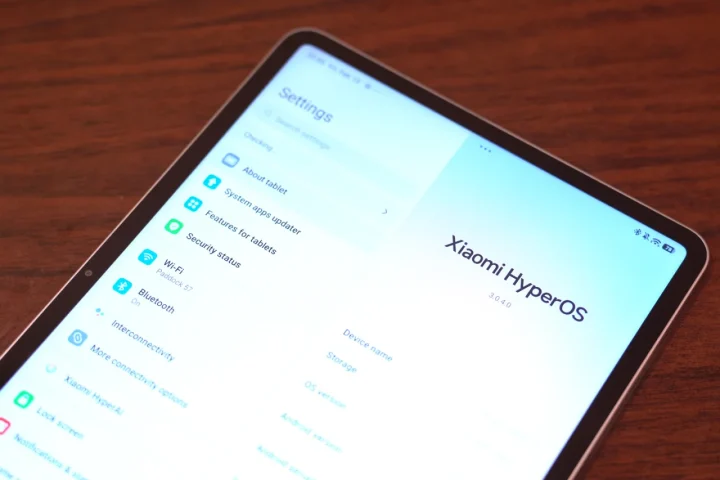
The Xiaomi Pad 8 runs on HyperOS 3, based on Android 16. As expected from HyperOS 3, it’s great and easy to use even in tablet form. Not to mention users will have the complete suite of AI features to help make work a lot easier.
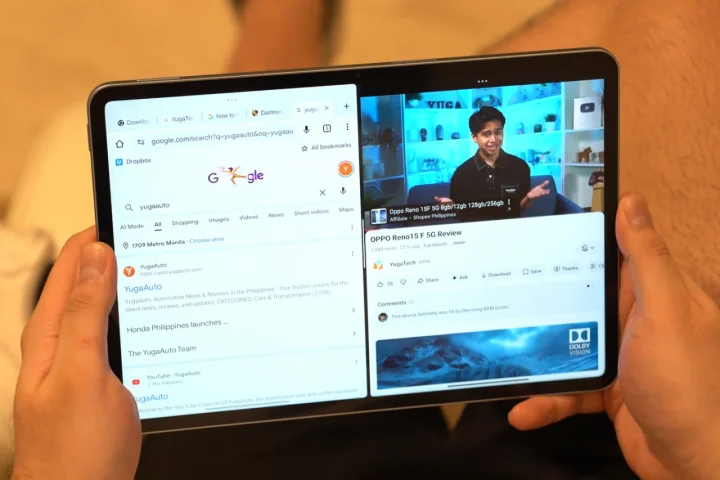
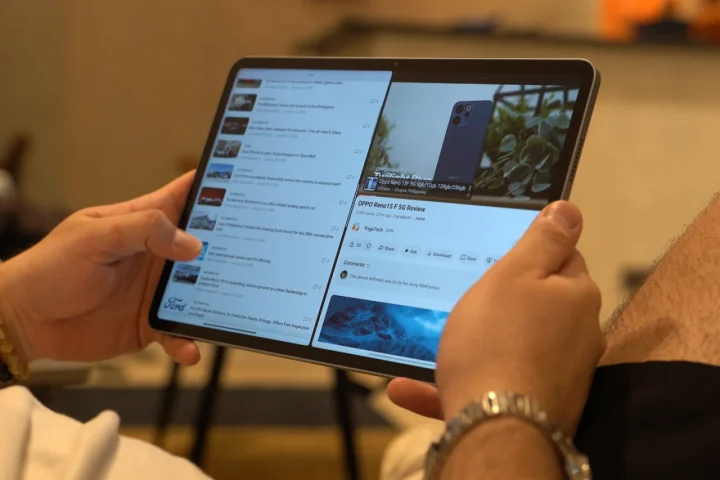
For productivity, there’s split screen and floating windows, which makes it easy for users to get work done if needed. Given the capable chipset, it could run even Genshin and other apps at once. Meanwhile, Gemini and Circle to Search can easily be accessed anytime should there be a need.
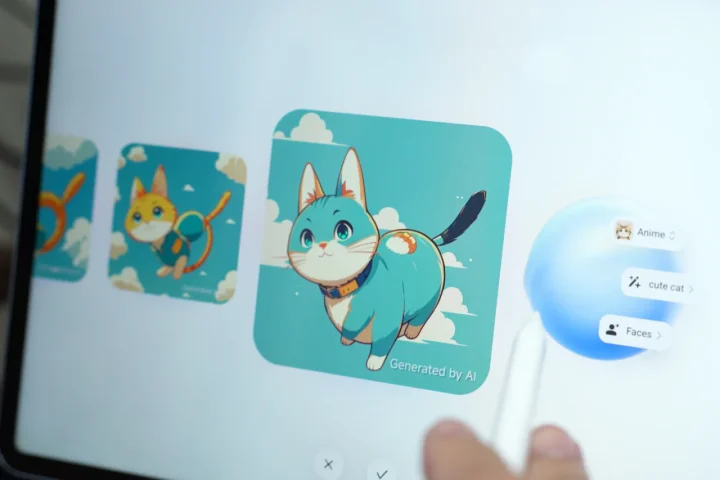
Other AI features from HyperOS are available too, including AI Eraser in the Gallery and AI Writing Assistant. There’s also AI Art which automatically generates images in various styles for those who can’t draw, just like me.
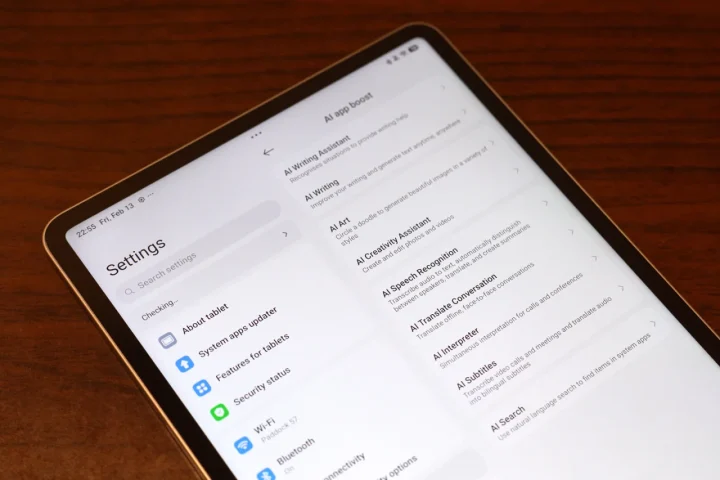
Thankfully, there is no bloatware on the Xiaomi Pad 8, which is heaven-sent.
Battery and Connectivity
Powering the Xiaomi Pad 8 is a 9,200 mAh battery, which is huge considering the size of the tablet. With that, we were expecting it to last a very long time given how big the battery is. Unfortunately, that wasn’t the case.
When we used it to play games, run benchmarks, and take photos, we noticed that the battery dropped rather fast. That’s considering it was connected to brightness and the volume was maxed out when playing games. However, the benchmark showed a similar story.
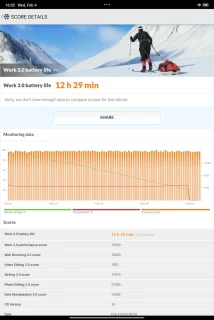
Using PC Mark’s Work 3.0 Battery Test, the Xiaomi Pad 8 recorded only 12 hours and 29 minutes of battery life, which is average at best. For reference, the test was run on 50% brightness, zero volume, and airplane mode.
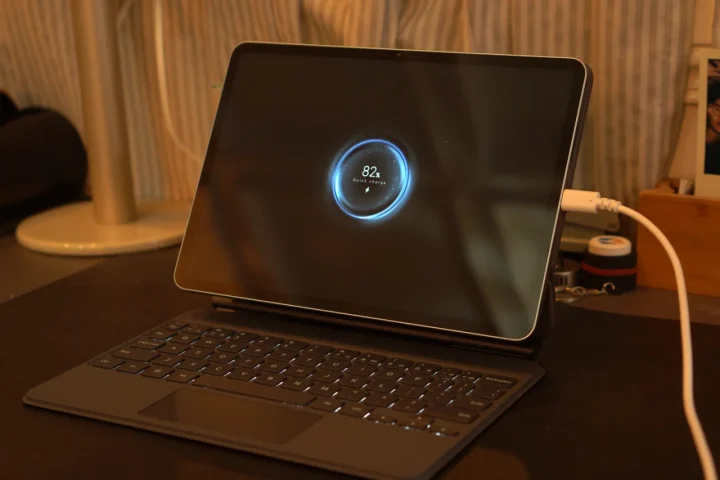
Charging isn’t that fast, either, given the large battery. It only features a 45W fast wired charging, with no support for wireless charging.
As for connectivity, it features Wi-Fi 7, Bluetooth 6.0, and Infrared. No eSIM support here.
Conclusion
Overall, the Xiaomi Pad 8 is a great choice for a tablet if you need one for work and play. It may feature a lot of carry over features from its predecessor, but it also packs a new, more powerful chipset along with HyperOS 3.

It’s not perfect, though, given the fast-draining battery, but aside from that, it’s a great tablet for everyday use in all situations. Not to mention, there are a bunch of accessories users can choose from.
As for the price? The Xiaomi Pad 8 starts at PHP XX,XXX for the 8+128GB variant we have here.
But so far, what do you guys think of the Xiaomi Pad 8? Is this the tablet you’re considering for 2026, or would you choose the more capable Xiaomi Pad 8 Pro? Maybe wait for something else later on? Whatever the case, share your thoughts in the comments below.
What we liked:
- Great performance
- Nice display
- Lots of accessories
What we didn’t like:
- Battery didn’t last that long
- Speakers could be louder
Xiaomi Pad 8 specs:
11.2-inch 3.2K LCD
144Hz refresh rate, 800 nits (peak)
Dolby Vision, HDR Vivid
Qualcomm Snapdragon 8s Gen 4
8GB,12GB RAM
128GB, 256GB storage
13MP rear camera
8MP front camera
Quad-speaker setup, Dolby Atmos
Wi-Fi 7
Bluetooth 6.0
Xiaomi HyperOS 3
9,200mAh battery
45W fast charging


0 Comments
Leave a Reply