

HUAWEI MatePad 12 X (2026) Review



Finally after being delayed on its supposed arrival, the ASUS ZenFone 4, ZenFone 5, and ZenFone 6 will now be getting its Android Lollipop fix. The update includes improvements, additions, and even some removals.
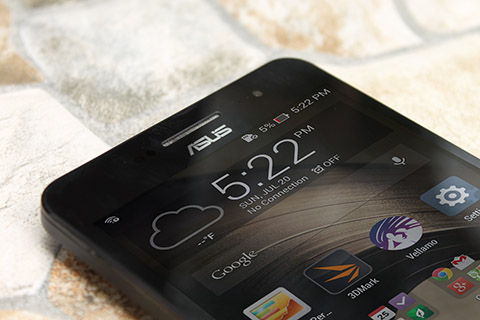
The changes for the new OS update are as follows:
The updates were reported to be already available via over-the-air, but it’s also downloadable over at the official ASUS ZenTalk forum.
{Source}










Apple, Asus, Cherry Mobile, Huawei, LG, Nokia, Oppo, Samsung, Sony, Vivo, Xiaomi, Lenovo, Infinix Mobile, Pocophone, Honor, iPhone, OnePlus, Tecno, Realme, HTC, Gionee, Kata, IQ00, Redmi, Razer, CloudFone, Motorola, Panasonic, TCL, Wiko
Best Android smartphones between PHP 20,000 - 25,000
Smartphones under PHP 10,000 in the Philippines
Smartphones under PHP 12K Philippines
Best smartphones for kids under PHP 7,000
Smartphones under PHP 15,000 in the Philippines
Best Android smartphones between PHP 15,000 - 20,000
Smartphones under PHP 20,000 in the Philippines
Most affordable 5G phones in the Philippines under PHP 20K
5G smartphones in the Philippines under PHP 16K


JP says:
🌱 Noobs🏆1
No improved baffery life? How about zen motion?
kris says:
🌱 Noobs🏆1
already updated..pero still on kitkat..
Zesto says:
🌱 Noobs🏆1
Maybe the update you received was firmware version 2.21.40.53/54? Please check your firmware in About>Software information
Android L firmware version is 3.23.40.52
chaps says:
🌱 Noobs🏆1
already updated but still on kitkat..????
Robert says:
🌱 Noobs🏆1
Ive already downloaded the update from asus website, how can I install it manually to my phnoe?
Anz says:
🌱 Noobs🏆1
Why still on kitkat?
Ellmann says:
🌱 Noobs🏆1
Same here. Android version still says 4.4.2.
pauldiapz88 says:
🌱 Noobs🏆1
Mine too. Kitkat pa rin. Nung nabasa q ang article agad akong nag update to my surprise kitkat pa rin… hahaizt… callin’ out asus! Hear our thoughts… lollipop na please…
ross says:
🥉 Rookie🏆1
baka bumagal ang performance pag na update sana i post nyo guys kung ok ba o hindi dapat i update, sa totoo lang ung Jellybean nya parang nababagalan nga ako, parang hindi maganda performance ng Atom processor..
Rex says:
🌱 Noobs🏆1
Okay naman so far pre. Smooth parin as usual.
Wewew says:
🌱 Noobs🏆1
Mabilis naman siya. I updated mine. Search niyo nalang sa support group ng asus sa pilipinas pano magupdate
Rex says:
🌱 Noobs🏆1
Follow these steps on the below link. I have upgraded mine to Android 5.0 (firmware version is 3.23.40.52 from firmware version 2.21.40.53/54)
http://www.asus.com/zentalk/forum.php?mod=viewthread&tid=11408&highlight=lollipop
vlayonking says:
🌱 Noobs🏆1
Kitkat parin, bakit ganon?
elj says:
🌱 Noobs🏆1
Manual update pa lang po available.
download the latest firmware here and follow the instructions carefullly..
http://www.asus.com/ph/support/Download/39/1/0/1/32/
ASUS ZenFone4(T00I) software Image: V7.3.3 (Android L) for WW only*
Note1: Please make sure update software version V6.6.3 first before update to software version V7.3.3
Note2: Download the OTA file and put the file to the device root directory directly.
Good luck..
Mike says:
🌱 Noobs🏆1
Palagay ko preparation ito para Lollipop update.
(ASUS ZenFone 5(T00F/T00J) software Image: V3.23.40.52 for WW SKU only*
Note1: Please make sure update software version after V2.22.40.53 or V2.22.40.54 first before update to software version V3.23.40.52)
zashime says:
🌱 Noobs🏆1
Please check the articles here about the details of the update:
http://m.ibtimes.co.in/android-5-0-lollipop-ota-update-released-asus-zenfone-4-5-6-series-how-install-634408
Rex says:
🌱 Noobs🏆1
Try this peeps:
http://www.asus.com/zentalk/forum.php?mod=viewthread&tid=11408&highlight=lollipop
Mine’s updated already! Woooooooooo!!!!!
klky says:
🥉 Rookie🏆1
ano nangyari sa update? nagtagal naman ba battery, ska alam ko bka may bugs pa yan
klky says:
🥉 Rookie🏆1
ano nangyari sa update? nagtagal naman ba battery, ska alam ko bka may bugs pa yan.. ung audio daw mas lumakas ba?
jhen says:
🌱 Noobs🏆1
updated just yesterday..still 4.4.2
Mike says:
🌱 Noobs🏆1
Thanks Rex!
Updated na rin yung Zen5 ko!
Rex says:
🌱 Noobs🏆1
NP, Mike!
jru says:
🌱 Noobs🏆1
Updated na zenfone 4 ko.. mastumaas ung antutu benchmark 18k+ naging 19k+… tpos ung audio medyo lumakas pero ung internal memory naging 1.8gb nlang pwede gamitin pwede na din ibahin ung font style kahit hind rooted
jade13 says:
🌱 Noobs🏆1
Zenfone 5 user here. Have updated two days ago. Make sure to check your firmware build first and follow the instructions. Once done with the update, it is important to perform a factory reset and clear cache via Recovery mode. Experiencing some apps force closing, some apps not loading, FB hangs or lags. Also perform hard reset to facilitate apps optimization process.
rex says:
🌱 Noobs🏆1
Have not experienced those issues with my zf5.
Mike says:
🌱 Noobs🏆1
So far so good din on my Zen5.
brandon says:
🌱 Noobs🏆1
Pa help naman mali yung na download ko. . ngayon nag stock na xa sa asus na logo?
Cha says:
🌱 Noobs🏆1
Updated to lollipop manually. So far ok naman
Cha says:
🌱 Noobs🏆1
Zen6 user here
backblade says:
🌱 Noobs🏆1
nka receive ako ng update 2.22.40.54 pero kitkat pa din xa excited p ko kala q lollipop na.. pero nag improved battery life ng zenfone 5 ko umabot na 2days and ilang hours na hindi q nagagawa dati.. 1 and a half day lng ako dati ginawa qna lahat paraan na nalalaman q para tumagal pero 1 day and half lng tlga.. pero nung nakuha q update 2 days pataas na :)
parang ayoko n nga mag lollipop kz dq alam mangya2ri sa lollipop kung my bugs ba or worst battery experience pa etc.