

Global cybersecurity company Kaspersky has stepped up to support the Department of Information and Communications Technology (DICT) in a new push to keep Filipinos safe online. Both the tech firm and the government are urging the public to change their habits when using free, public Wi-Fi networks in places like malls, coffee shops, transport hubs, and other spaces.
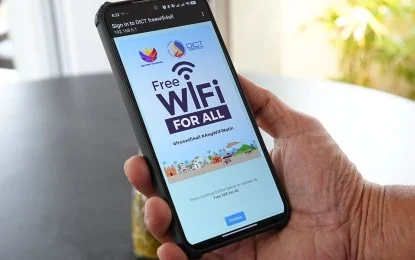
The DICT recently issued a strong warning to never open online banking apps or digital wallets while connected to public hotspots, as these networks lack basic security and can be hacked.
To help people stay safe, the DICT shared a few simple rules: always double-check with a staff member that you are connecting to the actual, official Wi-Fi network; turn off the “auto-connect” setting on your smartphone so it doesn’t log into random networks on its own; and always remember to log completely out of your accounts when you are done.
Choon Hong Chee, Kaspersky’s Head of Consumer Channel for Asia-Pacific, backed up the government’s warning, explaining that free Wi-Fi often comes with a major catch. Because these open networks don’t require passwords to join, hackers can easily sneak onto the same connection. Once inside, cybercriminals can quietly watch what you are doing online and steal your passwords, banking details, and private messages without you ever noticing.
To build a stronger shield for your phone or laptop, Kaspersky suggests taking a few extra steps, like turning on your device’s built-in firewall and using a Virtual Private Network (VPN) to mix up your data so hackers can’t read it. They also shared a few other important everyday tech rules to protect yourself in public places:
First, avoid public USB charging stations: Cybercriminals can tamper with public charging ports to secretly install malware on your phone while it charges.

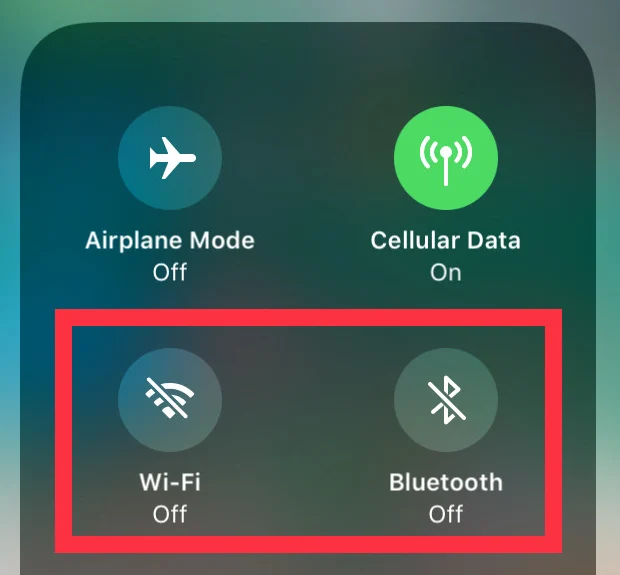
Second, keep wireless features turned off: Disable your Bluetooth and Near Field Communication (NFC) when walking through crowded areas so strangers can’t link to your phone.
Next, don’t share private info: Never send sensitive work documents or highly personal messages over an open network.
Lastly, use public Wi-Fi only as a last resort: If it isn’t an emergency, it is always much safer to wait until you are back on your secure home network or using your own mobile data.
Do you have any other tips or tricks to stay safe online?






0 Comments
Leave a Reply