

Display and Multimedia
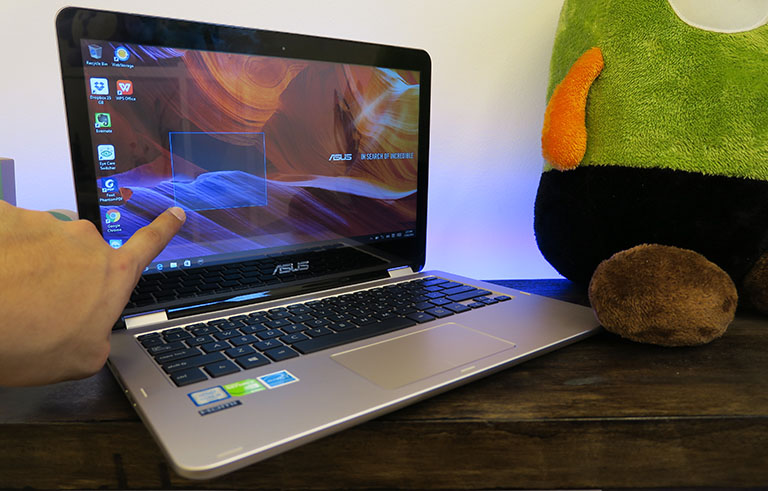
Its 13.3-inch display has a 10-point touch function for using it like a tablet or whenever you’re doing a task that would make it easier to do so. We used it for scrolling through our news feed and reading online articles and found out that it’s precise enough even when choosing on-screen buttons that are closely placed beside other commands.

The display maxes out at 1366 x 768 resolution that results to about 117ppi. Although not exactly a pixel-packed screen, it produces satisfactory images with decent details and color. There were also no problems with how bright it could go as we were contented watching on 40-50% screen brightness. Glares are present as seen above, but nothing too distracting.
The VivoBook Flip has stereo speakers each situated under the left and right ends of the notebook. This makes for a down-firing approach that bounces the sound back up to the user’s ears, creating somewhat of a virtual surround effect. The company used its own SonicMaster technology that combines their exclusive hardware and software to produce a more immersive sound than other standard laptop speakers. Indeed, with its built-in sound system, we could watch a TV series in a quiet room without the help of any external speakers.
OS and Apps
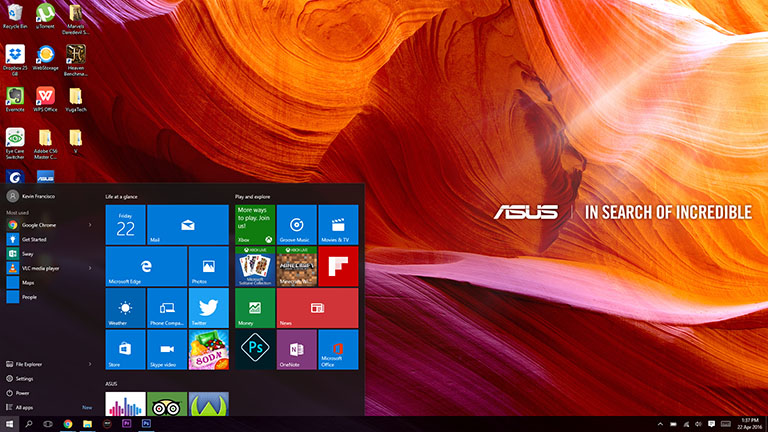
Running on Windows 10 Home from out of the box, the TP301UJ comes with ASUS WebStorage, ASUS On-Screen Display ASUS FlipLock that automatically detects and disables the keyboard when in tablet mode. It also has the ASUS GiftBox where you can buy and get different apps to use.
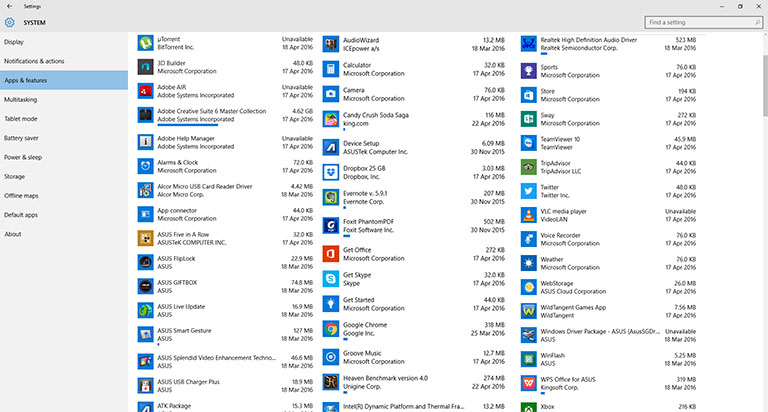
Other pre-installed programs include McAfee LiveSafe, Music Maker Jam, OneNote, TripAdvisor, WPS Office, Twitter, Evernote, and Xbox.
This VivoBook Flip variant comes with a 1TB HDD so there’s plenty of room to store files in, unlike the TP200SA and the TP301UA which have 128GB SSD and 500GB HDD, respectively.





sana-
option for ssd, i7 and no OS since I will use linux for it