



HUAWEI MatePad 12 X (2026) Review



Cherry Mobile introduced last week its first action cam, the Explorer. It features a 12-megapixel camera with 170° wide-angle lens, 2-inch LCD display, and Wi-Fi connectivity for Php4K. With other affordable action cams available in the market right now, is the Explorer still worth getting? Check out our review to find out.

The Cherry Action Cam, aka Explorer, was first spotted last month. Like what we mentioned earlier, it’s the company’s first foray into the action cam market with a competitive Php3,999 price tag. Check out the unboxing photos below.
The Explorer looks like your usual action cam with looks similar to likes of SJCAM and Playground. Up front is the 12-megapixel camera with a 170° wide-angle lens. Beside it is the power button while below it is the Explorer branding and a glossy little circle probably to aid selfies by providing a bit of reflection.

Up top we have the shutter button and activity LED indicator, while down at the bottom is the compartment for the 1000mAh removable battery.
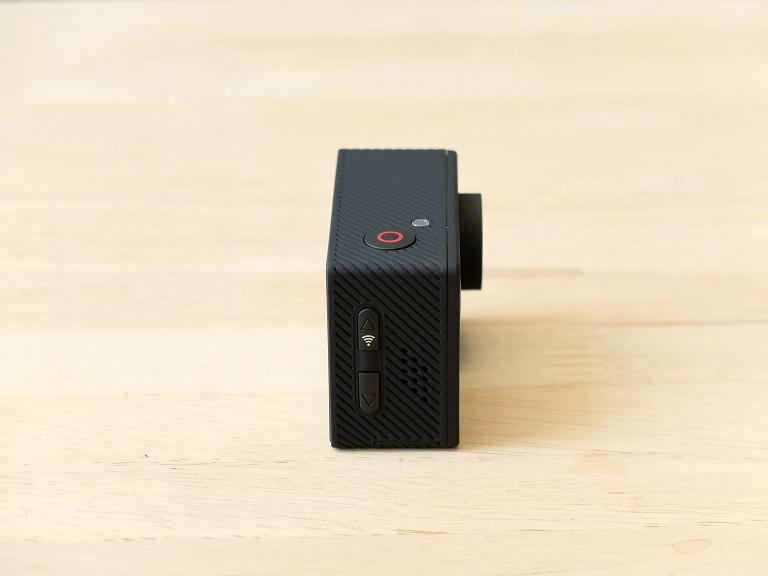
On its left side are the zoom in and zoom out button. The zoom in button also doubles as the Wi-Fi button for connecting to your iOS or Android device via an app.
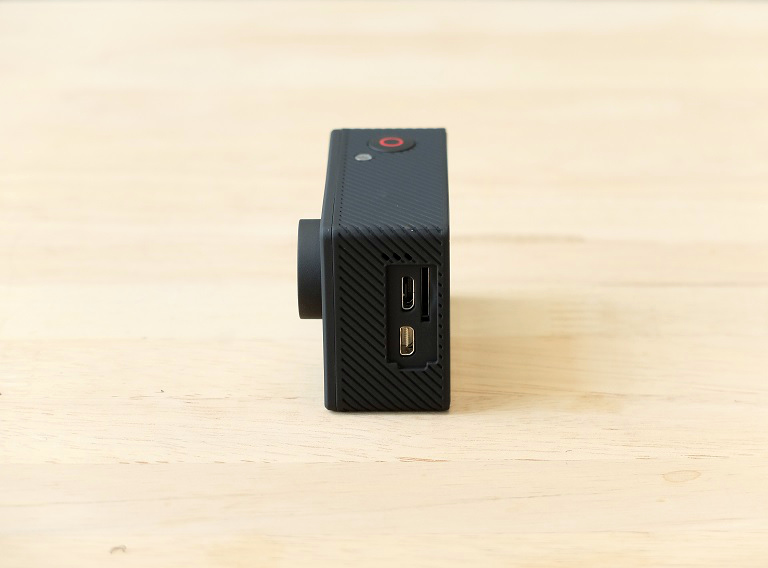

To its right are the micro-USB port, microSD card slot, and micro-HDMI. Flip it on its back and you will see the 2-inch LCD display which is not really high-res but will suffice for day-to-day use even outdoors. There’s also the power and charging LEDs.

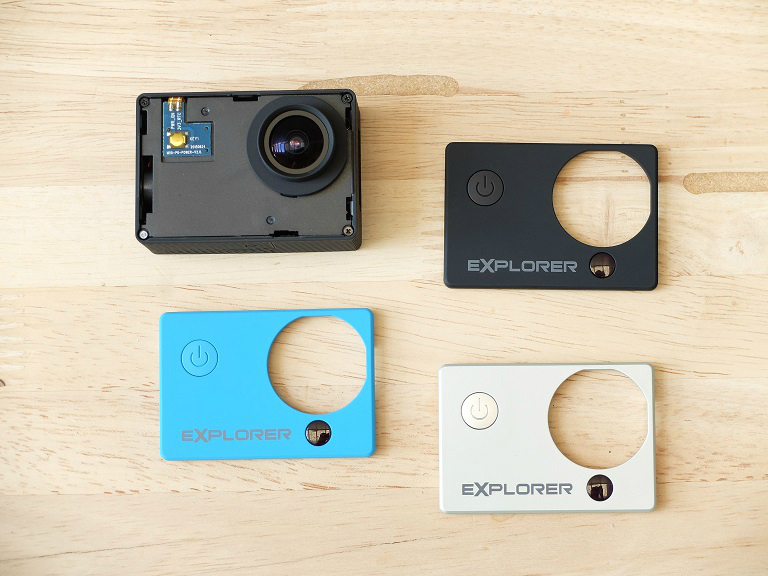
As expected of an action cam, the Explorer is small and features a rubbery plastic exterior for that rugged appeal. In addition, the faceplate is replaceable and comes with an extra Bright Blue and Silver colored faceplates in the package.
Setting up the Explorer is fairly easy. The battery is placed in a separate pack so make sure that you put that in first as well as the microSD card. Once you have that squared out, you can now switch on the Explorer by pressing the power button for about 5 to 6 seconds. After that you can start shooting stills.
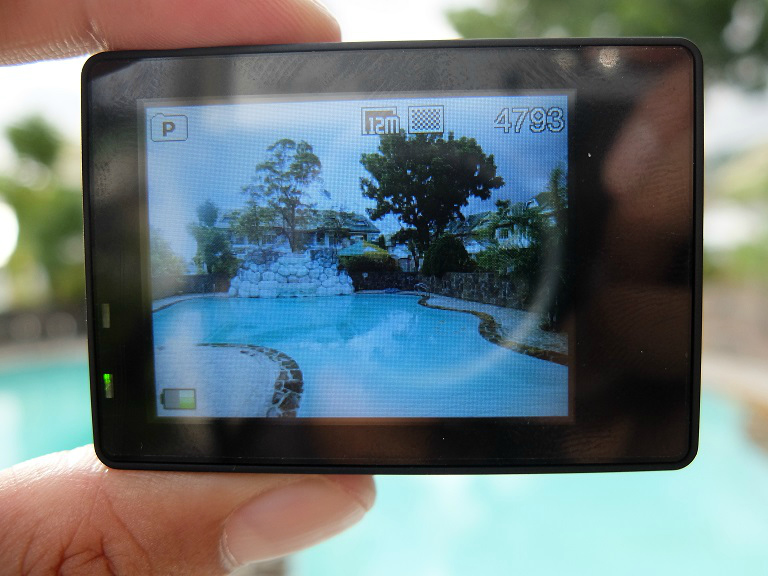
Pressing the power button which also doubles as your menu key will bring you to video mode. Pressing it again will take you to the gallery and then to the menu. You can scroll using the up and down keys on the right side while pressing the shutter key will serve as your “select” key.\

One of the nicest feature of the Explorer is WiFi connectivity allowing you to control it using your iOS or Android device. To get there though you will have to go to video mode first, then tap on the Up button on the right side to activate WiFi. From there you can connect your mobile device to the Explorer’s WiFi SSID, key-in the default password and launch the app.

For the app, which is called CACWF is available for free in the Apple App Store and Google Play Store. It has a simple layout which allows you to set the timer, and change the resolution and white balance. Images captured, by default, are still stored to the Explorer’s microSD card so if you want to copy it you will have to manually browse through the gallery and save the files to your phone.
One thing we noticed though about the app is that it maxes out at 10MP instead of 12MP. When using the Explorer sans the app, that resolution is not available. Also, when connected to the app, you lose the ability to shoot from the Explorer itself. Hopefully Cherry Mobile will frequently update and improve on this app.










Apple, Asus, Cherry Mobile, Huawei, LG, Nokia, Oppo, Samsung, Sony, Vivo, Xiaomi, Lenovo, Infinix Mobile, Pocophone, Honor, iPhone, OnePlus, Tecno, Realme, HTC, Gionee, Kata, IQ00, Redmi, Razer, CloudFone, Motorola, Panasonic, TCL, Wiko
Best Android smartphones between PHP 20,000 - 25,000
Smartphones under PHP 10,000 in the Philippines
Smartphones under PHP 12K Philippines
Best smartphones for kids under PHP 7,000
Smartphones under PHP 15,000 in the Philippines
Best Android smartphones between PHP 15,000 - 20,000
Smartphones under PHP 20,000 in the Philippines
Most affordable 5G phones in the Philippines under PHP 20K
5G smartphones in the Philippines under PHP 16K


Anthony Suarez says:
🌱 Noobs🏆1
This looks like a rebadged SJ4000.
usahoiqw Uhsaqao says:
🌱 Noobs🏆1
I don’t think so…
Rebranded, yes. But I think it’s some other brand and NOT the original SJCAM SJ4000 as the latter brand has OIS and better Pixel quality compared to the previous.
I think it’s just some Chinese copycat existing in the market then took by Cherry Mobile under their brand
Alfred says:
🌱 Noobs🏆1
since it’s an action cam, I was looking for a video where there was actual “action” to see how it fares without the onboard image stabilization. Instead all there is are still shots, panning, and a stationary video of traffic. Wonderful.
Louie Diangson says:
🥉 Bronze🏆1
We’re still working on the “action” part. Will upload a new sample once it’s ready.
Peter John Lee says:
🌱 Noobs🏆1
Their pricing is off. Just buy a Xiaomi Yi Cam for 3799 at greenhills, 100% better quality.
jam says:
🌱 Noobs🏆1
Compared to SJCAMs .. which one is better? Thinking of giving myself an action cam this christmas. Hope you can recommend.
Markus says:
🌱 Noobs🏆1
Pangit nung iOS app ninyu. Hindi gumgana