

We’ve found a cool way to activate the promised Dark Mode feature in Facebook Messenger.

Promised as a feature to be introduced with the Messenger’s fourth major version release, the dark mode touts an all-black screen with only images and text gaining brighter colors.

To activate the said feature, send a crescent moon emoji ( ) to any of your existing chats, and a falling moon animation will pop up. Once done, head over to your messenger settings and toggle it on. Be warned, though, that not all features have already been converted to a dark mode mention as a popup will warn you of such when you toggle it on the first time.
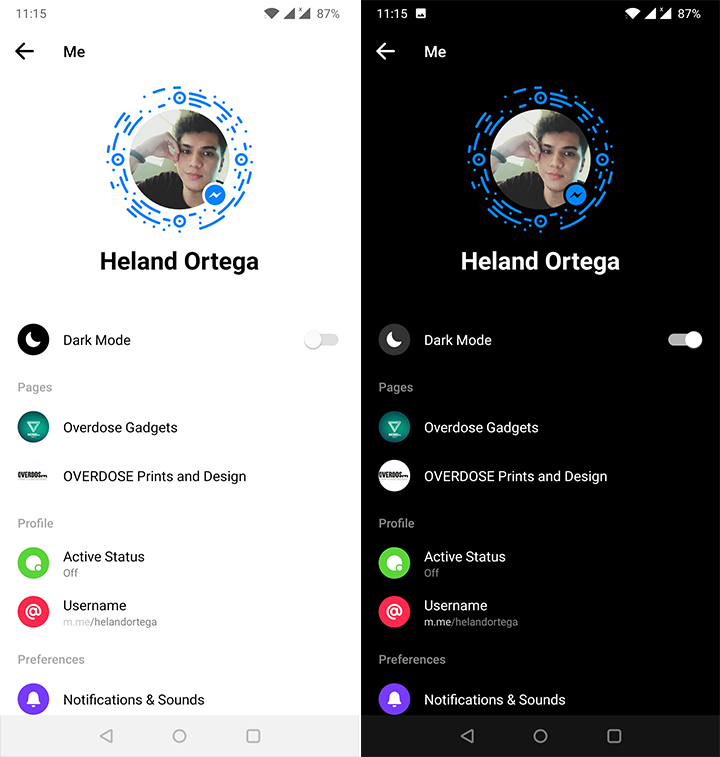
The said easter egg is available for both Android and iOS variants of the messenger app. Facebook plans to officially roll out this feature in the coming weeks or months to all users, so you may use this method the soonest if you want to have a fresh look, or want to save energy with your AMOLED display.
With reports from Heland Ortega







I did mine on my Pocophone F1 and it works… Had trouble looking for the crescent moon emoji but I found it, sent it to 1 of my chat groups, falling moons appeared, went to settings and “Dark Mode” is on top.