how to use Art Transfer Google Arts and Culture

yugatech x ASUS

Latest Review

Sleek HUAWEI MatePad 12 X tablet on a dark surface
HUAWEI MatePad 12 X (2026) Review
A person holding the new iPhone 17 Pro Max
iPhone 17 Pro Max Review
Gray Philips tablet with rear camera and flash on metallic finish
PHILIPS 10-inch Tablet (T7305L) Review
nubia Neo 3 GT vs. Infinix GT 30 Comparison Review
Nothing Phone (3a) Lite smartphone on a white background
Nothing Phone (3a) Lite Review

Latest Guide

What’s new with Samsung One UI 8
Smartphones Under PHP 10,000 | Q3 2025
Smartphones Under ₱6K (Php 6,000) | Q3 2025
Xiaomi 15T Pro vs. Xiaomi 14T Pro: What’s different?
List of Xiaomi devices for HyperOS 3 Update Timeline
how to use Art Transfer Google Arts and Culture Archives » YugaTech | Philippines Tech News & Reviews
Yugatech Logo 2023
YugaTech is the largest and longest-running technology website in the Philippines. Orignally established in October 2002, the site was transformed in 2005 into a full-fledged technology news and reviews destination for Filipinos across the globe.

Tech Guides

YugaTech | Philippines Tech News & Reviews
© 2025. All Rights Reserved.

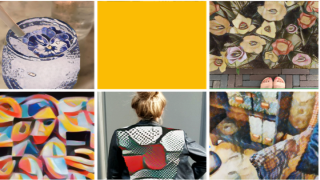
Google's Arts and Culture app, in partnership with United Kingdom's  National Gallery and Japan's Museum of Art, adds a new feature that transforms your photos into the style of the world's famous artists. Powered by Google AI, the Art Transfer applies a unique algorithm that adapts the characteristics of the chosen artist's paintings and recreates the chosen images right in your mobile device. Step 1: Download the Google Arts and Culture app on iOS and Android. We’ve tried making a search on both the old and new platforms by searching “how effective are silicon carbon batteries on smartphones?” As expected, Google Scholar pulled up studies that contained the keywords from our search query, but it showed the results much faster in a mere second. Read more in our articles including "Google Arts and Culture app adds Art Transfer feature" and "GCash starts rolling out Google Pay support".

More About how to use Art Transfer Google Arts and Culture

Frequently Asked Questions

What is how to use Art Transfer Google Arts and Culture?

Google's Arts and Culture app, in partnership with United Kingdom's  National Gallery and Japan's Museum of Art, adds a new feature that transforms your photos into the style of the world's famous artists. Powered by Google AI, the Art Transfer applies a unique algorithm that adapts the characteristics of the chosen artist's paintings and recreates the chosen images right in your mobile device.

What have you covered about how to use Art Transfer Google Arts and Culture?

Step 1: Download the Google Arts and Culture app on iOS and Android. We’ve tried making a search on both the old and new platforms by searching “how effective are silicon carbon batteries on smartphones?” As expected, Google Scholar pulled up studies that contained the keywords from our search query, but it showed the results much faster in a mere second.

Where can I find articles about how to use Art Transfer Google Arts and Culture?

Our coverage of how to use Art Transfer Google Arts and Culture includes: "Google Arts and Culture app adds Art Transfer feature"; "GCash starts rolling out Google Pay support"; "TikTok now lets users limit how much AI content appear on their For You page". Each article provides unique insights and information.