

Bored with your stagnant stock lock? If you’re not satisfied with customizing only your Android home screen, maybe it’s time to take it a notch higher and customize your lock screen with these five apps.
The stock lock screens on Android have become very interactive as of late thanks to the additions extra features such as media controls, widgets, and notifications.
If you are, however, still looking for something better, these five apps on our list should be decent alternatives to the one already present in your current mobile device. Most of them are really good and intuitively designs that it’ll make you not unlock your phone less often.
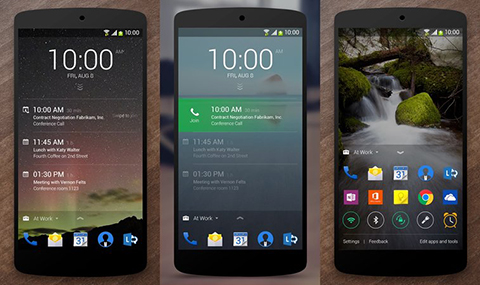
From Microsoft’s Garage Project, here’s Next, a lock screen that looks a lot like the default one save for the categorized apps at the bottom. These apps can be segregated into categories based on your location — ‘For Home’, ‘For Work’ — and each has their own settings and set of apps to show. Perfect for separating work-related notifications with personal ones.
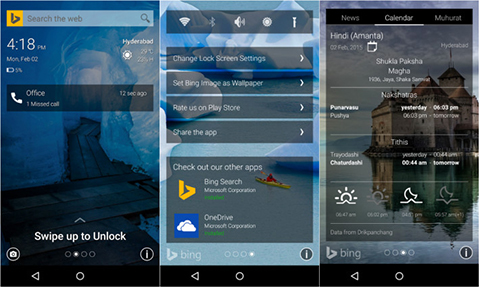
If you hate Google, or rather forced to use one, why not install something that would make you Bing? Another pet project off Microsoft Garage, Picturesque grabs daily images from Bing’s homepage and automatically splash it onto your screen. There’s also an option to google Bing something without having to unlock your device.

If you want something close to the iOS experience, there’s CM locker, a simple and minimal locker with an interface may remind you of design cues the Cupertino giant popularized such as gaussian blurs, the control panel, or even the famous ‘slide to unlock’ message.
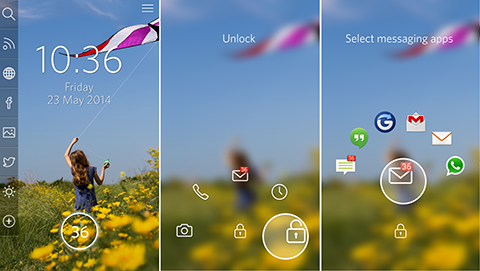
Start is a nice-looking locker if you’d like to put in a little fun. You can use clip arts to pin to your screen and play with your lock screen wallpaper, for one. It’s sleek, versatile, and intuitive.
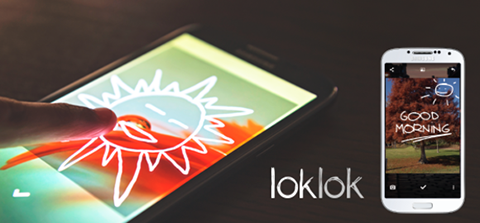
Last but not the least, we have an lock screen app that will somewhat remind you of a popular mobile game. LokLok lets you use your lock screen like a synchronized whiteboard, as you draw images on the screen to send to your friends. It’s still in beta stage though, so expect some bugs on the way.
That’s it for our lock screen apps rundown. Keep in mind that this would work really well if you’ve got a mid-range to high-end phone, as the app themselves can consume lots of RAM space.
Got more recommendations not on this list? Head over to our comments section below.







parang last week lang nabasa ko yung article ng list of lockscreen sa xda news. tapos dito meron din
Our article was composed and was pending for publishing since February 4th.
@Carl Lamien
Pics or it didn’t happen.
@abuzalzal who u? (gets?) duh.
di nman lahat nagbabasa ng xda article. thx carl and keep us updated for new things :P
so what kung nasa iba website ang ganitong article? ibig sabihin yung topic sa inquirer di na pwede lumabas sa star? for as long as di plagiarized, walang kaso.