

You can now finally share your beautiful PureView shots through the popular photo-sharing app Instragram with its official Windows Phone 8 app.
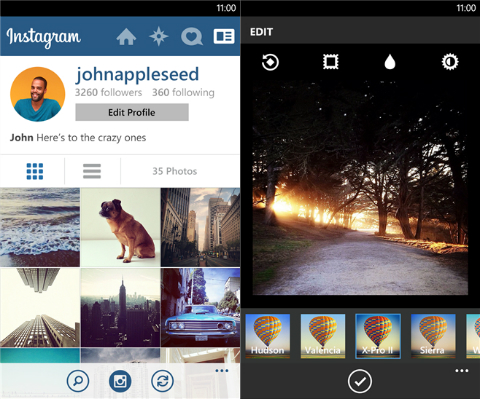
From the interface standpoint, the Instagram for Windows Phone looks identical to the iOS and Android counterpart. It comes with the same set of image filters and you can also connect your Facebook, Twitter, Foursquare, Flickr, and Tumblr for instant sharing with multiple social accounts.
Sadly, the photo-sharing app for WP handsets currently doesn’t support video recording. Moreover, WP users can’t take pictures inside the app and are instead brought to their handset’s default camera app to do it.
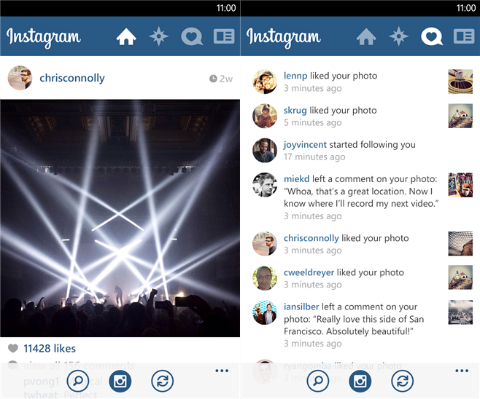
The good news is that the app is now here, and we no longer have to rely on third-party apps. Let’s just wish that Instragram addresses these slight missteps on future updates.
If you own a Windows Phone 8 device, hear over to the Windows Store to download it.
{source}




Correction lang, you don’t have to leave the app to take pictures. When pressing the camera icon it takes you to the gallery, where you have the option to either upload one of the pics you took outside the app (i.e., one taken from the Nokia Camera app for instance) or call the WP camera ‘lens’, take a picture, then edit it to apply the usual Instagram filters. All very seamless and intuitive IMHO.
Not as intuitive and seamless as iOS and Android’s app. On both Android and iOS, the only reason you’ll “leave” Instagram is when you choose a photo from your gallery. If you want to take a picture, you can do so in their Instagram app.
@crackinthewall: Have you tried using the Instagram app in Windows Phone? I have tried the one on iOS and Android and TBH, I don’t understand what all the fuss is about. The UI in WP is as intuitive, and as a matter of fact, I actually like it a little bit better. I am currently using a 925 and a 1020 and I’d rather be uploading pictures that are taken with the Nokia Camera lens anyway. The WP Instagram UI provides the best approach by defaulting to gallery view, with an option to snap a pic right there on that very page. Only the most technologically challenged users would ever have any problem using it.
I think people are just hell bent to find as many faults as they can against the WP platform and so they nitpick on non issues like this. Well that’s just too bad because WP is here to stay, and getting better everyday.