

GCash strengthens its app security by blocking access for devices that have undergone modifications. This proactive measure includes blocking access for jailbroken and rooted devices. It will also prevent devices with altered settings from accessing the app.
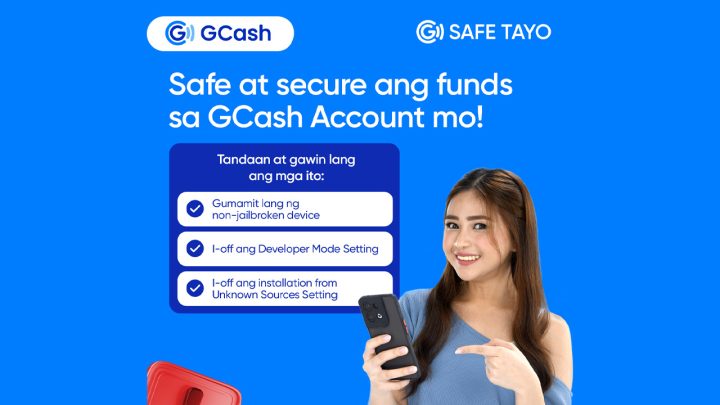
They advise users to disable certain options like “developer options” and “installs from unknown sources” on their devices, as these settings could potentially introduce vulnerabilities.
GCash has recently released a support document that offers helpful troubleshooting steps for users to identify if their device is jailbroken or rooted. These steps also provide guidance on how to disable the specific settings mentioned above.
Note that their new security measure DOES NOT automatically block a GCash account if it is accessed on a modified device.
However, existing users may be restricted from accessing their accounts on the app if the device is detected as modified or compromised, making it vulnerable to potential attacks.
Ultimately, GCash advises users to log in to their accounts using a device without any modifications for a safer experience.
What are jailbreaking and rooting?
Jailbreaking is the process of removing software restrictions on iOS devices, such as iPhones and iPads.
By jailbreaking a device, users can gain root access to the iOS file system, allowing them to install unauthorized apps, modify system files, and customize their device beyond the limitations set by Apple.
Rooting, on the other hand, is the process of obtaining root access on Android devices. Rooting allows users to access and modify system files and settings that are normally restricted.
It provides greater control over the device, enabling users to install custom ROMs, remove pre-installed apps, and make other modifications that are not possible on unrooted devices.
Both jailbreaking and rooting can provide users with more freedom and customization options. However, they also come with certain risks. By bypassing the security measures put in place by the operating system, jailbroken and rooted devices may be more vulnerable to security threats and malicious software.
GCash’s decision to block access for jailbroken, rooted, and modified devices is a security measure aimed at protecting user data and ensuring the integrity of their app.
By restricting access to these devices, GCash aims to provide a more secure and reliable experience for their users.







S23 Ultra bought straight from Samsung with over a 700+Gscore and yall keep disconnecting me with my developer options turned off and yall keep saying my device isnt secured. I swear once im done with all my shit im unistalling Gcash and switching to other services