

Apple has recently pushed iOS 18 to supported iPhones just this week. Along with new notable features such as customizable Control Center, new Passwords app and many more, one highly anticipated feature is RCS messaging.
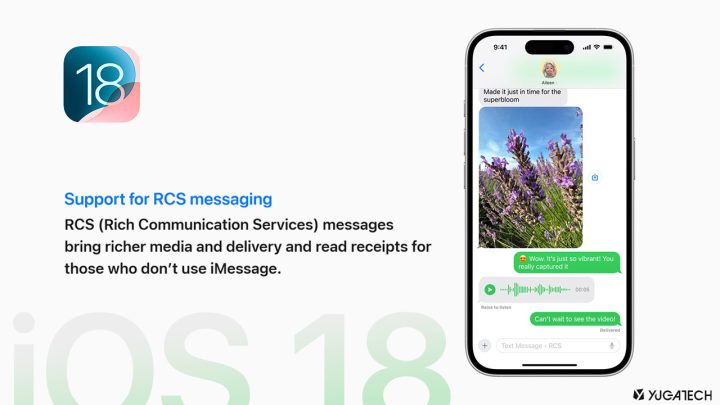
More extensive chat features like hi-res media sharing, read receipts, and group chats are now possible between iMessage and Android users through Rich Communications Services (RCS).
However, it appears RCS on iPhones is not yet available in the Philippines.
The “RCS messaging” toggle, which should be located in Settings > Apps > Messages > RCS messaging, is missing from our teammate’s iPhone device running iOS 18.

Several Reddit users also reported its absence on their devices, likely using the stable iOS 18 release.
It is uncertain whether Apple or the telco providers (Smart, Globe) is at fault here. Though RCS is already available in major markets like the US, it’s likely that Apple has yet to fully enable RCS for the Philippines.

When searching “RCS” in the Settings, a result does appear in the same location. The device used in the screenshot above is an iPhone 12 Pro Max running stable iOS 18 and subscribed to Smart Postpaid.
This supports the speculation of Apple not yet fully enabling RCS in the country. After all, the RCS messaging feature is located under the Messages app settings rather than Network settings.
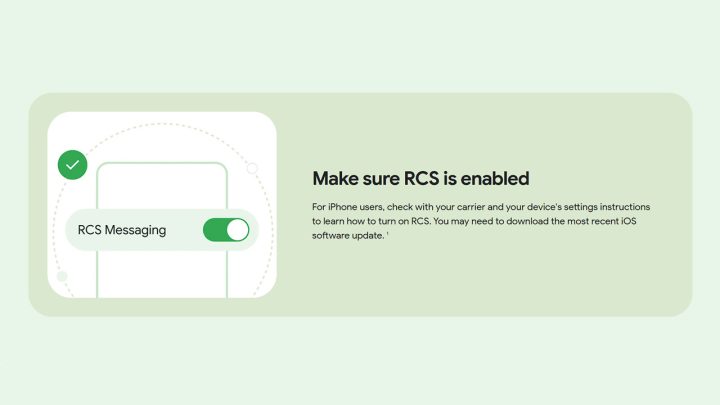
RCS chats on Android have been available for years now through Google Messages. Perhaps, this is why all manufacturers now use it rather than their own messaging apps (like Samsung Messages).
For now, though, users in the Philippines may have to wait before RCS messaging between iPhones and Android becomes a reality.


MMS (Multimedia Messaging System) was already removed way back in 2018 in most Telco companies here in the Philippines thus RCS is still not available until they enable it again.