

Apple’s new iPhone 11 units are yet to arrive in the Philippines officially. Those who can’t wait for the local availability opted to buy in other countries like Singapore and Hong Kong, where it’s nearest. However, you have to take note of the model’s LTE bands as not all iPhone units support the LTE bands in the Philippines. Here’s how to check before buying.
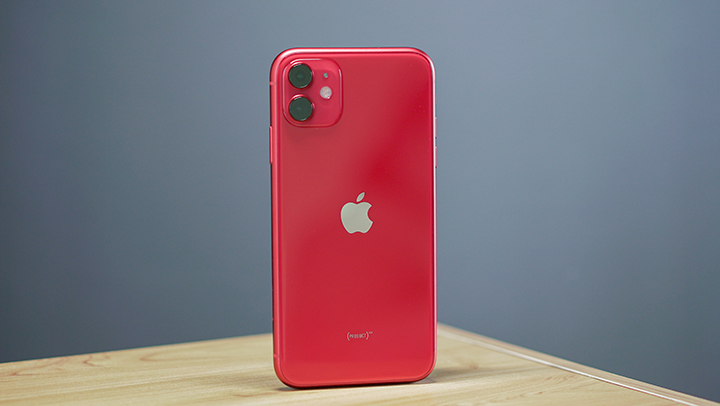
The quickest way to find out if the iPhone 11, iPhone 11 Pro, or iPhone 11 Pro Max, support LTE Band 28 (700MHz) is to look at the model number and cross-check it with Apple’s list online. You can do that by checking the back of the box. It starts with the letter A followed by four numbers. Also, check if it’s a GSM model. Check the photos below.

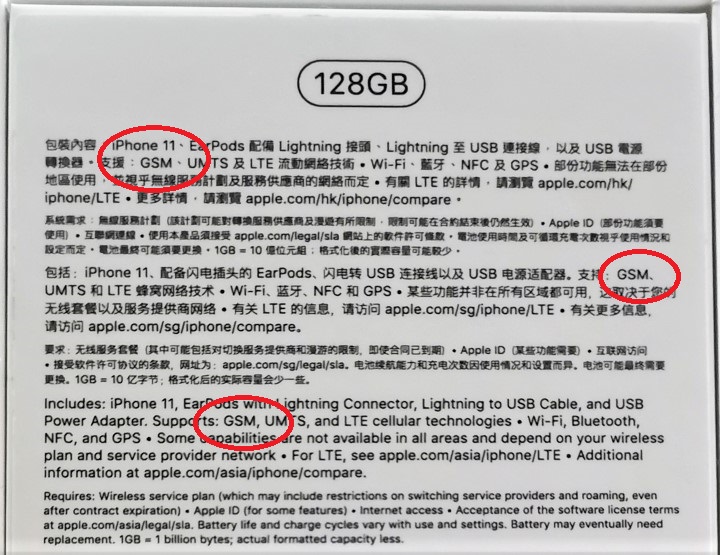
If you have already bought it, just go to Settings -> General -> About. In this case, the iPhone 11 we bought in Singapore has a model number A2221 (GSM). Basically, you just have to look for these iPhone 11 model numbers that support LTE Band 28:
• iPhone 11: A2221 (GSM)
• iPhone 11 Pro: A2215 (GSM)
• iPhone 11 Pro Max: A2218 (GSM)
Alternatively, you can go to www.apple.com/iphone/LTE/ and search for the model number. Once you found the model number, you should see a list of LTE bands beside it. If you see Band 28, then your unit is good. The only iPhone 11, iPhone 11 Pro, or iPhone 11 Pro Max units that don’t have LTE Band 28 are those that are sold in the United States, China, and Hong Kong, so stay away from those units if you need the said band.
And that’s it. We hope that this guide helped you pick the right market to buy the new iPhones that support LTE Band 28.




Hi! Great topic. Is the LtE band the inly thing to worry? I mean how about 2g 3g network will there be no problems as well if te band 28 is compatible?