

beep NFC card loading is now available nationwide. beep cardholders can now easily load their cards with a few taps via their mobile app through NFC technology.
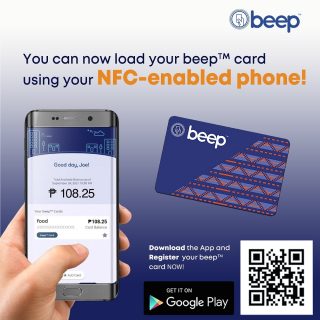
To enable this feature, check that your phone has an NFC feature and that it is switched on. Cardholders must then download the latest version of the beep card app. On the main menu, tap Buy beep Load and select the card that would be reloaded or input the details of the unregistered card. Once done, enter the specific amount or choose from the denominations available. Finalize payment details, then wait for validation. Lastly, receive the top-up by simply placing the card against the back of the phone until the confirmation pops up on the screen.
The latest update of the app accepts payments via Mastercard, Visa, or JCB credit and debit cards, as well as GCash, Paymaya, or QR PH. Do note that there is a small processing fee involved when topping up.






1 Comment
Leave a Reply