
Make sure your iTunes is running on its latest version so it can offer the iOS 8 update 2. iOS 8 is compatible with these devices: iPhone 4S iPhone 5 iPhone 5C iPhone 5S iPhone 6 iPhone 6 Plus iPod touch 5th generation iPad 2 iPad 3rd generation iPad 4th generation iPad Air iPad mini iPad mini with Retina display To check for the update and download via OTA just go to Settings -> General -> Software Update. You can also update your iOS device via iTunes for PC or Mac. These models are no longer eligible for modern iOS updates, making this release especially important for users who still rely on them. This update comes more than three years after the last iOS 12 release in January 2023. Read more in our articles including "How to get the 5.7GB iOS 8 without erasing anything" and "iOS 8 now available for download".
With the rollout of the iOS 8, we’ve seen a lot of people in our…
Sep 18, 2014Apple has just rolled out iOS 8 for the iPhone, iPad, and iPod touch, bringing…
Sep 18, 2014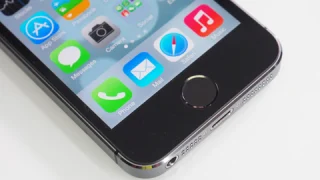
Apple has released iOS 12.5.8 to keep key services like iMessage, FaceTime, and device activation…
Jan 27, 2026Apple today officially announced the next version of their popular mobile operating system, the iOS…
Jun 7, 2011
Point your iPhone camera at something and ask Siri about it. That is the new…
Jun 9, 2026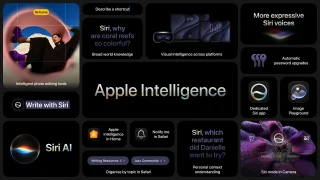
Apple Intelligence is not just about Siri and Safari. iOS 27 brings contextual AI features…
Jun 9, 2026Make sure your iTunes is running on its latest version so it can offer the iOS 8 update 2. iOS 8 is compatible with these devices: iPhone 4S iPhone 5 iPhone 5C iPhone 5S iPhone 6 iPhone 6 Plus iPod touch 5th generation iPad 2 iPad 3rd generation iPad 4th generation iPad Air iPad mini iPad mini with Retina display To check for the update and download via OTA just go to Settings -> General -> Software Update.
You can also update your iOS device via iTunes for PC or Mac. These models are no longer eligible for modern iOS updates, making this release especially important for users who still rely on them. This update comes more than three years after the last iOS 12 release in January 2023.
Our coverage of ios 8 update philippines includes: "How to get the 5.7GB iOS 8 without erasing anything"; "iOS 8 now available for download"; "Apple updates iOS 12 to keep iMessage and FaceTime working on older devices". Each article provides unique insights and information.