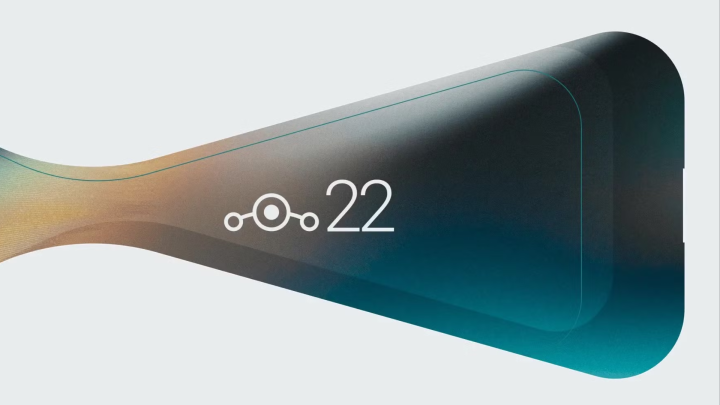
LineageOS, the renowned open-source Android distribution, has officially released LineageOS 22.1, bringing Android 15 (QPR1) to over 100 devices. This update allows users with older smartphones to experience the latest Android features, extending the lifespan of their devices beyond the manufacturer’s official support.
The development team expedited the release of LineageOS 22.1 by building upon their previous adaptations of Google’s UI changes in earlier Android versions. However, they encountered challenges due to Android’s new trunk-based development model, which introduces significant codebase changes every three months. This shift necessitates more frequent rebasing of the project and may lead to the deprecation of support for some older devices before the next major version is released.
To align with Android’s updated release cycle, LineageOS has reinstated its dot versioning system. Consequently, the current release is named LineageOS 22.1, indicating its foundation on Android 15 QPR1. Future versions are expected to follow this naming convention, with releases such as LineageOS 22.2 based on Android 15 QPR2, and LineageOS 23.1 based on Android 16 QPR1.
LineageOS 22.1 introduces several enhancements:
•New Applications: The update includes ‘Twelve,’ a redesigned music player app replacing the previous ‘Eleven,’ and ‘Camelot,’ a new PDF reader app.
•Security Updates: Security patches from March 2024 to November 2024 have been integrated into LineageOS versions 19.1 through 22.1.
•Application Updates: Both ‘SeedVault’ and ‘Etar’ have been updated to their latest upstream versions.
•WebView Update: WebView has been updated to Chromium version 131.0.6778.200.
•Performance Improvements: Contributor demon000 (Cosmin Tanislav) has optimized the extraction utilities, reducing extraction times from approximately 180 seconds to around 30 seconds. A complete rewrite in Python further decreases extraction times to about 6 seconds, representing a 30-fold speed improvement.
•VirtIO Support: Contributor 0xCAFEBABE added support for virtIO targets, enhancing compatibility with platforms like QEMU, crosvm, and UTM. While not officially supported, a comprehensive guide for utilizing these targets is available on the LineageOS Wiki.
LineageOS 21 remains available for devices not yet supported by 22.1, but support for version 20 is being phased out. Users interested in upgrading can find installation instructions and a list of supported devices on the official LineageOS website.
This release underscores LineageOS’s commitment to providing extended software support and new features to a wide range of devices, ensuring that users can continue to enjoy an up-to-date Android experience on their older smartphones.
Frequently Asked Questions
What is LineageOS 22.1 based on?+
LineageOS 22.1 is based on Android 15 QPR1.
How many devices does LineageOS 22.1 support?+
LineageOS 22.1 supports over 100 devices.
What new applications are included in LineageOS 22.1?+
LineageOS 22.1 includes 'Twelve,' a redesigned music player app, and 'Camelot,' a new PDF reader app.
Erldian Burtanog is a Communication Arts graduate who brings a fresh perspective to the world of technology. His curiosity and passion for storytelling have led him to cover the latest in tech, innovation, and digital trends. He specializes in video production, editing, and writing, and has covered events both locally and internationally for YugaTech. Outside of tech journalism, he creates fashion content and pursues his interest in styling, blending creativity with media and storytelling.
Good article, but you forgot to mention that in order to install this ROM on older devices, the bootloader needs to be unlocked and the phone needs to be rooted. This prevents using many banking apps and Government digital ID’s, which makes it problematic for many power users.








Good article, but you forgot to mention that in order to install this ROM on older devices, the bootloader needs to be unlocked and the phone needs to be rooted. This prevents using many banking apps and Government digital ID’s, which makes it problematic for many power users.
Please look into this and update the article.
Thank you 😉