infinix x yugatech

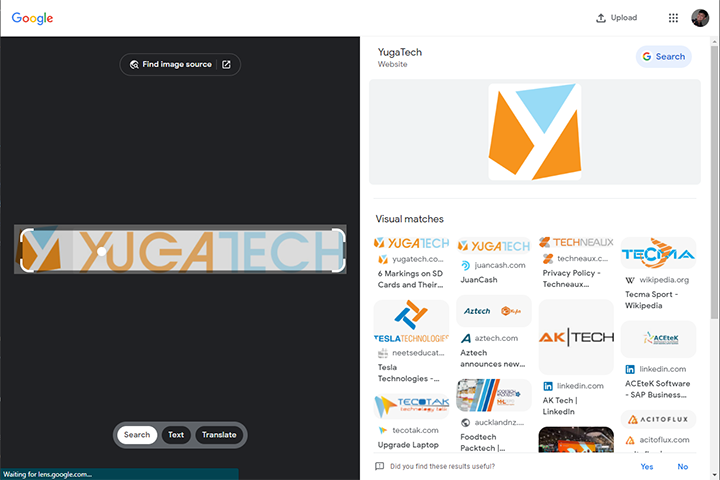
Google Lens para sa Chrome desktop karon naay pag-ayo

Listen to article

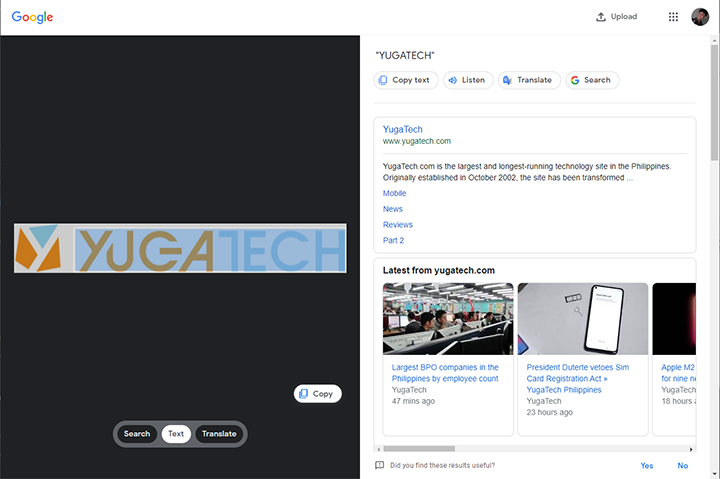
Karon ang mga user mahimong kopyahon ug isalin ang mga teksto, ug direkta nga buhaton ang paghimo og pangita sa hulagway direkta sa Google Chrome desktop browser.

Google Lens Chrome (0)

Samtang ang giingong browser nag-abot sa iyang 100th bersyon, mas daghang mga functionality nga gipadugang sa integrated Google Lens feature.

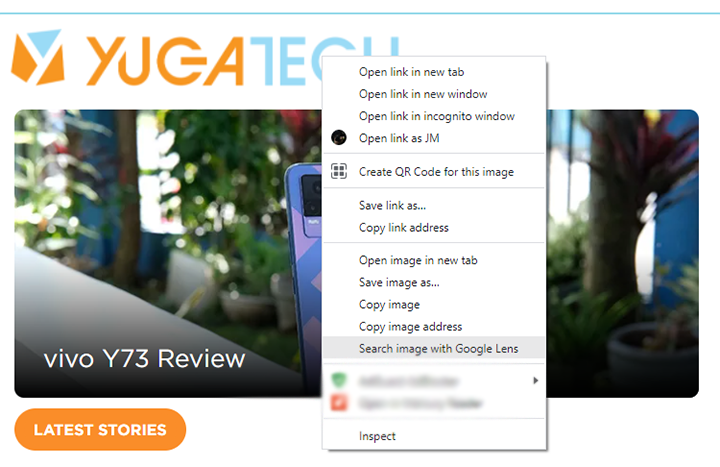
Sa pag-right click sa usa ka hulagway, gisulod sa context menu ang "Imahinasyon nga Pagpanukiduki gamit ang Google Lens" sama sa reverse-image search.
Google Lens Chrome (3)

Google Lens Chrome

Google Lens Chrome (1)

Sa mga teksto ug translate buttons, ang mga user mahimong kopyahin ang usa ka bahin o tibuok nga makabasa nga teksto gikan sa hulagway. Ang dugang nga mga opsyon naglakip sa ‘listen’ (pagpaminaw sa gipili nga teksto), pagbukas og Google search ug Google Translate direkta sa ilang kaugalingong domain.


React to this article:
Written by
JM Chavaria

JM Chavaria

Executive Producer

JM has always had an affinity for all things tech and gaming, even before joining YugaTech. He holds a bachelor’s degree in Journalism from the Polytechnic University of the Philippines (Manila). Since then, JM has been covering the tech industry for several years now through engaging news, reviews, and content creation. Specializing in video editing, writing, and videography, he pays close attention to visuals, spec sheet, and the rule of thirds. JM is also mainly a Nintendo guy, often bringing his modded 3DS XL with him wherever he goes whenever he can.

View all posts by JM Chavaria →

0 Comments

Leave a Reply

Loading next article...